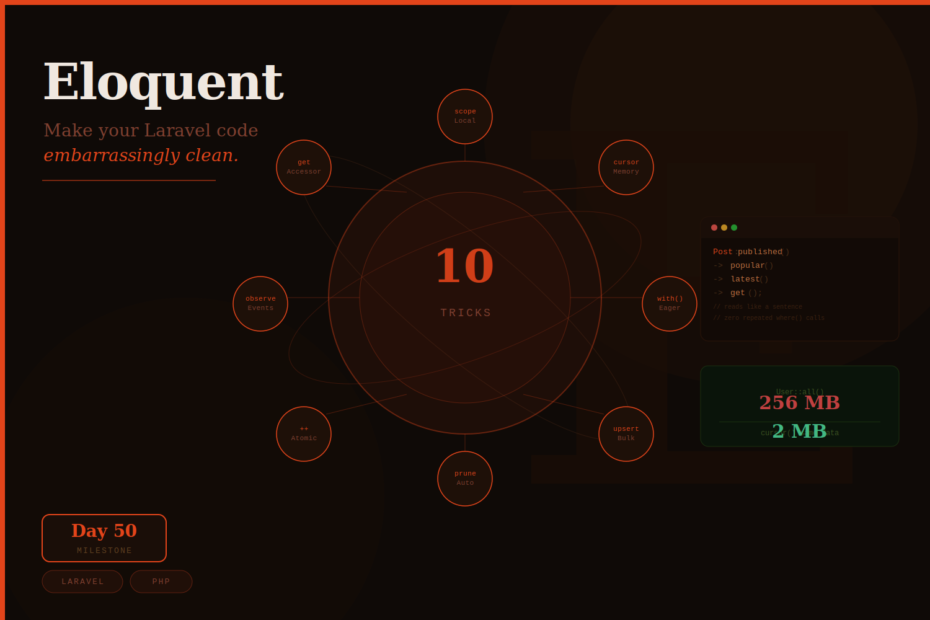
You’ve been writing Laravel for years. These 10 Eloquent patterns will make you wonder what else you’ve been missing.
A milestone worth celebrating with something practical — ten Eloquent tricks that span beginner, intermediate, and advanced levels. Some of these you may know. Some will genuinely surprise you. All of them will make your codebase cleaner, faster, or both.
Let’s get into it.
Trick 1: Local Scopes — Stop Repeating Your Where Clauses
If you write ->where('status', 'published') in more than one place, you’re doing it wrong. Local scopes let you name and reuse query constraints so they read like sentences.
// In your Post model
public function scopePublished(Builder $query): Builder
{
    return $query->where('status', 'published')
                 ->where('published_at', '<=', now());
}

public function scopePopular(Builder $query, int $minViews = 1000): Builder
{
    return $query->where('views', '>=', $minViews);
}

public function scopeByAuthor(Builder $query, int $authorId): Builder
{
    return $query->where('author_id', $authorId);
}
Usage — reads like a sentence:
// Before scopes
$posts = Post::where('status', 'published')
             ->where('published_at', '<=', now())
             ->where('views', '>=', 1000)
             ->where('author_id', $authorId)
             ->get();

// After scopes — same query, reads beautifully
$posts = Post::published()
             ->popular()
             ->byAuthor($authorId)
             ->latest()
             ->get();
Scopes are composable, reusable, and testable. They also make your query intentions explicit — popular() is unambiguous, ->where('views', '>=', 1000) buried in a chain is not.
Trick 2: cursor() vs chunk() — Process Millions of Records Without Running Out of Memory
Loading large datasets with User::all() or User::get() pulls every model into memory at once. At 50,000 records, this can consume 256MB+ of RAM and crash your server.
Eloquent has two elegant solutions:
// cursor() — uses a PHP Generator, one model in memory at a time
// Best for: sequential processing where order matters
User::where('active', true)->cursor()->each(function (User $user) {
    $user->sendWeeklyDigest()
})
// Peak memory: ~2MB regardless of dataset size

// chunk() — processes N records at a time, re-queries per chunk
// Best for: batch operations, dispatching jobs
User::where('active', true)->chunkById(200, function (Collection $users) {
    $users->each(fn($user) => ProcessUser::dispatch($user))
})

// chunk() vs chunkById() — always prefer chunkById()
// chunk() uses OFFSET which gets slower as you go deeper into large tables
// chunkById() uses WHERE id > last_id which stays fast at any size
Real benchmark: Processing 50,000 records — User::get() crashes at 256MB. User::cursor() completes at 2MB peak. That’s a 128x reduction in memory usage.
Trick 3: Subquery Selects — Attach Related Data Without Extra Queries
This is one of the most underused Eloquent features. Instead of loading a relationship and accessing a property, you can fetch related data as a column directly in the main query.
The problem:
// This triggers N+1 — one query per user to get their latest post
$users = User::all()
$users->each(function ($user) {
    echo $user->latestPost->title // separate query each time
})
The elegant solution — subquery select:
// One query. All users with their latest post title as a column.
$users = User::addSelect([
    'latest_post_title' => Post::select('title')
        ->whereColumn('user_id', 'users.id')
        ->latest()
        ->limit(1),
])->get()

// Access it like any other attribute
foreach ($users as $user) {
    echo $user->latest_post_title // already there — no extra query
}
You can also sort by subquery results:
// Sort users by their last activity date — computed via subquery
$users = User::addSelect([
    'last_login' => Login::select('created_at')
        ->whereColumn('user_id', 'users.id')
        ->latest()
        ->limit(1),
])->orderBy('last_login', 'desc')->get()
One query. Sorted. Clean.
Trick 4: firstOrCreate, updateOrCreate, upsert — Stop Writing If/Else for Existence Checks
How many times have you written this?
// The old way
$user = User::where('email', $email)->first()
if ($user) {
    $user->update(['name' => $name])
} else {
    $user = User::create(['email' => $email, 'name' => $name])
}
Eloquent has built-in methods for every variation of this pattern:
// firstOrCreate — find by these attributes, or create with them
$user = User::firstOrCreate(
    ['email' => $email],        // search by
    ['name' => $name, 'role' => 'viewer'] // additional fields if creating
)

// firstOrNew — like firstOrCreate but doesn't persist (gives you a new unsaved model)
$user = User::firstOrNew(['email' => $email])
$user->name = $name
$user->save()

// updateOrCreate — find and update, or create if not found
$subscription = Subscription::updateOrCreate(
    ['user_id' => $userId, 'plan' => $plan],   // search by
    ['status' => 'active', 'renewed_at' => now()] // update or create with
)

// upsert — bulk updateOrCreate (single query, extremely fast)
User::upsert([
    ['email' => 'alice@example.com', 'name' => 'Alice', 'votes' => 5],
    ['email' => 'bob@example.com',   'name' => 'Bob',   'votes' => 3],
], uniqueBy: ['email'], update: ['name', 'votes'])
// One INSERT ... ON DUPLICATE KEY UPDATE query for all rows
upsert is particularly powerful for syncing large datasets — importing CSVs, syncing from external APIs, seeding data.
Trick 5: Model Events & Observers — Keep Business Logic Out of Controllers
Eloquent fires events at every stage of a model’s lifecycle: creating, created, updating, updated, deleting, deleted, and more. Observers let you group all your model’s event handlers in one clean class.
// Generate an observer
php artisan make:observer UserObserver --model=User
// app/Observers/UserObserver.php
class UserObserver
{
    public function created(User $user): void
    {
        // Send welcome email when a user is created
        Mail::to($user)->send(new WelcomeMail($user))
        // Notify Slack
        SlackNotification::dispatch("New user: {$user->email}")
    }

    public function updated(User $user): void
    {
        // Clear cache when user data changes
        Cache::forget("user:{$user->id}")
    }

    public function deleting(User $user): void
    {
        // Clean up related data before deletion
        $user->posts()->delete()
        $user->comments()->delete()
    }
}
Register it in a service provider or using the #[ObservedBy] attribute (Laravel 10+):
// Using the attribute — clean and explicit
#[ObservedBy(UserObserver::class)]
class User extends Model {}
When you need to bulk-create records without firing events:
// Skip all model events for this operation
User::withoutEvents(function () use ($users) {
    foreach ($users as $userData) {
        User::create($userData) // No created events fired
    }
})
Trick 6: Eager Loading — Solve N+1 Queries Forever
The N+1 problem is the most common performance issue in Laravel apps. It’s caused by lazy-loading relationships inside loops.
// N+1 — 1 query for posts + 1 query per post for author = 101 queries for 100 posts
$posts = Post::all()
foreach ($posts as $post) {
    echo $post->author->name // triggers a query each time
}

// Eager loading — 2 queries total, regardless of number of posts
$posts = Post::with('author')->get()
foreach ($posts as $post) {
    echo $post->author->name // already loaded — no query
}

// Multiple relationships
$posts = Post::with(['author', 'tags', 'comments.author'])->get()

// Conditional eager loading
$posts = Post::with(['comments' => function ($query) {
    $query->where('approved', true)->latest()->limit(5)
}])->get()
Enable Eloquent strictness in development — this makes lazy-loading throw an exception so N+1 problems surface immediately during development instead of silently in production:
// In AppServiceProvider::boot()
Model::shouldBeStrict(! app()->isProduction())
One line that catches an entire class of performance bugs before they reach production.
Trick 7: Computed Attributes (Accessors) — Add Virtual Properties to Your Models
Need a full_name that doesn’t exist as a column? A formatted_price that applies currency rules? Accessors let you add computed, virtual properties to Eloquent models.
use Illuminate\Database\Eloquent\Casts\Attribute

class User extends Model
{
    // Accessor — computed from first_name + last_name columns
    protected function fullName(): Attribute
    {
        return Attribute::make(
            get: fn() => "{$this->first_name} {$this->last_name}",
        )
    }

    // Mutator — transforms value before saving to DB
    protected function password(): Attribute
    {
        return Attribute::make(
            set: fn(string $value) => bcrypt($value),
        )
    }

    // Both accessor + mutator — formats price for display, stores in cents
    protected function price(): Attribute
    {
        return Attribute::make(
            get: fn(int $value) => $value / 100,    // cents → dollars
            set: fn(float $value) => $value * 100,  // dollars → cents
        )
    }
}
Usage:
$user = User::find(1)
echo $user->full_name       // "John Doe" — computed, not stored
echo $user->price           // 29.99 — converted from cents
$user->password = 'secret'  // automatically hashed before save
Trick 8: The Prunable Trait — Automated Record Cleanup
Every app accumulates stale records over time — old soft-deleted users, expired sessions, processed log entries. The Prunable trait gives you a clean, scheduled way to clean them up.
use Illuminate\Database\Eloquent\Prunable

class UserActivity extends Model
{
    use Prunable

    // Define which records should be deleted
    public function prunable(): Builder
    {
        return static::where('created_at', '<', now()->subMonths(6))
    }

    // Optional: run code before each record is pruned
    protected function pruning(): void
    {
        // Clean up associated files, send notifications, etc.
        Storage::delete($this->log_file_path)
    }
}
Schedule the pruning command in your console routes:
// routes/console.php
Schedule::command('model:prune')->daily()
That’s it. Every day, stale records older than 6 months are automatically removed — with optional pre-deletion cleanup logic.
Trick 9: $touches — Propagate Timestamps Up Relationships
Imagine a blog post has many comments. When a new comment is added, you want to update the post’s updated_at so caches invalidate correctly. Without $touches, you’d need to manually find and touch the parent in every relevant place.
class Comment extends Model
{
    // When this model is created or updated, automatically touch these relationships
    protected $touches = ['post']

    public function post(): BelongsTo
    {
        return $this->belongsTo(Post::class)
    }
}
Now, whenever a Comment is created, updated, or deleted, the parent Post‘s updated_at is automatically bumped. Cache invalidation, feed ordering, and last-modified headers all update correctly — with zero extra code.
Trick 10: increment() and decrement() — Atomic Counter Updates
When you need to increment a counter, the naive approach loads the model, increments in PHP, then saves. This creates a race condition — if two requests run simultaneously, you’ll lose updates.
// WRONG — race condition, not atomic
$post = Post::find($id)
$post->views++
$post->save()

// RIGHT — atomic SQL UPDATE, no race condition
Post::where('id', $id)->increment('views')

// Increment by a specific amount
Post::where('id', $id)->increment('score', 5)

// Decrement
User::where('id', $userId)->decrement('credits', 10)

// Increment with additional column updates in the same query
Post::where('id', $id)->increment('views', 1, [
    'last_viewed_at' => now(),
])
The increment() method runs a single UPDATE posts SET views = views + 1 query. This is atomic at the database level — safe for concurrent requests, no model events fired (which is exactly what you want for hot counters).
Bonus: Model Strictness Settings
A few Model:: configuration calls that belong in every serious Laravel app:
// In AppServiceProvider::boot()

// Throw an exception for lazy-loaded relationships (catches N+1 in dev)
Model::preventLazyLoading(! app()->isProduction())

// Throw when trying to set an attribute that isn't in $fillable or $guarded
Model::preventSilentlyDiscardingAttributes(! app()->isProduction())

// Throw when accessing a missing attribute (catches typos in attribute names)
Model::preventAccessingMissingAttributes(! app()->isProduction())

// Or combine all three:
Model::shouldBeStrict(! app()->isProduction())
These three lines in your AppServiceProvider catch a remarkable number of bugs during development that would otherwise silently fail in production.
Putting It Together
The 10 tricks at a glance:
| # | Trick | What It Solves |
|---|---|---|
| 1 | Local Scopes | Reusable, readable query constraints |
| 2 | cursor() / chunkById() | Memory-efficient large dataset processing |
| 3 | Subquery Selects | Related data without N+1 |
| 4 | firstOrCreate / upsert | Cleaner existence checks |
| 5 | Observers | Business logic out of controllers |
| 6 | Eager Loading | Eliminate N+1 queries |
| 7 | Accessors | Virtual computed properties |
| 8 | Prunable | Automated stale record cleanup |
| 9 | $touches | Automatic parent timestamp propagation |
| 10 | increment() | Atomic, race-condition-free counters |
Eloquent rewards developers who know its full surface area. These aren’t obscure hacks — they’re core features designed to make your code cleaner and your database interactions faster. Start with the ones that solve a problem you’re facing today, and work through the rest as they become relevant.