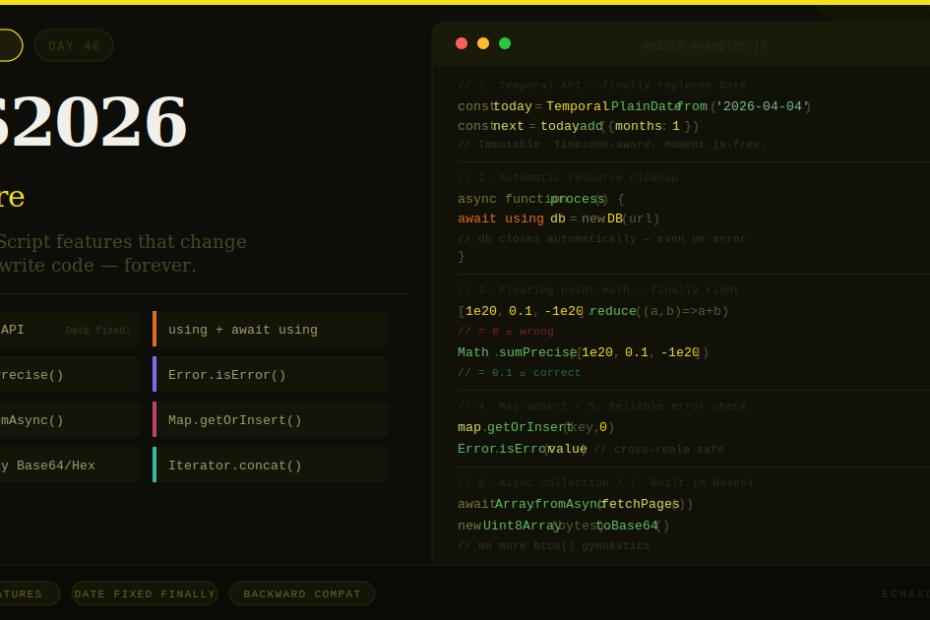
From a 30-year-old Date bug finally fixed, to automatic resource cleanup, to precise math — ES2026 is the JavaScript update developers have been waiting for.
Every year TC39 ships ECMAScript updates. Most bring incremental improvements — a helpful method here, a cleaner syntax there. ES2026 is different. It fixes things that have been broken for decades, adds features that eliminate entire categories of bugs, and reshapes how you’ll write JavaScript going forward.
It could be a bumper year for new features in the JavaScript language in 2026, with some very large proposals finally maturing. Here’s every significant feature, explained with real code, so you know exactly what’s landed and how to use it.
Feature 1: The Temporal API — JavaScript’s Date Object Is Finally Fixed
This is the headline feature of ES2026. Temporal is the long-awaited replacement for “JavaScript’s broken Date object.”
If you’ve ever spent an afternoon debugging timezone-related logic or wondered why new Date('2026-01-01') returns different results in different browsers, you already know why this matters.
Date hasn’t aged very well. It’s pretty bad, and developers either use it wrongly and have bugs or they just avoid it altogether. The Temporal API is the TC39 committee’s answer — built from scratch with explicit design goals.
What’s wrong with Date:
// Date is mutable — this is a trap
const d = new Date('2026-04-01')
const copy = d
copy.setMonth(11) // Mutates d too! They point to the same object.

// Date has no timezone awareness
new Date('2026-01-01')        // Interpreted as UTC midnight
new Date('2026-01-01T00:00') // Interpreted as LOCAL midnight
// Same string format — completely different behaviour

// Date formatting is implementation-dependent
new Date().toString() // Different output in Firefox vs Chrome
Temporal fixes all of this:
// Immutable — every operation returns a new object
const today = Temporal.PlainDate.from('2026-04-04')
const nextMonth = today.add({ months: 1 })
console.log(today.toString())     // '2026-04-04' — unchanged
console.log(nextMonth.toString()) // '2026-05-04'

// Explicit timezone handling
const meeting = Temporal.ZonedDateTime.from({
  year: 2026, month: 4, day: 15,
  hour: 10, minute: 0,
  timeZone: 'Asia/Kolkata'
})

// Convert to another timezone precisely
const inLondon = meeting.withTimeZone('Europe/London')
console.log(inLondon.toString())
// 2026-04-15T05:30:00+01:00[Europe/London]

// Date arithmetic that actually works
const start = Temporal.PlainDate.from('2026-01-15')
const end = Temporal.PlainDate.from('2026-04-04')
const diff = start.until(end)
console.log(diff.toString()) // P79D (79 days)

// Duration in human-readable pieces
console.log(`${diff.months} months, ${diff.days} days`)
Key Temporal types to know:
Temporal.PlainDate— a calendar date with no time or timezoneTemporal.PlainTime— a clock time with no date or timezoneTemporal.PlainDateTime— date + time, no timezoneTemporal.ZonedDateTime— full date, time, and timezone (the one you’ll use most)Temporal.Duration— a length of time (not a point in time)Temporal.Now— get the current instant, date, or time
Temporal is a lot better at helping you avoid mistakes and trying to be more explicit. You can finally drop Moment.js, Day.js, or date-fns for most use cases.
Feature 2: using and await using — Automatic Resource Cleanup
One of the most practically useful additions in ES2026. JavaScript 2026 added two keywords to automatically manage and dispose resources (like file handles or database connections) when they go out of scope, reducing the need for explicit try...finally blocks.
The old way — error-prone cleanup:
// Easy to forget the finally, easy to mess up error handling
async function processFile() {
  const file = await openFile('data.csv')
  try {
    const data = await file.read()
    return processData(data)
  } finally {
    await file.close() // Must remember this — and it still runs if processData throws
  }
}
The ES2026 way with await using:
async function processFile() {
  await using file = await openFile('data.csv') // Auto-closes when scope exits
  const data = await file.read()
  return processData(data) // file.close() runs automatically — even if this throws
}
To make your own classes work with using, implement Symbol.dispose (sync) or Symbol.asyncDispose (async):
class DatabaseConnection {
  constructor(url) {
    this.url = url
    this.conn = createConnection(url)
    console.log(`Connected to ${url}`)
  }

  query(sql) {
    return this.conn.execute(sql)
  }

  // Called automatically when 'using' scope exits
  [Symbol.dispose]() {
    this.conn.close()
    console.log('Connection closed')
  }
}

function getUserData(userId) {
  using db = new DatabaseConnection('postgres://localhost/mydb')
  // db.close() is guaranteed to run when this function returns or throws
  return db.query(`SELECT * FROM users WHERE id = ${userId}`)
}
For async cleanup, use Symbol.asyncDispose and await using:
class RedisClient {
  async [Symbol.asyncDispose]() {
    await this.client.quit()
  }
}

async function cacheOperation() {
  await using redis = new RedisClient()
  await redis.set('key', 'value')
  // redis.quit() called automatically
}
This pattern eliminates an entire class of resource leak bugs — the ones where an error path skips your cleanup code.
Feature 3: Math.sumPrecise() — Floating Point Math That Actually Works
Every JavaScript developer has hit this wall:
console.log(0.1 + 0.2) // 0.30000000000000004 — not 0.3!

const values = [1e20, 0.1, -1e20]
const naive = values.reduce((a, b) => a + b, 0)
console.log(naive) // 0 — completely wrong!
ECMAScript 2026 adds Math.sumPrecise(iterable), a built-in summation method that uses a more accurate algorithm than naive repeated +.
const values = [1e20, 0.1, -1e20]
console.log(Math.sumPrecise(values)) // 0.1 — correct!

// Financial calculations
const transactions = [99.99, 49.50, -30.00, 15.75]
console.log(Math.sumPrecise(transactions)) // 135.24 — precise

// Works with any iterable
function* prices() {
  yield 19.99
  yield 9.99
  yield 4.99
}
console.log(Math.sumPrecise(prices())) // 34.97
Math.sumPrecise gives you more precise results for floating point numbers using a better (but slower) algorithm. It’s slower than reduce, so use it where precision matters — financial totals, scientific calculations, statistical aggregations — not in tight rendering loops.
Feature 4: Error.isError() — Reliable Error Detection
Checking if something is really an Error object sounds simple. It isn’t:
// instanceof fails across iframes and VM contexts
value instanceof Error // false in some cross-realm scenarios

// Symbol.toStringTag can be spoofed
const fake = { [Symbol.toStringTag]: 'Error', message: 'not real' }
Object.prototype.toString.call(fake) // '[object Error]' — fooled!
ECMAScript 2026 adds Error.isError(value), a reliable check for native Error objects and subclasses.
const real = new TypeError('Wrong type')
const fake = { name: 'TypeError', message: 'fake', [Symbol.toStringTag]: 'Error' }

console.log(Error.isError(real)) // true
console.log(Error.isError(fake)) // false — correctly identifies it as not a real Error

// Works across realms (iframes, vm.runInNewContext, etc.)
Error.isError(errorFromIframe)  // true — reliable where instanceof fails

// Practical use in error boundaries
function handleResult(result) {
  if (Error.isError(result)) {
    logError(result)
    return null
  }
  return result
}
Feature 5: Array.fromAsync() — Collect Async Iterables Cleanly
JavaScript has had Array.from for a long time, but there has been no equally direct way to collect all values from an async iterable into an array.
The old way:
// Verbose boilerplate every time
async function collectPages() {
  const pages = []
  for await (const page of fetchPages()) {
    pages.push(page.toUpperCase())
  }
  return pages
}
With Array.fromAsync:
// Clean, one-liner equivalent
async function* fetchPages() {
  yield 'page 1'
  yield 'page 2'
  yield 'page 3'
}

const pages = await Array.fromAsync(fetchPages(), page => page.toUpperCase())
console.log(pages) // ['PAGE 1', 'PAGE 2', 'PAGE 3']

// Works with any async iterable — Streams, generators, paginated APIs
const allUsers = await Array.fromAsync(paginatedUsersAPI())
const names = await Array.fromAsync(paginatedUsersAPI(), user => user.name)
It is to for await...of what Array.from is to for...of — the same API, just async.
Feature 6: Map.prototype.getOrInsert() — Upsert Without the Noise
A pattern every developer writes constantly:
// Old way — verbose and performs multiple lookups
if (!map.has(key)) {
  map.set(key, defaultValue)
}
const value = map.get(key)

// Or slightly cleaner but still awkward
const value = map.has(key) ? map.get(key) : (map.set(key, default), default)
ES2026 adds getOrInsert and getOrInsertComputed:
// getOrInsert — returns existing value or inserts and returns the default
const visits = new Map()
visits.getOrInsert('homepage', 0)     // Inserts 0, returns 0
visits.getOrInsert('homepage', 0)     // Already exists, returns 0

// Building frequency maps is now clean
function countWords(text) {
  const counts = new Map()
  for (const word of text.split(' ')) {
    counts.getOrInsert(word, 0)
    counts.set(word, counts.get(word) + 1)
  }
  return counts
}

// getOrInsertComputed — only calls the factory if key is absent
const cache = new Map()
const result = cache.getOrInsertComputed('expensive-key', (key) => {
  return computeExpensiveValue(key) // Only runs if key not already in map
})
Feature 7: Uint8Array Base64 & Hex Methods
Working with binary data in JavaScript has always required awkward workarounds:
// Old way to encode to Base64
const bytes = new Uint8Array([72, 101, 108, 108, 111])
const binaryString = String.fromCharCode(...bytes)
const base64 = btoa(binaryString) // 'SGVsbG8='

// Old way to decode
const decoded = atob(base64)
const decodedBytes = Uint8Array.from(decoded, c => c.codePointAt(0))
ES2026 adds built-in conversion methods directly on Uint8Array:
const bytes = new Uint8Array([72, 101, 108, 108, 111])

// Encode
const base64 = bytes.toBase64()        // 'SGVsbG8='
const hex    = bytes.toHex()           // '48656c6c6f'

// Decode
const fromBase64 = Uint8Array.fromBase64('SGVsbG8=')
const fromHex    = Uint8Array.fromHex('48656c6c6f')

// Practical use: handling API tokens, file uploads, crypto keys
async function uploadFile(file) {
  const buffer = await file.arrayBuffer()
  const bytes = new Uint8Array(buffer)
  const encoded = bytes.toBase64()
  await api.post('/upload', { data: encoded })
}
Feature 8: Iterator.concat() — Chain Iterators Without Arrays
// Old way — had to convert to arrays to combine
const critical = ['fix prod', 'publish patch']
const routine = ['reply to email', 'update docs']
const allTasks = [...critical, ...routine] // Creates unnecessary intermediate array

// ES2026 — lazy concatenation, no intermediate arrays
const critical = Iterator.from(['fix prod', 'publish patch'])
const routine = Iterator.from(['reply to email', 'update docs'])

const workday = Iterator.concat(critical, ['lunch break'], routine)

for (const task of workday) {
  console.log(task)
}
// 'fix prod' → 'publish patch' → 'lunch break' → 'reply to email' → 'update docs'
This is particularly useful when working with large datasets — you can chain iterators lazily without pulling everything into memory first.
Browser & Runtime Support
Most ES2026 features are already available or being implemented:
| Feature | Chrome | Firefox | Safari | Node.js |
|---|---|---|---|---|
| Temporal API | 127+ | 139+ | 17.4+ | 22+ |
using / await using | 134+ | 134+ | 18+ | 22+ |
Math.sumPrecise() | 137+ | 138+ | 18.2+ | 22+ |
Error.isError() | 123+ | 132+ | 17+ | 22+ |
Array.fromAsync() | 121+ | 115+ | 16.4+ | 22+ |
Map.getOrInsert() | 131+ | 132+ | 18+ | 22+ |
Uint8Array Base64 | 132+ | 130+ | 17.4+ | 22+ |
For older targets, polyfills are available for Temporal (@js-temporal/polyfill) and most other features.
What to Do Right Now
You don’t need to rewrite everything today. Here’s a pragmatic approach:
Start immediately: Error.isError(), Array.fromAsync(), Map.getOrInsert(), and Uint8Array methods are safe to drop into existing code wherever you hit those patterns.
Adopt on new code: Use Temporal for any new date/time work. Stop adding Moment.js or Day.js to new projects.
Plan for existing date code: Temporal is a big API. Budget time to learn it properly before migrating legacy Date usage.
Add using gradually: Start with obvious resource management patterns — database connections, file handles, network streams — and expand from there.
Final Thoughts
ES2026 isn’t just another incremental update. The Temporal API alone has been in development since 2017 — it’s the most thoroughly tested addition to JavaScript ever, with 4,000 tests — bigger than the tests for the whole of ES6 combined.
Combined with automatic resource management via using, precise math via Math.sumPrecise(), and the collection of smaller but genuinely useful additions, this is a release that earns the attention. JavaScript in 2026 is meaningfully better at the things developers do every day.
The language is finally growing up in the right places.