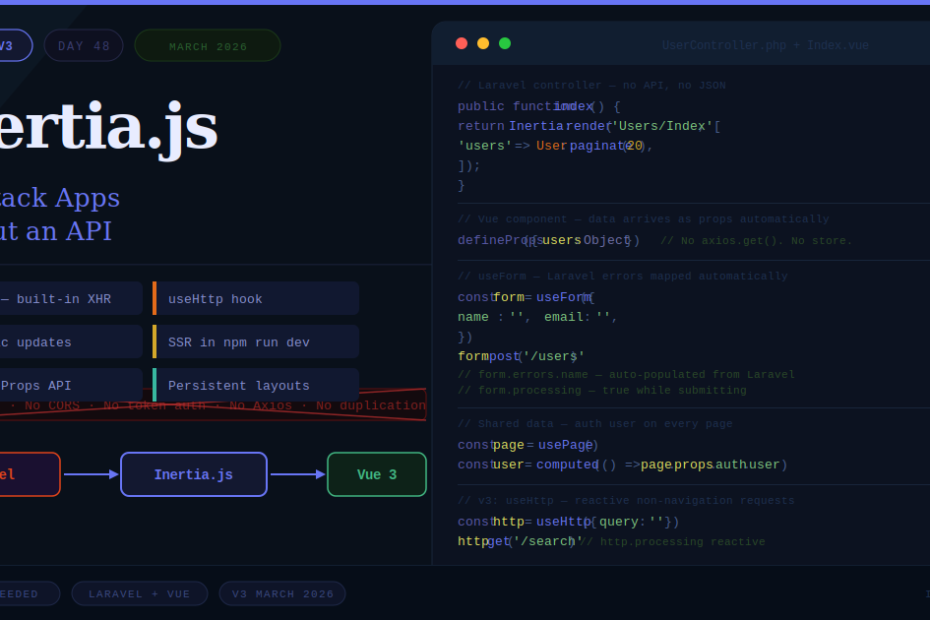
No REST API. No GraphQL. No token auth. No CORS headaches. Just Laravel controllers talking directly to Vue components — and it’s the best DX in full-stack PHP development.
If you’ve ever built a Laravel API just to power a Vue or React frontend, you know the friction. You duplicate validation logic. You manage authentication tokens. You configure CORS. You build serializers. You write documentation for endpoints nobody asked for. And you do all of this before writing a single line of actual product code.
Inertia.js eliminates every bit of that.
It’s not a framework. It’s a glue layer that connects your Laravel backend to your Vue (or React, or Svelte) frontend — letting your controllers render JavaScript components directly, with no API in between. The result is a full SPA experience with the simplicity of a traditional monolith.
In 2026, with Inertia.js v3 freshly released, this stack has never been more capable or more ergonomic. Here’s the complete deep dive.
What Inertia.js Actually Does
The core concept is simple. When a browser visits your app:
- Laravel handles the route
- The controller returns an Inertia response instead of a Blade view or JSON
- Inertia renders the corresponding Vue component, passing controller data as props
- For subsequent navigation, Inertia intercepts link clicks and makes XHR requests — swapping only the page component, not reloading the whole page
The result is SPA-style navigation with server-side routing, authentication, validation, and data fetching. You keep everything on the Laravel side where it belongs. The frontend is pure Vue — no API client, no state management for server data, no duplication.
Installation (Laravel 13 + Vue 3 + Inertia v3)
# Create a new Laravel 13 project
composer create-project laravel/laravel my-app
cd my-app

# Install Inertia server-side adapter
composer require inertiajs/inertia-laravel

# Install client-side packages
npm install @inertiajs/vue3 @inertiajs/vite vue @vitejs/plugin-vue
Register the Inertia middleware in bootstrap/app.php:
->withMiddleware(function (Middleware $middleware) {
    $middleware->web(append: [
        \App\Http\Middleware\HandleInertiaRequests::class,
    ]);
})
Update your root Blade template (resources/views/app.blade.php):
<!DOCTYPE html>
<html lang="{{ str_replace('_', '-', app()->getLocale()) }}">
<head>
    <meta charset="utf-8">
    <meta name="viewport" content="width=device-width, initial-scale=1">
    @vite(['resources/js/app.js', 'resources/css/app.css'])
    @inertiaHead
</head>
<body>
    @inertia
</body>
</html>
Configure Vite (vite.config.js):
import { defineConfig } from 'vite'
import laravel from 'laravel-vite-plugin'
import vue from '@vitejs/plugin-vue'
import inertia from '@inertiajs/vite'  // New in v3!

export default defineConfig({
    plugins: [
        laravel({ input: ['resources/js/app.js', 'resources/css/app.css'], refresh: true }),
        vue(),
        inertia(),  // Handles page resolution + SSR automatically
    ],
})
Bootstrap your Vue app (resources/js/app.js):
import { createApp, h } from 'vue'
import { createInertiaApp } from '@inertiajs/vue3'

// In v3 with the Vite plugin, this is all you need
createInertiaApp({
    setup({ el, App, props, plugin }) {
        createApp({ render: () => h(App, props) })
            .use(plugin)
            .mount(el)
    },
})
The @inertiajs/vite plugin in v3 handles page component resolution automatically — no need to write the resolve callback mapping page names to files.
Your First Inertia Controller
Here’s the fundamental shift: your controller returns Inertia::render() instead of a view or JSON.
// app/Http/Controllers/UserController.php

use Inertia\Inertia;

class UserController extends Controller
{
    public function index()
    {
        return Inertia::render('Users/Index', [
            'users' => User::with('role')
                          ->latest()
                          ->paginate(20),
        ]);
    }

    public function show(User $user)
    {
        return Inertia::render('Users/Show', [
            'user' => $user->load('posts', 'role'),
        ]);
    }
}
And the corresponding Vue page component (resources/js/Pages/Users/Index.vue):
<script setup>
import { Link, Head } from '@inertiajs/vue3'

defineProps({
    users: Object,  // Paginated data from Laravel, automatically typed
})
</script>

<template>
    <Head title="Users" />

    <div class="container mx-auto p-6">
        <h1 class="text-2xl font-bold mb-6">Users</h1>

        <div class="bg-white rounded-lg shadow overflow-hidden">
            <table class="min-w-full">
                <thead class="bg-gray-50">
                    <tr>
                        <th class="px-6 py-3 text-left text-sm font-medium text-gray-500">Name</th>
                        <th class="px-6 py-3 text-left text-sm font-medium text-gray-500">Email</th>
                        <th class="px-6 py-3 text-left text-sm font-medium text-gray-500">Actions</th>
                    </tr>
                </thead>
                <tbody class="divide-y divide-gray-200">
                    <tr v-for="user in users.data" :key="user.id">
                        <td class="px-6 py-4">{{ user.name }}</td>
                        <td class="px-6 py-4">{{ user.email }}</td>
                        <td class="px-6 py-4">
                            <Link :href="`/users/${user.id}`" class="text-blue-600 hover:underline">
                                View
                            </Link>
                        </td>
                    </tr>
                </tbody>
            </table>
        </div>
    </div>
</template>
No API route. No axios.get('/api/users'). No loading state management. The data arrives as props — typed, paginated, and ready.
Forms with useForm — Where Inertia Truly Shines
Inertia’s useForm helper is one of the best form experiences in any full-stack framework. It tracks submission state, validation errors, and dirty state automatically.
Laravel controller (standard validation — no changes needed):
public function store(Request $request)
{
    $validated = $request->validate([
        'name'  => 'required|string|max:255',
        'email' => 'required|email|unique:users',
        'role'  => 'required|in:admin,editor,viewer',
    ]);

    User::create($validated);

    return redirect()->route('users.index')
        ->with('success', 'User created successfully.');
}
Vue page component — the whole form, no API client needed:
<script setup>
import { useForm, Link, Head } from '@inertiajs/vue3'

const form = useForm({
    name:  '',
    email: '',
    role:  'viewer',
})

function submit() {
    form.post('/users', {
        onSuccess: () => form.reset(),
    })
}
</script>

<template>
    <Head title="Create User" />

    <form @submit.prevent="submit" class="max-w-md mx-auto space-y-4">

        <div>
            <label class="block text-sm font-medium">Name</label>
            <input v-model="form.name" type="text" class="mt-1 block w-full rounded border-gray-300" />
            <!-- Laravel validation errors automatically mapped here -->
            <p v-if="form.errors.name" class="mt-1 text-sm text-red-600">
                {{ form.errors.name }}
            </p>
        </div>

        <div>
            <label class="block text-sm font-medium">Email</label>
            <input v-model="form.email" type="email" class="mt-1 block w-full rounded border-gray-300" />
            <p v-if="form.errors.email" class="mt-1 text-sm text-red-600">
                {{ form.errors.email }}
            </p>
        </div>

        <div>
            <label class="block text-sm font-medium">Role</label>
            <select v-model="form.role" class="mt-1 block w-full rounded border-gray-300">
                <option value="admin">Admin</option>
                <option value="editor">Editor</option>
                <option value="viewer">Viewer</option>
            </select>
        </div>

        <button type="submit" :disabled="form.processing" class="w-full py-2 px-4 bg-blue-600 text-white rounded">
            {{ form.processing ? 'Creating...' : 'Create User' }}
        </button>

    </form>
</template>
When the form submits and Laravel returns validation errors, form.errors is automatically populated with the field-specific messages. No error parsing, no manual state management, no try/catch.
Shared Data — Global Props Available Everywhere
Some data needs to be available on every page — the authenticated user, flash messages, permissions. In Inertia, you share this through the HandleInertiaRequests middleware:
// app/Http/Middleware/HandleInertiaRequests.php

class HandleInertiaRequests extends Middleware
{
    public function share(Request $request): array
    {
        return [
            ...parent::share($request),
            'auth' => [
                'user'        => $request->user(),
                'permissions' => $request->user()?->getAllPermissions()->pluck('name'),
            ],
            'flash' => [
                'success' => $request->session()->get('success'),
                'error'   => $request->session()->get('error'),
            ],
        ];
    }
}
Access it anywhere in Vue with usePage():
<script setup>
import { usePage, Link } from '@inertiajs/vue3'
import { computed } from 'vue'

const page = usePage()

const user = computed(() => page.props.auth.user)
const flash = computed(() => page.props.flash)
const can = (permission) => page.props.auth.permissions?.includes(permission)
</script>

<template>
    <div>
        <p v-if="flash.success" class="bg-green-100 text-green-800 p-4 rounded">
            {{ flash.success }}
        </p>

        <p>Welcome, {{ user.name }}</p>

        <Link v-if="can('create-users')" href="/users/create">
            Add User
        </Link>
    </div>
</template>
Persistent Layouts — One of Inertia’s Killer Features
Persistent layouts keep your sidebar, header, and navigation alive during page transitions — no flash, no re-render, no lost scroll position.
Define your layout:
<!-- resources/js/Layouts/AppLayout.vue -->
<script setup>
import { Link, usePage } from '@inertiajs/vue3'
import { computed } from 'vue'

const page = usePage()
const user = computed(() => page.props.auth.user)
</script>

<template>
    <div class="flex h-screen">
        <!-- Sidebar — persists across all page navigations -->
        <aside class="w-64 bg-gray-900 text-white flex flex-col">
            <div class="p-6 border-b border-gray-700">
                <h1 class="text-lg font-bold">My App</h1>
            </div>
            <nav class="flex-1 p-4 space-y-1">
                <Link href="/dashboard" class="block px-4 py-2 rounded hover:bg-gray-700">Dashboard</Link>
                <Link href="/users" class="block px-4 py-2 rounded hover:bg-gray-700">Users</Link>
                <Link href="/settings" class="block px-4 py-2 rounded hover:bg-gray-700">Settings</Link>
            </nav>
            <div class="p-4 border-t border-gray-700">
                <p class="text-sm text-gray-400">{{ user.name }}</p>
            </div>
        </aside>

        <!-- Page content — swaps on every navigation -->
        <main class="flex-1 overflow-auto bg-gray-50">
            <slot />
        </main>
    </div>
</template>
Use it in a page component:
<script setup>
import AppLayout from '@/Layouts/AppLayout.vue'

defineOptions({ layout: AppLayout })
</script>

<template>
    <div class="p-6">
        <h1>Dashboard</h1>
    </div>
</template>
The sidebar never re-renders between navigations. The active link state updates reactively. It’s the one Inertia feature that impresses developers most the first time they see it.
What’s New in Inertia v3 (March 2026)
Inertia.js v3 launched in March 2026 with several significant improvements:
No more Axios. The built-in XHR client handles all internal HTTP communication, cutting roughly 15KB from the gzipped bundle and removing a dependency you never asked for.
useHttp for non-navigation requests. Previously, making a plain HTTP call (search, autocomplete, background fetch) meant stepping outside Inertia and reaching for fetch or Axios directly. useHttp closes that gap with the same reactive DX as useForm:
const http = useHttp({ query: '' })

const search = async () => {
    const results = await http.get('/search', { params: { q: http.query } })
    // http.processing, http.errors — all reactive, same as useForm
}
Optimistic updates with automatic rollback. Apply changes instantly to the UI before the server responds, with automatic rollback if the server returns an error:
router.post('/tasks', data, {
    optimistic: (page) => {
        page.props.tasks.push({ ...data, id: 'temp', optimistic: true })
    },
    // On non-2xx response, the optimistic change is automatically reverted
})
SSR works in Vite dev mode. Previously, SSR required building the bundle and starting a separate Node.js process before you could see anything. In v3, npm run dev activates SSR automatically — no build step, no separate server.
useLayoutProps for page-to-layout communication. A clean official API replacing the event bus / provide-inject workaround for passing data from page components up to their layouts.
Lazy Loading with Inertia::optional()
For expensive data that’s only needed in some situations, use Inertia::optional() to defer loading until explicitly requested:
return Inertia::render('Users/Index', [
    'users'       => User::paginate(20),
    'userStats'   => Inertia::optional(fn() => UserStats::expensive()),
    'exportData'  => Inertia::optional(fn() => User::all()),
]);
userStats and exportData won’t be fetched on initial page load. You can trigger them selectively via partial reloads when the user actually needs them.
When Should You Use Inertia vs a Separate API?
Inertia is not the right choice for every project. Here’s an honest guide:
Use Inertia when:
- You’re building a web-only application (dashboard, SaaS, admin panel, CMS)
- Your team is PHP-first and doesn’t want to context-switch to API design
- You want the fastest path from “idea” to “shipped”
- You don’t need to serve mobile apps from the same backend
Use a separate API when:
- You’re building a mobile app alongside the web app
- You need to expose data to third-party clients or partners
- Your frontend and backend teams work independently at scale
- You need a public API as a product
For the vast majority of Laravel applications — especially SaaS products, internal tools, and content platforms — Inertia is the right call. It eliminates weeks of boilerplate and lets you focus on the product.
Final Thoughts
Inertia.js is the most elegant answer to a question Laravel developers have been asking for years: how do you build a modern reactive frontend without giving up everything you love about Laravel?
The answer is: you don’t have to choose. Keep your routes in web.php. Keep your validation in form requests. Keep your authentication in Laravel’s auth system. Keep your queries in Eloquent. And render Vue components instead of Blade views.
With Inertia v3 cutting Axios from the bundle, adding first-class optimistic updates, making SSR work out of the box in development, and introducing useHttp for non-navigation requests — this is the most complete the stack has ever been.
If you haven’t tried it yet, start a new Laravel 13 project with the Inertia + Vue starter kit and build something. You’ll have a working full-stack SPA running before you’ve written a single API route.