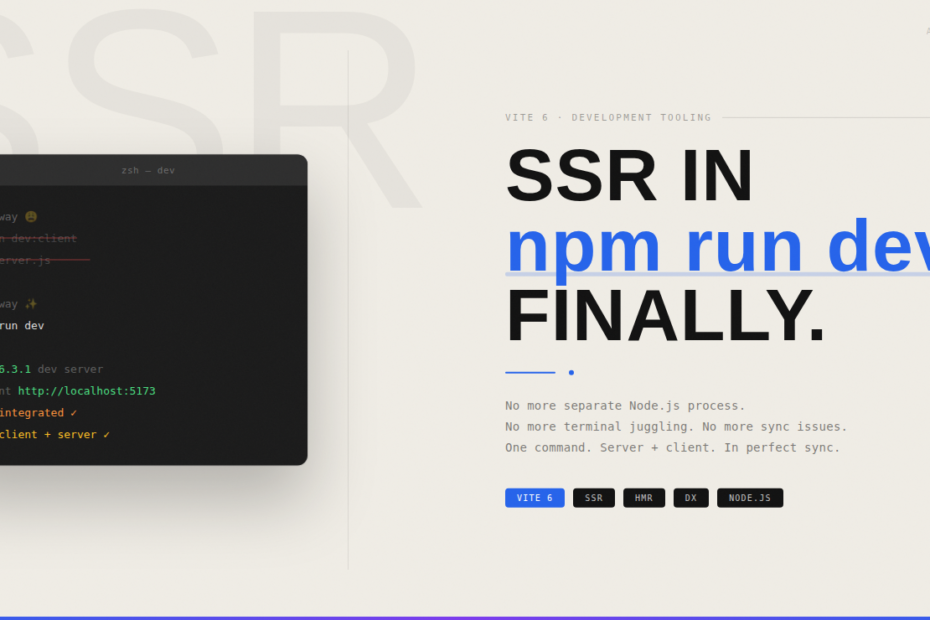
The development workflow you’ve always wanted is finally here. Here’s what changed, why it matters, and how to take full advantage of it.
If you’ve built a Server-Side Rendered application in the last few years, you know the ritual.
Open terminal one: npm run dev Open terminal two: node server.js
Keep both running. Pray they stay in sync. Debug cryptic hydration errors that only appear in one of them. Wonder why development feels twice as complicated as it should.
That workflow is finally dead. SSR now works inside npm run dev — fully integrated, single process, no more tab juggling.
Here’s everything you need to understand about what changed and why it’s a bigger deal than it sounds.
The Old World: Why Two Processes Existed in the First Place
To understand why this is significant, you need to understand why the two-process setup existed at all.
SSR means rendering your components on the server to produce HTML before sending it to the browser. In development, this required two separate runtimes working in tandem:
The Vite dev server handled your client-side assets — hot module replacement, module graph resolution, on-demand transforms, and the browser-facing build.
A separate Node.js server (usually Express, Fastify, or a framework-specific dev server) handled the server-side rendering — executing your component code in a Node.js environment to produce HTML strings.
The problem? These two processes didn’t share state. When you edited a component, the Vite HMR would update the browser instantly. But your SSR Node.js process had the old version of the module cached in memory. You’d get a mismatch: fresh client code, stale server code. The classic development SSR headache.
Most teams worked around this with clunky restart scripts, nodemon watchers, or just accepting that SSR fidelity during development was always going to be slightly broken.
What Changed: Vite’s New SSR Dev Architecture
The fundamental shift is that Vite’s development server now handles SSR directly, using its own module runner to execute server-side code inside the same process that manages HMR.
Instead of your SSR server being a separate Node.js process that imports your built code, it’s now a Vite environment — a sandboxed module execution context that lives inside the Vite dev server itself.
The implications are significant:
Single source of truth for modules. When you change a component, Vite knows immediately — in both the client environment and the server environment simultaneously. There’s no cache staleness between two independent processes.
True HMR for SSR. Your server-side rendering code gets hot-updated just like your client code. Change a component, and both the server render and the client hydration reflect the new version instantly.
Shared Vite transforms. Any custom Vite plugin that transforms your code now applies consistently whether the module is running server-side or client-side. No more “works client-side, breaks SSR” plugin behavior.
One command. npm run dev. That’s it.
The Environment API: The Engine Under the Hood
The technical foundation for this is Vite’s Environment API, introduced as a stable feature in Vite 6.
Previously, Vite had a single implicit module graph — the client graph. SSR was bolted on as a secondary mode that reused this same infrastructure in awkward ways.
The Environment API formalises the concept that Vite can manage multiple runtime environments simultaneously, each with its own:
- Module graph
- Transform pipeline
- HMR channel
- Runtime configuration
In a typical SSR setup you now have two environments: client and ssr. They’re peers, not a primary and a secondary. Both run inside the same Vite dev server process. Both stay up to date in real time.
Your vite.config.ts can now configure them explicitly:
import { defineConfig } from 'vite'

export default defineConfig({
  environments: {
    client: {
      // client-side environment config
    },
    ssr: {
      // server-side environment config
      resolve: {
        conditions: ['node', 'import', 'module']
      }
    }
  }
})
Frameworks like Nuxt, SvelteKit, Remix, and Astro are already building on top of this API to provide the seamless single-command dev experience.
What This Looks Like in Practice
Let’s make this concrete with a Vite + React SSR setup.
Old setup (two terminals):
# Terminal 1
npm run dev:client

# Terminal 2
npm run dev:server
// package.json scripts (old)
{
  "scripts": {
    "dev:client": "vite",
    "dev:server": "nodemon server.js"
  }
}
New setup (one terminal):
npm run dev
// package.json scripts (new)
{
  "scripts": {
    "dev": "vite"
  }
}
Your vite.config.ts configures the SSR environment, and Vite handles the rest. The server-side rendering happens inside Vite’s module runner. No Express process. No nodemon. No sync issues.
Framework Support: Who’s Already There
The biggest beneficiaries of this change are the meta-frameworks built on Vite.
SvelteKit has been one of the fastest to adopt the new architecture. Running npm run dev in a SvelteKit project now gives you a fully integrated SSR dev server with proper HMR across both client and server code.
Nuxt 4 (targeting Vite 6) is building deep integration with the Environment API, meaning nuxi dev will manage client, server, and potentially edge environments from a single process.
Remix (with Vite) already leverages Vite’s SSR capabilities, and the consolidation to a single dev process is part of its roadmap for simplified DX.
Astro runs SSR dev through Vite natively and benefits immediately from the environment improvements.
If you’re building a custom SSR setup without a meta-framework, the @vitejs/plugin-ssr and similar community plugins are updating to use the Environment API as well.
The Developer Experience Wins
Beyond the technical elegance, the day-to-day impact is real.
Faster onboarding. New developers on your team run one command and get a working SSR dev environment. No README section explaining which terminals to open in which order.
Reliable HMR. The classic frustration of “HMR updated the browser but the server is still rendering the old version” is gone. Client and server code are always in sync.
Simpler CI for dev mode. Teams that test their development builds in CI pipelines no longer need to orchestrate two concurrent processes.
Better error messages. When a module fails to load, Vite knows the full picture — both client and server module graphs — and can provide more accurate error traces.
Consistent plugin behaviour. If you write or use Vite plugins (MDX transforms, SVG components, CSS modules, etc.), they now apply uniformly across environments. What you see client-side matches what the server renders.
A Note on Production
It’s worth being clear: this change is specifically about the development experience. In production, you still build and deploy separate client and server bundles. The npm run build output doesn’t fundamentally change — you still get a dist/client and dist/server folder, and your production server still runs as a separate Node.js process.
What’s changed is that the gap between development and production SSR behaviour is now much smaller. Because development SSR is running the same code through the same Vite transforms, the “works in dev, breaks in prod” class of SSR bugs is significantly reduced.
Migrating an Existing Custom SSR Setup
If you have a custom Vite SSR setup using the older createServer + ssrLoadModule pattern, migration is straightforward.
Before (old pattern):
// server.js
import { createServer } from 'vite'

const vite = await createServer({
  server: { middlewareMode: true },
  appType: 'custom'
})

// ssrLoadModule was the old way
const { render } = await vite.ssrLoadModule('/src/entry-server.js')
After (new pattern):
// vite.config.ts handles environment setup
// Your dev server uses the module runner API:
import { createServerModuleRunner } from 'vite'

const runner = createServerModuleRunner(vite.environments.ssr)
const { render } = await runner.import('/src/entry-server.js')
The createServerModuleRunner gives you a module runner that stays in sync with Vite’s module graph, getting HMR updates automatically.
The Bottom Line
The two-terminal SSR development workflow was one of those rough edges that we all just accepted because it had always been that way. It wasn’t a disaster — it worked — but it added friction, confusion, and a category of bugs that didn’t need to exist.
Integrating SSR into npm run dev is the kind of improvement that sounds like a minor convenience but quietly removes hours of frustration over the course of a project. It closes the gap between development and production. It makes SSR more accessible to developers who were put off by the setup complexity. And it gives framework authors a solid, stable foundation to build even better developer experiences on top of.
One terminal. One command. SSR that actually behaves in development the way it behaves in production.
It’s a small change with a long tail of benefits. And it’s available now.