Sparse fieldsets, compound documents, relationship links, error objects, and pagination metadata — Laravel 13’s first-party JSON:API resources give your API a contract your frontend team will actually trust. Here’s how to build one from scratch.
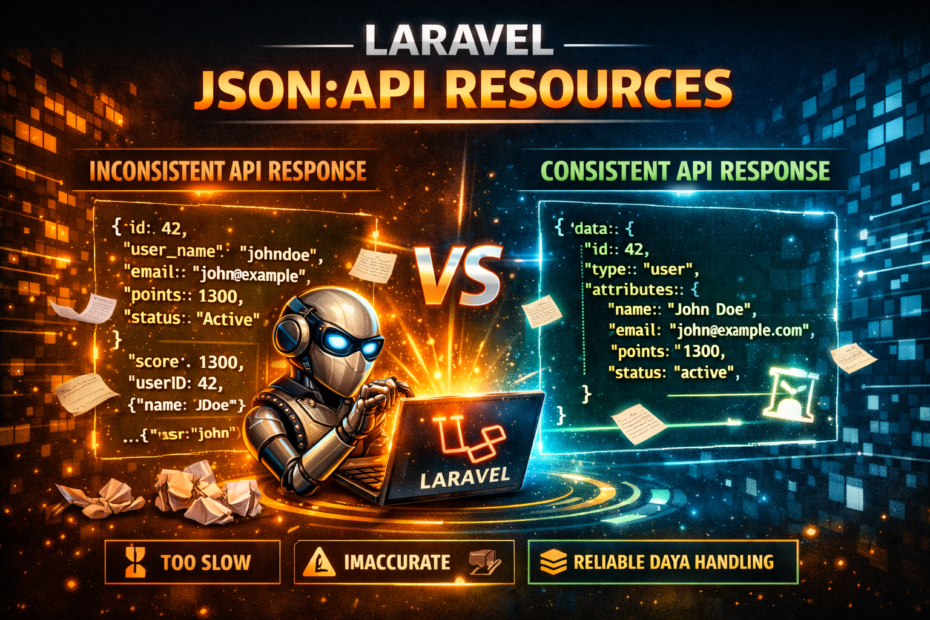
Ask three Laravel developers how they structure an API response and you’ll get four answers. One wraps everything in data. One doesn’t. One includes relationships inline, one returns IDs and makes the client do a second request, one returns both depending on who wrote the endpoint. The pagination object has meta.total or total or pagination.total_count depending on which controller you’re looking at. Errors come back as {"message": "..."} or {"error": "..."} or a 200 with {"success": false}. The frontend team learns which quirk belongs to which endpoint by making the request and seeing what comes back.
JSON:API is a specification that answers all of these questions once, consistently, for every endpoint. Laravel 13 ships first-party support for it. You generate a resource class with --json-api, define your attributes and relationships as properties, and the framework handles the response shape, the Content-Type header, sparse fieldsets, compound documents, and pagination metadata. Your API stops being a collection of conventions and becomes a contract.
What the Spec Actually Defines
Before touching the API, it’s worth knowing what you’re committing to. JSON:API defines the shape of every response — success and error — so that any client that understands the spec can consume any JSON:API endpoint without reading your documentation first.
A single resource response looks like this:
{
    "data": {
        "type": "articles",
        "id": "1",
        "attributes": {
            "title": "Laravel JSON:API Resources",
            "body": "...",
            "published_at": "2026-03-01T00:00:00Z"
        },
        "relationships": {
            "author": {
                "links": {
                    "related": "/api/articles/1/author"
                },
                "data": { "type": "users", "id": "9" }
            },
            "tags": {
                "links": {
                    "related": "/api/articles/1/tags"
                },
                "data": [
                    { "type": "tags", "id": "3" },
                    { "type": "tags", "id": "7" }
                ]
            }
        },
        "links": {
            "self": "/api/articles/1"
        }
    },
    "included": [
        {
            "type": "users",
            "id": "9",
            "attributes": { "name": "Sadique Ali" }
        }
    ]
}
Every resource has a type, an id, and an attributes object. Relationships are declared separately from attributes — they contain links to fetch the related resource and optionally the resource identifier (type + id) as a linkage. When the client requests ?include=author, the related resource appears in included at the top level, not nested inside the parent. This is the compound document model — data appears once, referenced by type and ID everywhere it’s used, never duplicated.
The spec also defines the error format, so your frontend doesn’t have to conditionally handle message vs error vs errors.0.detail:
{
    "errors": [
        {
            "status": "422",
            "source": { "pointer": "/data/attributes/title" },
            "title": "Invalid Attribute",
            "detail": "Title must be at least 3 characters."
        }
    ]
}
That’s what you’re building toward. Laravel 13 makes the implementation straightforward.
Generating a JSON:API Resource
php artisan make:resource ArticleResource --json-api
The generated class extends JsonApiResource instead of the standard JsonResource:
<?php

namespace App\Http\Resources;

use Illuminate\Http\Resources\JsonApi\JsonApiResource;

class ArticleResource extends JsonApiResource
{
    /**
     * The resource's attributes.
     */
    public $attributes = [
        //
    ];

    /**
     * The resource's relationships.
     */
    public $relationships = [
        //
    ];
}
The structure is declarative — you define what belongs in attributes and relationships, and the framework constructs the JSON:API envelope. You don’t write the type, id, data, or links keys yourself.
Defining Attributes
Attributes map to the attributes object in the response. The simplest form:
public $attributes = [
    'title',
    'body',
    'published_at',
    'created_at',
];
When you need to rename a field for the API or compute a value, use a closure:
public $attributes = [
    'title',
    'body',
    'published_at',
    // Rename snake_case model attribute to camelCase for JS clients
    'publishedAt' => 'published_at',
    // Computed value — closure receives the model
    'excerpt'     => fn ($article) => Str::limit($article->body, 200),
    'reading_time' => fn ($article) => (int) ceil(str_word_count($article->body) / 200),
];
What you declare in $attributes is exactly what appears in the response. No accidental model attribute leakage, no makeHidden() calls on the model to stop fields from appearing in API responses.
Defining Relationships
Relationships in JSON:API are separate from attributes — they sit in the relationships key and contain links and resource linkage, not the full related resource. That full resource only appears in included when the client explicitly requests it via ?include=.
public $relationships = [
    'author',
    'tags',
    'category',
];
The framework infers the related resource class from the relationship name — author resolves to App\Http\Resources\UserResource, tags resolves to TagResource. If your naming convention differs, you can be explicit:
public $relationships = [
    'author'   => UserResource::class,
    'tags'     => TagResource::class,
    'category' => CategoryResource::class,
];
The response for a request that doesn’t include any ?include= parameter:
{
    "data": {
        "type": "articles",
        "id": "1",
        "attributes": {
            "title": "Laravel JSON:API Resources",
            "body": "..."
        },
        "relationships": {
            "author": {
                "links": { "related": "/api/articles/1/author" },
                "data": { "type": "users", "id": "9" }
            },
            "tags": {
                "links": { "related": "/api/articles/1/tags" },
                "data": [
                    { "type": "tags", "id": "3" },
                    { "type": "tags", "id": "7" }
                ]
            }
        }
    }
}
The client gets relationship links and resource identifiers. If it needs the author’s name, it can fetch /api/articles/1/author — or request ?include=author and get the full UserResource in the included array.
Resource Type and ID
By default, the type is derived from the model’s class name (pluralised, kebab-cased) and id comes from the model’s primary key. For most resources this is correct without configuration.
When you need to override either:
class ArticleResource extends JsonApiResource
{
    // Override type — useful when your model name differs from your API noun
    public $type = 'blog-posts';

    // Override ID — use a public slug instead of the database ID
    public function id(): string
    {
        return $this->resource->slug;
    }

    public $attributes = [
        'title',
        'body',
    ];
}
The spec requires id to be a string, not an integer. JsonApiResource handles this automatically — the integer primary key is cast to a string in the response without you having to cast it on the model or in the attribute list.
Sparse Fieldsets — The Client Decides What It Gets
Sparse fieldsets let the client request only the fields it needs, reducing payload size without requiring endpoint-specific API variants. A mobile client that only needs titles and excerpts doesn’t have to receive full article bodies.
The request:
GET /api/articles?fields[articles]=title,excerpt
The framework filters the attributes automatically. No controller logic, no conditional attribute building. The response:
{
    "data": {
        "type": "articles",
        "id": "1",
        "attributes": {
            "title": "Laravel JSON:API Resources",
            "excerpt": "Laravel 13 ships first-party JSON:API resources..."
        }
    }
}
Sparse fieldsets work for related resources too:
GET /api/articles?include=author&fields[articles]=title&fields[users]=name
The article includes only title. The included author includes only name. The client composes the exact payload it needs from a single request.
This is one of the features most homegrown API formats can’t add retroactively without a breaking change. JSON:API bakes it into the spec from the start.
Compound Documents — Includes Without N+1s
When the client requests ?include=author,tags, the framework needs related data. The naive implementation would be one query per relationship per resource — the classic N+1. The correct implementation eager-loads before the resource runs.
In the controller:
class ArticleController extends Controller
{
    public function index(Request $request): JsonResponse
    {
        $allowed = ['author', 'tags', 'category'];
        $includes = array_intersect(
            explode(',', $request->input('include', '')),
            $allowed,
        );

        $articles = Article::query()
            ->with($includes)           // eager-load what was requested
            ->paginate(15);

        return ArticleResource::collection($articles)
            ->response();
    }

    public function show(Request $request, Article $article): JsonResponse
    {
        $allowed  = ['author', 'tags', 'category'];
        $includes = array_intersect(
            explode(',', $request->input('include', '')),
            $allowed,
        );

        $article->loadMissing($includes);

        return (new ArticleResource($article))->response();
    }
}
The resource detects which relationships are already loaded and includes them in the included array. Relationships that weren’t requested stay as linkage only — no extra queries, no data the client didn’t ask for.
A request for ?include=author,tags:
{
    "data": {
        "type": "articles",
        "id": "1",
        "attributes": { "title": "Laravel JSON:API Resources" },
        "relationships": {
            "author": {
                "data": { "type": "users", "id": "9" }
            },
            "tags": {
                "data": [
                    { "type": "tags", "id": "3" },
                    { "type": "tags", "id": "7" }
                ]
            }
        }
    },
    "included": [
        {
            "type": "users",
            "id": "9",
            "attributes": { "name": "Sadique Ali", "email": "sadique@example.com" }
        },
        {
            "type": "tags",
            "id": "3",
            "attributes": { "name": "Laravel" }
        },
        {
            "type": "tags",
            "id": "7",
            "attributes": { "name": "PHP" }
        }
    ]
}
The UserResource and TagResource classes you’ve already defined handle the serialization of included resources. The same resource class used at the /api/users endpoint is used here — no duplicated transformation logic.
Links and Meta
Both individual resources and collections support links and meta. For a resource, add a links() method:
class ArticleResource extends JsonApiResource
{
    public $attributes = ['title', 'body', 'published_at'];
    public $relationships = ['author', 'tags'];

    public function links(): array
    {
        return [
            'self'    => route('api.articles.show', $this->resource),
            'related' => route('articles.show', $this->resource->slug),
        ];
    }

    public function meta(): array
    {
        return [
            'reading_time'  => (int) ceil(str_word_count($this->body) / 200),
            'comment_count' => $this->comments_count ?? 0,
        ];
    }
}
The meta() output appears at the resource level:
{
    "data": {
        "type": "articles",
        "id": "1",
        "attributes": { "title": "...", "body": "..." },
        "links": {
            "self": "https://api.example.com/articles/1",
            "related": "https://example.com/blog/laravel-jsonapi"
        },
        "meta": {
            "reading_time": 4,
            "comment_count": 23
        }
    }
}
Pagination — The Part Homegrown APIs Always Get Wrong
Standard Laravel paginator responses look different depending on who wrote the resource. JSON:API defines the pagination envelope precisely: page links in links, total and page info in meta.
Pass the paginator directly to the resource collection:
public function index(): JsonResponse
{
    $articles = Article::with(['author', 'tags'])
        ->latest('published_at')
        ->paginate(15);

    return ArticleResource::collection($articles)->response();
}
The response:
{
    "data": [ /* ... article resources ... */ ],
    "links": {
        "first": "https://api.example.com/articles?page=1",
        "last":  "https://api.example.com/articles?page=12",
        "prev":  null,
        "next":  "https://api.example.com/articles?page=2"
    },
    "meta": {
        "current_page": 1,
        "from":         1,
        "last_page":    12,
        "per_page":     15,
        "to":           15,
        "total":        180
    }
}
The client always knows the same keys. meta.total is always total. links.next is always the next page URL. Nothing to document, nothing to discover at runtime.
If you use cursor-based pagination instead, pass the CursorPaginator:
$articles = Article::latest('published_at')->cursorPaginate(15);

return ArticleResource::collection($articles)->response();
The links object switches to prev and next cursor URLs; the meta reflects cursor pagination state. Same structure, different pagination strategy.
JSON:API Error Responses
The spec defines errors too, not just successful responses. Validation errors from Laravel’s ValidationException can be converted to spec-compliant error objects by mapping the standard errors bag:
// app/Exceptions/Handler.php
use Illuminate\Validation\ValidationException;

public function render($request, Throwable $e): Response
{
    if ($request->wantsJson() && $e instanceof ValidationException) {
        $errors = [];

        foreach ($e->errors() as $field => $messages) {
            foreach ($messages as $message) {
                $errors[] = [
                    'status' => '422',
                    'source' => [
                        // JSON Pointer: /data/attributes/field_name
                        'pointer' => '/data/attributes/' . str_replace('.', '/', $field),
                    ],
                    'title'  => 'Validation Error',
                    'detail' => $message,
                ];
            }
        }

        return response()->json(['errors' => $errors], 422, [
            'Content-Type' => 'application/vnd.api+json',
        ]);
    }

    return parent::render($request, $e);
}
The frontend gets this for a failed validation:
{
    "errors": [
        {
            "status": "422",
            "source": { "pointer": "/data/attributes/title" },
            "title": "Validation Error",
            "detail": "The title field is required."
        },
        {
            "status": "422",
            "source": { "pointer": "/data/attributes/body" },
            "title": "Validation Error",
            "detail": "The body must be at least 100 characters."
        }
    ]
}
The pointer field is a JSON Pointer (RFC 6901) that maps precisely to the field in the request document that caused the error. Client-side form libraries that understand JSON:API can map these directly to the correct input field without string parsing.
The Content-Type Header Is Not Optional
JSON:API requires Content-Type: application/vnd.api+json on every response. JsonApiResource sets this automatically — you don’t chain .header() calls or set it in middleware. It just appears.
Clients that are JSON:API-aware use this header to detect spec-compliant responses and apply spec-compliant parsing. If you’ve ever built on top of a JSON:API client library (JavaScript’s ember-data, Python’s json-api-client, or any of the mobile SDK implementations), this header is what triggers the right parser.
Putting It Together: A Full Resource Stack
A complete implementation for a blog API — models, resources, controller:
// Article resource
class ArticleResource extends JsonApiResource
{
    public $attributes = [
        'title',
        'body',
        'status',
        'published_at',
        'excerpt' => fn ($a) => Str::limit($a->body, 200),
        'reading_time' => fn ($a) => (int) ceil(str_word_count($a->body) / 200),
    ];

    public $relationships = [
        'author'   => UserResource::class,
        'tags'     => TagResource::class,
        'category' => CategoryResource::class,
    ];

    public function links(): array
    {
        return [
            'self' => route('api.articles.show', $this->resource),
        ];
    }
}

// User resource — used both as a primary resource and in includes
class UserResource extends JsonApiResource
{
    public $attributes = ['name', 'bio', 'avatar_url'];
    public $relationships = ['articles' => ArticleResource::class];

    public function links(): array
    {
        return ['self' => route('api.users.show', $this->resource)];
    }
}

// Tag resource
class TagResource extends JsonApiResource
{
    public $attributes = ['name', 'slug'];

    public function links(): array
    {
        return ['self' => route('api.tags.show', $this->resource)];
    }
}
// Controller
class ArticleController extends Controller
{
    private array $allowedIncludes = ['author', 'tags', 'category'];

    public function index(Request $request): JsonResponse
    {
        $includes = $this->parseIncludes($request);

        $articles = Article::query()
            ->with($includes)
            ->where('status', 'published')
            ->latest('published_at')
            ->paginate(15);

        return ArticleResource::collection($articles)->response();
    }

    public function show(Request $request, Article $article): JsonResponse
    {
        $includes = $this->parseIncludes($request);
        $article->loadMissing($includes);

        return (new ArticleResource($article))->response();
    }

    private function parseIncludes(Request $request): array
    {
        if (! $request->has('include')) {
            return [];
        }

        return array_intersect(
            explode(',', $request->input('include')),
            $this->allowedIncludes,
        );
    }
}
The routes:
Route::prefix('api')->middleware('api')->group(function () {
    Route::apiResource('articles', ArticleController::class);
    Route::apiResource('users', UserController::class);
    Route::apiResource('tags', TagController::class);

    // Relationship routes
    Route::get('articles/{article}/author', [ArticleRelationshipController::class, 'author']);
    Route::get('articles/{article}/tags',   [ArticleRelationshipController::class, 'tags']);
});
Client requests that work out of the box:
GET /api/articles                              → paginated list, attributes only
GET /api/articles?include=author              → includes author in compound document
GET /api/articles?include=author,tags         → includes author and tags
GET /api/articles?fields[articles]=title      → sparse fieldset, title only
GET /api/articles?include=author&fields[users]=name  → include author, only name field
GET /api/articles?page=2                      → page 2, same structure
Every one of these works without controller changes. The spec handles the query parameters; JsonApiResource handles the response shaping.
Why This Matters More Than You Think
The immediate benefit is consistency — every endpoint returns the same envelope, the same pagination shape, the same error format. The frontend team writes one response parser and one error handler. They stop reading your controller code to figure out where the data lives.
The second-order benefit is ecosystem compatibility. JSON:API clients exist for React, Vue, Ember, iOS, Android, and every other client platform. When your API speaks the spec, those clients work with it without custom adapters. A mobile team can point their existing JSON:API client at your Laravel API and it works. A third-party integration that supports JSON:API supports your API.
The third benefit is what the spec calls HATEOAS — Hypermedia as the Engine of Application State. The links in every resource and collection tell clients where to go next. A client that understands JSON:API can navigate your entire API from the root document without hardcoded URLs. The related link tells it where to find the author. The next link in pagination tells it where the next page is. The API is self-describing.
Most Laravel APIs aren’t self-describing. They’re documented in Notion with examples that go stale. JSON:API doesn’t replace documentation, but it reduces the amount of behavior documentation has to explain — the structure is specified, the client already knows how to read it.