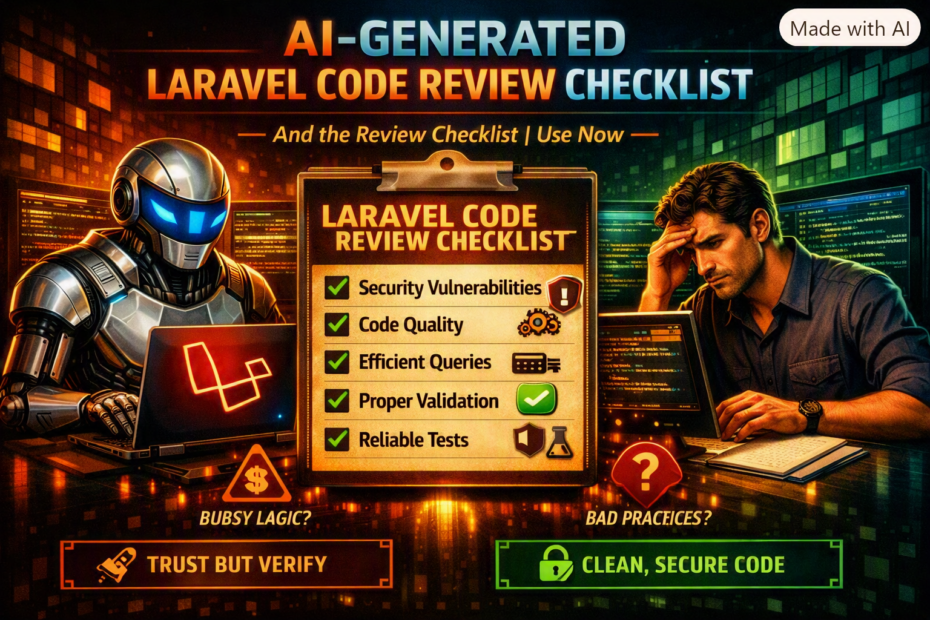
Missing validation, wrong relationship types, absent authorization checks, queries that work on SQLite but break on MySQL, and the security hole that appeared in generated code three times across different tools — a real-world account of what AI gets wrong in Laravel specifically, and the 12-point checklist that catches it.
The shift in how I use AI coding tools didn’t happen because of a dramatic incident. It happened because of a pattern. Over six months of using AI tools heavily for Laravel development — Claude Code, Cursor, GitHub Copilot — I noticed that certain categories of mistakes appeared repeatedly, across different tools, across different sessions, across different features. Not random errors. Systematic ones. The same missing authorization check. The same wrong eager loading pattern. The same SQLite-friendly but MySQL-hostile query. The same security hole.
The pattern told me something important: these aren’t bugs in the AI, they’re characteristics of it. The AI generates plausible Laravel code. Plausible Laravel code that runs is not the same as correct Laravel code that’s secure, performant, and production-ready. Once I understood which characteristics to expect, I built a checklist to catch them. The checklist takes about four minutes to run on a piece of generated code. It has caught something meaningful every single time.
The Security Hole That Appeared Three Times
Before the checklist: the specific failure that changed my approach.
I was generating controller methods across three different features — project management, team invitations, and document management. Each was generated by a different AI tool (Copilot for the first, Claude Code for the second, Cursor for the third). Each was reviewed and looked correct. Each passed the unit tests I had. Each had the same bug.
// The generated code, summarised across three instances:

// Version 1 — Project management
public function update(Request $request, int $id): RedirectResponse
{
    $project = Project::findOrFail($id);

    $project->update($request->validated());

    return redirect()->route('projects.index');
}

// Version 2 — Document management
public function destroy(int $id): JsonResponse
{
    $document = Document::findOrFail($id);

    $document->delete();

    return response()->json(['deleted' => true]);
}

// Version 3 — Team invitation
public function cancel(int $id): RedirectResponse
{
    $invitation = Invitation::findOrFail($id);

    $invitation->delete();

    return redirect()->route('teams.index');
}
All three look correct. All three are wrong. In a multi-tenant SaaS, Project::findOrFail($id) finds any project with that ID — not just projects belonging to the current user’s tenant. Any authenticated user can modify or delete any project by changing the ID in the URL.
The fix is one condition:
$project = Project::where('tenant_id', auth()->user()->current_tenant_id)
                  ->findOrFail($id);
Or through a model scope, or through a Policy, or through route model binding with a global scope. Any of these would prevent the exploit. None appeared in the generated code — across three tools, in three separate sessions.
I tested the vulnerability. An authenticated user in Tenant A could delete a project belonging to Tenant B by sending DELETE /projects/456 where 456 was Tenant B’s project ID. The code passed auth()->check(). It passed the validate() call. It failed the authorization check that wasn’t there.
The reason this appears systematically: AI tools generate code from the visible context. The context shows a controller method. It shows a model. It might show validation rules. It rarely shows the multi-tenancy constraint — because multi-tenancy constraints typically live in a global scope, a middleware, or a policy, not in the controller itself. The AI doesn’t know what it doesn’t see.
The 12-Point Checklist
The checklist is organized by category: security, data integrity, database correctness, and Laravel idioms. Run it in order — the security items are first because they’re the highest risk.
1. Authorization: Does Every Action Check Who Can Do It?
// The question to ask for every controller method that modifies or accesses a resource:
// "Could a different authenticated user reach this resource by changing the ID?"

// ❌ No authorization — ID in URL is the only constraint
public function update(Request $request, int $id): JsonResponse
{
    $task = Task::findOrFail($id);
    $task->update($request->validated());
    return response()->json($task);
}

// ✅ Policy check before action
public function update(Request $request, Task $task): JsonResponse
{
    $this->authorize('update', $task);
    $task->update($request->validated());
    return response()->json($task);
}

// ✅ Or: scope to current tenant/user before finding
public function update(Request $request, int $id): JsonResponse
{
    $task = Task::where('tenant_id', auth()->user()->current_tenant_id)
                ->findOrFail($id);
    $task->update($request->validated());
    return response()->json($task);
}
What to look for: any ::findOrFail($id) or ::find($id) that isn’t preceded by a scope or followed by a policy check. In a multi-tenant application, unscoped finds are almost always wrong.
2. Validation: Is Every Input Validated, and Is It Enough?
AI tools generate validation, but frequently generate validation that’s insufficient — presence-only rules where type rules are needed, missing range constraints, absent uniqueness scopes.
// ❌ Common AI-generated validation — present but insufficient
$request->validate([
    'price'    => 'required',           // doesn't enforce numeric, min, etc.
    'email'    => 'required',           // doesn't enforce email format
    'status'   => 'required|string',    // doesn't enforce allowed values
    'owner_id' => 'required|integer',   // doesn't verify the user exists or belongs here
]);

// ✅ Validation that actually constrains
$request->validate([
    'price'    => ['required', 'integer', 'min:0', 'max:999999'],
    'email'    => ['required', 'email:rfc,dns', 'max:255'],
    'status'   => ['required', Rule::in(['draft', 'published', 'archived'])],
    'owner_id' => [
        'required',
        Rule::exists('users', 'id')
            ->where('tenant_id', auth()->user()->current_tenant_id),
        // Scoped exists — owner must belong to the current tenant
    ],
]);
What to look for: 'required' as the only rule on any field that has a meaningful type or range. exists:table,column without a scope constraint in a multi-tenant application. String fields without max: limits (unlimited string input can exhaust storage or cause downstream truncation errors).
3. Mass Assignment: Is $fillable Defined, and Is It Narrow?
// ❌ AI frequently generates models without $fillable
class Project extends Model
{
    // No $fillable defined — $guarded = [] is the silent default
    // In some configurations this allows mass assignment of any attribute
}

// ❌ AI sometimes generates $guarded = [] for convenience
class Project extends Model
{
    protected $guarded = [];
    // Everything is assignable — is_admin, tenant_id, stripe_id, etc.
}

// ✅ Explicit allowlist
class Project extends Model
{
    protected $fillable = ['name', 'description', 'status', 'due_date', 'owner_id'];
    // tenant_id is NOT in fillable — set in the controller or via global scope
    // is_admin, stripe_id, etc. cannot be mass-assigned
}
What to look for: models without $fillable or with $guarded = []. Controllers that pass $request->all() to ::create() or ->update(). The correct pattern is $request->validated() (from Form Request or validate()) with explicit $fillable in the model.
4. Eager Loading: Is There an N+1 Waiting in the View?
// ❌ AI generates the controller without eager loading
public function index(): View
{
    $projects = Project::all();
    return view('projects.index', compact('projects'));
}

// The view then accesses $project->owner->name for each project
// → 1 query for projects + 1 query per project for owner = N+1

// ✅ Eager load what the view uses
public function index(): View
{
    $projects = Project::with(['owner:id,name,avatar_url', 'tags:id,name'])
                       ->withCount('tasks')
                       ->paginate(20);
    return view('projects.index', compact('projects'));
}
What to look for: ::all() or ->get() without with() in any controller that returns a view or API response that accesses relationships. Add Model::preventLazyLoading() in local and staging environments to catch these at runtime rather than in code review.
5. Wrong Relationship Method Types
AI confuses hasOne/belongsTo and hasMany/belongsToMany with surprising frequency, especially for pivot relationships.
// ❌ Common AI mistake — hasMany instead of belongsToMany for pivot
class User extends Model
{
    // Wrong: User HAS MANY projects through a direct foreign key
    public function projects(): HasMany
    {
        return $this->hasMany(Project::class);
    }
}

// ✅ If there's a pivot table:
class User extends Model
{
    public function projects(): BelongsToMany
    {
        return $this->belongsToMany(Project::class, 'project_users')
                    ->withPivot('role', 'joined_at')
                    ->withTimestamps();
    }
}

// ❌ Wrong inverse relationship
class Project extends Model
{
    // Wrong: Project belongs to many owners via hasMany
    public function owner(): HasMany
    {
        return $this->hasMany(User::class);
    }
}

// ✅ Correct inverse
class Project extends Model
{
    public function owner(): BelongsTo
    {
        return $this->belongsTo(User::class, 'owner_id');
    }
}
What to look for: relationship methods that return the wrong type. The rule: hasMany = the other table has my foreign key. belongsTo = my table has the foreign key. belongsToMany = there’s a pivot table. Mismatched relationship types produce wrong results silently — no error, just wrong data.
6. MySQL vs SQLite Compatibility
AI tools trained on tutorial code often use SQLite-compatible queries. Production applications almost always run MySQL or PostgreSQL. The differences that break in production:
// ❌ JSON column queries — works in SQLite, broken in MySQL without proper function
$projects = Project::whereRaw("metadata->>'$.key' = ?", ['value'])->get();

// ✅ MySQL JSON syntax
$projects = Project::whereJsonContains('metadata->key', 'value')->get();

// ❌ GROUP BY without all non-aggregated columns — works in SQLite, error in MySQL strict mode
$projects = Project::select('id', 'name', DB::raw('COUNT(*) as task_count'))
    ->join('tasks', 'projects.id', '=', 'tasks.project_id')
    ->groupBy('projects.id')  // Missing 'name' in GROUP BY
    ->get();

// ✅ Include all non-aggregated columns or use withCount
$projects = Project::withCount('tasks')->get();

// ❌ Case-sensitive LIKE — works in SQLite (case-insensitive), different in MySQL
$users = User::where('email', 'LIKE', $email)->get();
// MySQL's LIKE is case-insensitive for standard collations but not all
// Use whereRaw with LOWER() for reliable case-insensitive search

// ✅ Explicit case handling
$users = User::whereRaw('LOWER(email) = ?', [strtolower($email)])->get();
What to look for: raw SQL in generated code. JSON column queries using non-MySQL syntax. GROUP BY clauses that don’t include all non-aggregated columns. String comparisons where case-sensitivity matters.
7. Missing Database Indexes on Queried Columns
AI generates queries but rarely generates corresponding migrations with indexes.
// The generated query
$tasks = Task::where('tenant_id', $tenantId)
             ->where('status', 'active')
             ->where('assigned_to', $userId)
             ->orderBy('due_date')
             ->get();

// The migration AI generated:
Schema::create('tasks', function (Blueprint $table) {
    $table->id();
    $table->foreignId('tenant_id')->constrained()->cascadeOnDelete();
    $table->string('status');
    $table->foreignId('assigned_to')->constrained('users');
    $table->date('due_date')->nullable();
    $table->timestamps();
    // ← No indexes on status, assigned_to, or the compound query columns
});

// ✅ What the migration should include:
Schema::create('tasks', function (Blueprint $table) {
    $table->id();
    $table->foreignId('tenant_id')->constrained()->cascadeOnDelete();
    $table->string('status');
    $table->foreignId('assigned_to')->constrained('users');
    $table->date('due_date')->nullable();
    $table->timestamps();

    // Compound index matching the common query pattern
    $table->index(['tenant_id', 'status', 'assigned_to', 'due_date']);
});
What to look for: any where() clause on a non-primary-key column that doesn’t have a corresponding index in the migration. Check both the query and the migration together — the AI often generates them separately and doesn’t cross-reference them.
8. Unhandled Edge Cases in Business Logic
AI generates the happy path. It frequently skips the edge cases that business logic requires.
// ❌ AI-generated discount application — happy path only
public function applyDiscount(Order $order, string $code): void
{
    $discount = DiscountCode::where('code', $code)->firstOrFail();
    $order->update(['total' => $order->total - $discount->amount]);
}

// Missing:
// - Is the discount code expired?
// - Has this code already been used by this user?
// - Has the code reached its maximum uses?
// - Does the order total go negative?
// - Is a redemption record created?

// ✅ With edge cases handled
public function applyDiscount(Order $order, string $code): void
{
    $discount = DiscountCode::where('code', $code)
        ->where('expires_at', '>', now())
        ->where(function ($q) {
            $q->whereNull('max_uses')
              ->orWhereColumn('used_count', '<', 'max_uses');
        })
        ->firstOrFail();

    abort_if(
        DiscountRedemption::where('order_id', $order->id)
                          ->where('discount_code_id', $discount->id)
                          ->exists(),
        422,
        'This discount has already been applied to this order.'
    );

    $newTotal = max(0, $order->total - $discount->amount);

    DB::transaction(function () use ($order, $discount, $newTotal) {
        $order->update(['total' => $newTotal]);
        DiscountRedemption::create([
            'order_id'         => $order->id,
            'discount_code_id' => $discount->id,
        ]);
        $discount->increment('used_count');
    });
}
What to look for: any business operation that has conditions the AI might not have been told about. The prompt said “apply a discount code” — it didn’t say “handle expired codes, used codes, and max usage limits.” Business rules not in the prompt won’t be in the code.
9. Missing Transactions on Multi-Step Database Operations
// ❌ AI generates sequential writes without transaction
public function createOrder(array $data): Order
{
    $order = Order::create($data['order']);

    foreach ($data['lines'] as $line) {
        OrderLine::create([...$line, 'order_id' => $order->id]);
    }

    InventoryAdjustment::create(['order_id' => $order->id]);

    return $order;
}
// If OrderLine creation fails halfway through, Order exists without lines
// If InventoryAdjustment fails, Order and Lines exist without inventory adjustment

// ✅ Wrap in transaction
public function createOrder(array $data): Order
{
    return DB::transaction(function () use ($data) {
        $order = Order::create($data['order']);

        foreach ($data['lines'] as $line) {
            OrderLine::create([...$line, 'order_id' => $order->id]);
        }

        InventoryAdjustment::create(['order_id' => $order->id]);

        return $order;
    });
}
What to look for: any sequence of two or more database writes without DB::transaction(). The question to ask: “if the second write fails, is the first write safe in isolation?” If the answer is no, a transaction is required.
10. Sensitive Data in Logs or Responses
AI tools sometimes log full request objects or return more data than intended.
// ❌ Logs the full request — includes passwords, card numbers, tokens
Log::info('User registration', $request->all());

// ❌ Returns the full model — includes hashed password, remember token, etc.
return response()->json($user);

// ❌ Error response includes stack trace in production
return response()->json(['error' => $e->getMessage(), 'trace' => $e->getTrace()], 500);

// ✅ Log only what's needed
Log::info('User registered', ['email' => $request->email, 'ip' => $request->ip()]);

// ✅ Use a resource for API responses
return new UserResource($user);

// ✅ Safe error response
return response()->json(['message' => 'An error occurred.', 'code' => 'SERVER_ERROR'], 500);
What to look for: $request->all() in log calls. response()->json($model) without a Resource. Exception handler methods that return $e->getMessage() or $e->getTrace() without checking config('app.debug').
11. Rate Limiting on Sensitive Endpoints
AI rarely adds rate limiting to generated endpoints, even when the endpoint is sensitive.
// ❌ No rate limiting on auth endpoint
Route::post('/login', [AuthController::class, 'login']);

// ❌ No rate limiting on expensive AI endpoint
Route::post('/ai/complete', [AiController::class, 'complete']);

// ✅ Rate limiting on sensitive and expensive endpoints
Route::post('/login', [AuthController::class, 'login'])
     ->middleware('throttle:auth');

Route::post('/ai/complete', [AiController::class, 'complete'])
     ->middleware(['auth:sanctum', 'throttle:ai']);
What to look for: any endpoint that is authentication-related, expensive to process, or could be abused with repeated calls — without a rate limiter. The AI won’t add rate limiting unless the prompt explicitly requests it.
12. Queue Jobs Without Failure Handling
// ❌ AI generates jobs without failure configuration
class SendInvoiceEmail implements ShouldQueue
{
    public function handle(): void
    {
        Mail::to($this->order->customer->email)
            ->send(new InvoiceMailable($this->order));
    }
    // No $tries, no $timeout, no failed() method
    // Fails once and disappears
}

// ✅ Job with complete failure handling
class SendInvoiceEmail implements ShouldQueue
{
    public int $tries   = 3;
    public int $timeout = 60;
    public int $backoff = 30;

    public function handle(): void
    {
        Mail::to($this->order->customer->email)
            ->send(new InvoiceMailable($this->order));
    }

    public function failed(\Throwable $e): void
    {
        Log::error('Invoice email failed', [
            'order_id' => $this->order->id,
            'error'    => $e->getMessage(),
        ]);

        $this->order->update(['email_status' => 'failed']);
    }
}
What to look for: any job class that implements ShouldQueue without $tries, $timeout, and a failed() method. The AI generates the happy path job without considering what happens when the mail server is down.
The Checklist in One Place
Before committing any AI-generated Laravel code:

 1. □ Authorization    — Every findOrFail is scoped or has a Policy check
 2. □ Validation       — Types, ranges, enums, and scoped exists rules enforced
 3. □ Mass assignment  — $fillable defined and narrow; $request->validated() used
 4. □ N+1 queries      — Relationships used in views are eager loaded
 5. □ Relationships    — hasOne/hasMany/belongsTo/belongsToMany are correct
 6. □ MySQL compat     — Raw queries, GROUP BY, JSON, and LIKE work on MySQL
 7. □ Indexes          — Every where() column has an index in the migration
 8. □ Edge cases       — Business rules beyond the happy path are handled
 9. □ Transactions     — Multi-step writes are wrapped in DB::transaction()
10. □ Data leakage     — No sensitive data in logs, responses, or errors
11. □ Rate limiting    — Auth, expensive, and abuse-prone endpoints are throttled
12. □ Job failure      — ShouldQueue jobs have $tries, $timeout, and failed()
Why the Same Holes Appear Across Different Tools
The pattern — authorization missing, eager loading absent, MySQL-hostile queries, jobs without failure handling — isn’t random. These gaps share a characteristic: they require knowledge of context that isn’t visible in the immediate code the AI is generating.
The AI sees the controller method. It doesn’t see that this is a multi-tenant application where every database query must be scoped. It sees the model. It doesn’t see that this model’s view will access five relationships. It sees the query. It doesn’t see that the production database is MySQL 8, not SQLite. It sees the job class. It doesn’t see that the mail server is flaky and jobs need retry logic.
The AI generates plausible code for what’s visible. The checklist supplies the context that isn’t. Running it takes four minutes. Debugging the authorization hole it catches takes four days.
What Changed About How I Use AI Tools
I haven’t stopped using AI tools for Laravel development. The speed gains are real and significant. What changed is the review discipline. Every piece of generated code gets the checklist before it gets committed. Not because AI is bad at writing Laravel code — it’s remarkably good at the happy path. But because “good at the happy path” and “ready for production” are not the same thing, and four minutes of checklist review is a very cheap insurance policy against the specific categories of mistake that appear over and over.
The security hole I found in three separate tools in three separate sessions still troubles me. Not because any individual instance was catastrophic — I caught them before they shipped. But because I would not have caught them without specifically looking for the authorization pattern. The code looked right. It ran. It passed tests. The only thing that caught it was the question: “can any authenticated user reach this resource by changing the ID?” That question is now item one on the checklist.