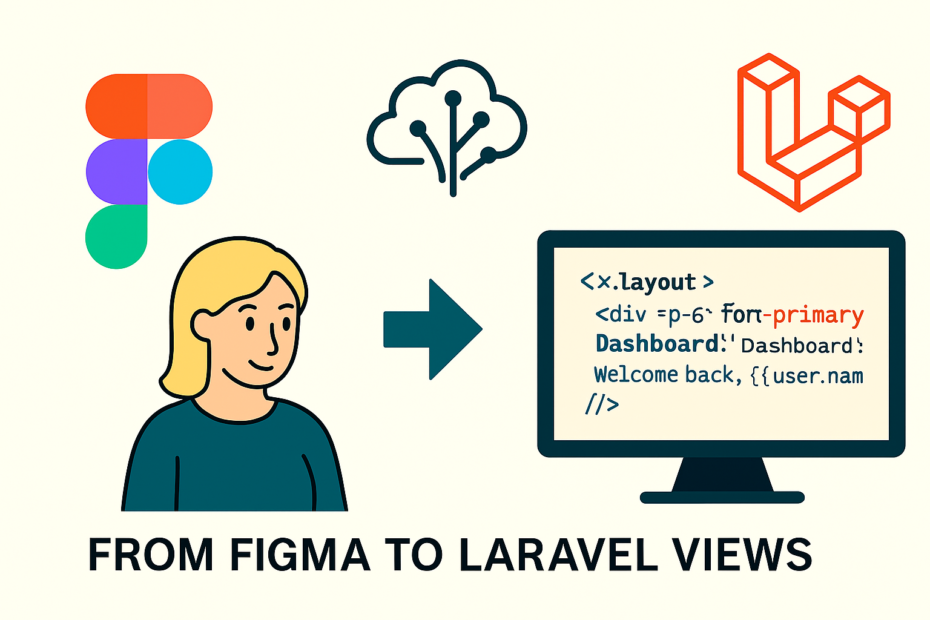
Design-to-code has always been one of the most frustrating bottlenecks in web development. Designers hand off pixel-perfect Figma files, developers translate them into Blade views, Tailwind configs, and Livewire components, and somewhere in between, details get lost. Spacing is off, typography doesn’t match, responsiveness breaks, and the back-and-forth eats up hours.
But what if your AI assistant could bridge that gap? With Claude AI integrated into your Laravel workflow via MCP (Model Context Protocol) servers, you can automate the journey from Figma designs to production-ready Laravel views. This isn’t about replacing developers — it’s about removing grunt work so you can focus on logic, performance, and user experience.
🎨 The Pain of Design Handoff
Every developer has lived through this cycle:
- Designers export Figma mockups with detailed specs.
- Developers manually translate them into Blade templates.
- Tailwind configs are set up by hand, often inconsistently.
- Responsiveness and accessibility are afterthoughts.
- Small inconsistencies creep in: margins, padding, font weights.
The result? Frustration, wasted time, and endless Slack threads clarifying “is this 16px or 18px?”
🤖 The Claude AI + MCP Solution
Claude AI, connected via MCP servers, can interpret Figma designs and generate Laravel code. Here’s the flow:
- Design in Figma → Export design tokens (colors, typography, spacing).
- Claude AI interprets tokens → Maps them to Tailwind CSS configs.
- Claude generates Blade views → Produces clean, reusable Laravel templates.
- Laravel renders views → Developers fine-tune logic and add Livewire components.
This workflow turns design handoff into a collaborative automation loop.
⚡ Step-by-Step Example
Step 1: Export Figma Tokens
Figma design tokens might look like this:
{
  "colors": {
    "primary": "#1E40AF",
    "secondary": "#F59E0B",
    "background": "#F3F4F6"
  },
  "typography": {
    "heading": "Inter Bold 24px",
    "body": "Inter Regular 16px"
  },
  "spacing": {
    "padding": "16px",
    "margin": "24px"
  }
}
Step 2: Claude Maps Tokens to Tailwind
Claude AI converts tokens into Tailwind config:
// tailwind.config.js
module.exports = {
  theme: {
    extend: {
      colors: {
        primary: '#1E40AF',
        secondary: '#F59E0B',
        background: '#F3F4F6',
      },
      fontFamily: {
        heading: ['Inter', 'sans-serif'],
        body: ['Inter', 'sans-serif'],
      },
      spacing: {
        4: '16px',
        6: '24px',
      },
    },
  },
};
This ensures design consistency across the app.
Step 3: Generate Laravel Blade View
Claude produces a Blade template:
<!-- resources/views/dashboard.blade.php -->
<x-layout>
    <div class="p-6 bg-background rounded shadow">
        <h1 class="text-2xl font-heading text-primary">Dashboard</h1>
        <p class="font-body text-secondary">
            Welcome back, {{ $user->name }}!
        </p>
    </div>
</x-layout>
Notice how the design tokens flow directly into Blade classes.
Step 4: Developer Fine-Tuning
Developers add Livewire components or backend logic:
// app/Http/Livewire/Dashboard.php
class Dashboard extends Component
{
    public function render()
    {
        return view('dashboard', [
            'user' => Auth::user(),
        ]);
    }
}
Now the design is functional, dynamic, and tied to real data.
🧩 More Examples
Example 1: Responsive Layouts
Claude can generate responsive Blade views directly from Figma breakpoints:
<div class="grid grid-cols-1 md:grid-cols-2 gap-6">
    <div class="bg-primary p-4">Left Panel</div>
    <div class="bg-secondary p-4">Right Panel</div>
</div>
Example 2: Componentization
Claude can suggest reusable Blade components:
<!-- resources/views/components/button.blade.php -->
<button {{ $attributes->merge(['class' => 'px-4 py-2 bg-primary text-white rounded']) }}>
    {{ $slot }}
</button>
Usage:
<x-button>Save Changes</x-button>Example 3: Accessibility Enhancements
Claude can automatically add ARIA labels:
<input type="text" aria-label="Search" class="border p-2 rounded" />📊 Benefits of This Workflow
| Pain Point | Traditional Workflow | Claude + Laravel Workflow |
|---|---|---|
| Design translation | Manual, error-prone | Automated, consistent |
| Tailwind setup | Hand-coded | AI-generated configs |
| Blade views | Manual HTML/CSS | AI-generated templates |
| Responsiveness | Often overlooked | AI applies breakpoints |
| Accessibility | Added later | AI includes ARIA roles |
🧭 Best Practices
- Validate AI output: Always review generated Blade views for accessibility and performance.
- Iterate with designers: Use Claude’s output as a starting point, not the final word.
- Secure MCP endpoints: Protect design-to-code APIs with authentication.
- Log AI actions: Keep track of generated files for transparency.
- Componentize early: Encourage Claude to generate reusable Blade components.
🔑 Final Thoughts
Claude AI isn’t here to replace developers — it’s here to remove the grunt work. By automating the translation from Figma designs to Laravel views, you free up time to focus on business logic, performance, and user experience.
The result? Faster workflows, fewer errors, and happier teams.
In a world where design and development often clash, Claude AI + Laravel + MCP servers create a bridge that makes collaboration seamless. Your backend becomes smarter, your frontend becomes consistent, and your workflow becomes unstoppable.