Your Redis goes down at 2 AM. What happens to your jobs?
If you don’t have an answer to that question, you’re one bad deployment — or one memory spike — away from a production disaster. Lost emails, missed webhook deliveries, failed payment notifications. All gone. No retry. No fallback. Just silence.
Laravel 12.34 quietly shipped a feature that changes this entirely: the failover queue driver. It’s one of those additions that makes you wonder how you ever shipped to production without it.
Let’s break it down — what it does, how to set it up, and how to make the most of it in a real SaaS app.
What Is the Failover Queue Driver?
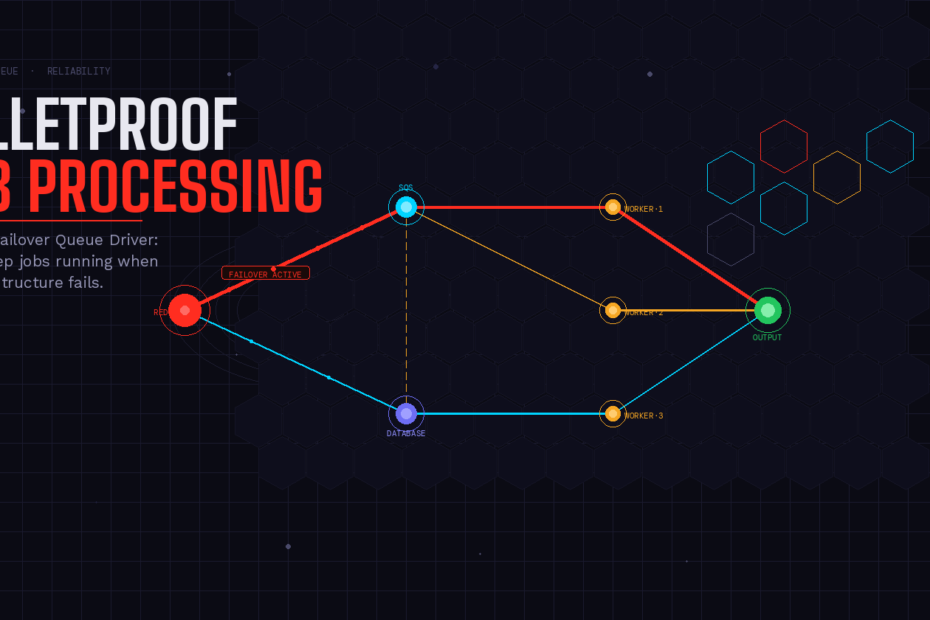
The failover queue driver is a wrapper around multiple queue connections. When you dispatch a job, Laravel tries your primary connection first (say, Redis). If that connection fails for any reason — network hiccup, memory overflow, service outage — Laravel automatically falls back to the next connection in your configured list, and so on, until one succeeds.
The beauty of it? Zero changes to your job classes. You just configure it once in config/queue.php, set it as your default, and forget about it. Your jobs keep moving even when your infrastructure doesn’t.
Think of it like having a backup generator. You hope you never need it, but when the lights go out, it kicks in automatically.
Setting It Up
Step 1: Define Your Connections
In your config/queue.php, make sure you have your individual connections configured as usual. Here’s a typical setup with Redis as primary and database as fallback:
'connections' => [

    'redis' => [
        'driver'      => 'redis',
        'connection'  => 'default',
        'queue'       => env('REDIS_QUEUE', 'default'),
        'retry_after' => 90,
        'block_for'   => null,
        'after_commit' => false,
    ],

    'database' => [
        'driver'      => 'database',
        'table'       => 'jobs',
        'queue'       => 'default',
        'retry_after' => 90,
        'after_commit' => false,
    ],

],
Step 2: Add the Failover Connection
Now add the failover driver, pointing to the connections in priority order:
'failover' => [
    'driver'      => 'failover',
    'connections' => ['redis', 'database'],
],
Laravel will try redis first. If it fails, it automatically moves to database. Simple, clean, no extra code.
Step 3: Set It as Your Default
In your .env file:
QUEUE_CONNECTION=failover
That’s it. Your entire application now has automatic queue failover enabled.
A Three-Tier Setup for Maximum Resilience
If you’re running a high-availability SaaS app, you might want three tiers: Redis for speed, SQS for managed reliability, and the database as a last resort that’s always available.
'connections' => [

    'redis' => [
        'driver'      => 'redis',
        'connection'  => 'default',
        'queue'       => env('REDIS_QUEUE', 'default'),
        'retry_after' => 90,
        'block_for'   => null,
        'after_commit' => false,
    ],

    'sqs' => [
        'driver'  => 'sqs',
        'key'     => env('AWS_ACCESS_KEY_ID'),
        'secret'  => env('AWS_SECRET_ACCESS_KEY'),
        'prefix'  => env('SQS_PREFIX', 'https://sqs.us-east-1.amazonaws.com/your-account-id'),
        'queue'   => env('SQS_QUEUE', 'default'),
        'region'  => env('AWS_DEFAULT_REGION', 'us-east-1'),
        'after_commit' => false,
    ],

    'database' => [
        'driver'      => 'database',
        'table'       => 'jobs',
        'queue'       => 'default',
        'retry_after' => 90,
        'after_commit' => false,
    ],

],

'failover' => [
    'driver'      => 'failover',
    'connections' => ['redis', 'sqs', 'database'],
],
Now your app gracefully degrades through three levels of infrastructure before a job is ever at risk of being lost.
Know When Failover Happens: The QueueFailedOver Event
Laravel fires a QueueFailedOver event the moment it switches connections. This is your early warning system. You can hook into it to log the incident, fire a Slack alert, or trigger a PagerDuty notification.
First, create a listener:
php artisan make:listener NotifyOnQueueFailover
<?php

namespace App\Listeners;

use Illuminate\Queue\Events\QueueFailedOver;
use Illuminate\Support\Facades\Log;

class NotifyOnQueueFailover
{
    public function handle(QueueFailedOver $event): void
    {
        Log::critical('Queue failover activated', [
            'failed_connection' => $event->connectionName,
            'job'               => is_object($event->command)
                                    ? get_class($event->command)
                                    : $event->command,
        ]);

        // Optionally: send a Slack message, trigger PagerDuty, etc.
    }
}
Then register it in your EventServiceProvider:
use Illuminate\Queue\Events\QueueFailedOver;
use App\Listeners\NotifyOnQueueFailover;

protected $listen = [
    QueueFailedOver::class => [
        NotifyOnQueueFailover::class,
    ],
];
Now you’ll know the exact moment failover kicks in — and which job triggered it.
The Horizon Gotcha You Need to Know
This is where a lot of developers get tripped up. Laravel Horizon only manages Redis queues. If your failover kicks in and routes jobs to a database or SQS connection, Horizon won’t see those jobs at all. It’s not a bug — Horizon is purpose-built for Redis.
The solution is to run workers for your fallback connections separately:
# Horizon handles Redis (run as usual)
php artisan horizon

# Run a separate worker for your database fallback
php artisan queue:work database --sleep=3 --tries=3
You can also supervise this with a tool like Supervisor to keep it running in production:
[program:laravel-db-worker]
process_name=%(program_name)s_%(process_num)02d
command=php /var/www/your-app/artisan queue:work database --sleep=3 --tries=3
autostart=true
autorestart=true
user=www-data
numprocs=2
redirect_stderr=true
stdout_logfile=/var/www/your-app/storage/logs/worker-db.log
One Important Limitation
The failover driver handles pushing jobs onto the queue — it doesn’t merge or drain multiple connections. Workers are assigned per connection and won’t automatically “fall through” to read from another one. So your worker configuration needs to account for every connection that could receive jobs.
This is actually the right design. It keeps the logic clean and predictable. You know exactly which worker processes which jobs.
When Should You Use This?
The failover driver is a no-brainer for almost any production Laravel application. The only scenarios where you might skip it are simple apps where a single SQLite-backed queue is fine, or local development environments.
For everything else — SaaS platforms, e-commerce, fintech, multi-tenant apps — if you’re processing jobs that matter, this should be in your stack today. The configuration is minimal. The benefit is massive.
Wrapping Up
Queue reliability used to require custom middleware, circuit-breaker libraries, or custom job dispatchers with try/catch logic. Laravel 12.34 rolled all of that into three lines of config.
Set your primary connection. Set your fallbacks. Set it as the default. Done. You’ve just made your entire application dramatically more resilient against infrastructure failures — without touching a single job class.
That’s Laravel at its best.