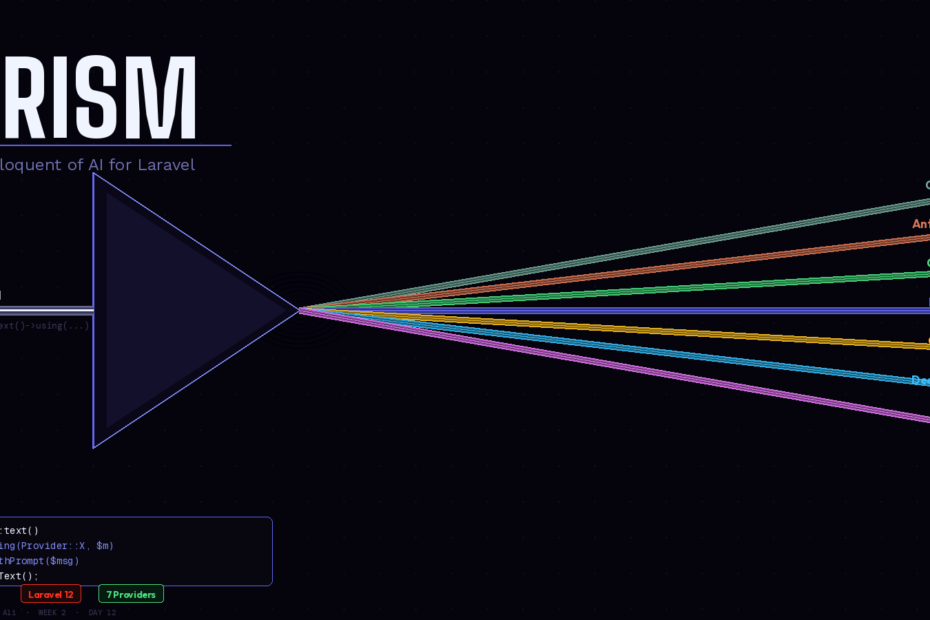
Switch between OpenAI, Claude, and Ollama with zero code changes. Build tools, structured outputs, and testable AI features — the way Laravel intended.
Here’s something the Laravel AI SDK announcement didn’t put in the headline: the official laravel/ai package uses Prism under the hood. Check the Packagist listing and you’ll find prism-php/prism: ^0.99.0 as a direct dependency. The Laravel team didn’t reinvent the wheel — they built on top of what was already working.
That tells you everything you need to know about Prism’s quality. When the framework’s own first-party package depends on it, “community package” undersells what it is.
But here’s the thing: the Laravel AI SDK is still v0.1.2 and was released February 5, 2026. It’s early. Prism is mature, battle-tested, more flexible, and supports more providers. For teams who want the full power of AI integration in Laravel right now — without waiting for a first-party API to stabilise — Prism is the answer.
This is the complete guide.
What Prism Actually Is
Prism is a powerful Laravel package for integrating Large Language Models (LLMs) into your applications. It lets you seamlessly switch between AI providers like OpenAI, Anthropic, and Ollama with a clean, expressive syntax that feels right at home in your Laravel projects.
The mental model is simple: Prism is to AI providers what Laravel’s database layer is to databases. You write your application logic once. You swap the underlying provider in a single line. Your code never changes.
Prism draws significant inspiration from the Vercel AI SDK, adapting its powerful concepts and developer-friendly approach to the Laravel ecosystem.
Install it in one command:
composer require prism-php/prism
php artisan vendor:publish --tag=prism-config
Then add your provider keys to .env:
ANTHROPIC_API_KEY=sk-ant-...
OPENAI_API_KEY=sk-...
OLLAMA_URL=http://localhost:11434
The Core API: Fluent, Chainable, Laravel-Native
Eloquent-style fluency: Prism::text()->using('openai', 'gpt-4')->withPrompt($prompt)->generate(). It feels like home.
Here’s a basic text generation call:
use Prism\Prism\Facades\Prism;
use Prism\Prism\Enums\Provider;

$response = Prism::text()
    ->using(Provider::Anthropic, 'claude-3-7-sonnet-latest')
    ->withSystemPrompt(view('prompts.system'))
    ->withPrompt('Summarise this customer complaint: ' . $complaint)
    ->asText();

return $response->text;
Now swap to OpenAI. Change one line:
->using(Provider::OpenAI, 'gpt-4o')
Your entire application switches providers. No other code changes. No HTTP client differences. No response parsing differences. The chain is identical across every provider Prism supports.
Prism supports multiple AI providers including OpenAI, Anthropic, Ollama, DeepSeek, Mistral, xAI, and Gemini through a single interface.
Structured Output: Stop Gambling on JSON Parsing
The most fragile part of any AI integration is parsing the response. Ask a model to “return JSON” and sometimes it does, sometimes it adds markdown fences, sometimes it adds a preamble. You end up with brittle json_decode() calls wrapped in try-catch blocks.
Prism solves this with a schema-driven structured output system:
use Prism\Prism\Schema\ObjectSchema;
use Prism\Prism\Schema\StringSchema;
use Prism\Prism\Schema\IntegerSchema;
use Prism\Prism\Schema\EnumSchema;

$schema = new ObjectSchema(
    name: 'lead_qualification',
    description: 'Qualified lead scoring result',
    properties: [
        new IntegerSchema('score',     'Score from 1-10'),
        new EnumSchema('tier',         'Lead tier', ['hot', 'warm', 'cold']),
        new StringSchema('reasoning',  'Why this score was assigned'),
        new IntegerSchema('follow_up', 'Days until follow-up'),
    ],
    requiredFields: ['score', 'tier', 'reasoning', 'follow_up']
);

$response = Prism::structured()
    ->using(Provider::Anthropic, 'claude-3-7-sonnet-latest')
    ->withSchema($schema)
    ->withPrompt('Qualify this lead: ' . $leadData)
    ->asStructured();

$score     = $response->structured['score'];      // int: 8
$tier      = $response->structured['tier'];       // string: 'hot'
$followUp  = $response->structured['follow_up'];  // int: 2
The schema is enforced at the provider level. You get a proper associative array back, every time, with the exact fields you defined. No JSON parsing. No try-catch around json_decode(). No “sometimes the model adds a note at the end” surprises.
Tools: AI That Interacts With Your Application
Tools are what separate a text generator from a genuinely useful AI feature. They let the model call your Laravel code to retrieve real data, perform actions, and make decisions based on live information.
use Prism\Prism\Tool;

$orderStatusTool = Tool::as('get_order_status')
    ->for('Get the current status of a customer order by order ID')
    ->withStringParameter('order_id', 'The order ID to look up')
    ->using(function (string $order_id): string {
        $order = Order::find($order_id);
        if (! $order) {
            return "Order {$order_id} not found.";
        }
        return "Order {$order_id} is {$order->status}, last updated {$order->updated_at->diffForHumans()}.";
    });

$response = Prism::text()
    ->using(Provider::Anthropic, 'claude-3-7-sonnet-latest')
    ->withSystemPrompt('You are a helpful order support agent.')
    ->withPrompt($userMessage)
    ->withTools([$orderStatusTool])
    ->asText();
When a user asks “what’s the status of my order?”, the model calls get_order_status with the order ID, gets real data from your database, and responds with accurate information. The model decides when to call the tool based on the conversation — you just define what the tool does.
Prism also supports MCP tool compatibility, which means endless possibilities for tool integration.
Conversation History: Memory That Scales
For chatbots and multi-turn interactions, you need to pass conversation history to each request. Prism makes this natural with message arrays:
use Prism\Prism\ValueObjects\Messages\UserMessage;
use Prism\Prism\ValueObjects\Messages\AssistantMessage;

// Load previous messages from your database
$history = ChatMessage::where('conversation_id', $conversationId)
    ->orderBy('created_at')
    ->get()
    ->map(fn($m) => $m->role === 'user'
        ? new UserMessage($m->content)
        : new AssistantMessage($m->content)
    )
    ->toArray();

$response = Prism::text()
    ->using(Provider::Anthropic, 'claude-3-7-sonnet-latest')
    ->withSystemPrompt('You are a helpful support agent.')
    ->withMessages([...$history, new UserMessage($currentMessage)])
    ->asText();

// Store the new exchange
ChatMessage::create(['role' => 'user',      'content' => $currentMessage,   'conversation_id' => $conversationId]);
ChatMessage::create(['role' => 'assistant', 'content' => $response->text,   'conversation_id' => $conversationId]);
Your conversation history lives in your own database, your own schema, your own retention policies. Prism handles the formatting — you control the storage.
Multimodal: Images, Documents, and Audio
Prism supports multimodal inputs — you can attach any media (images, documents, or audio) to your AI requests using Laravel’s familiar disk system.
use Prism\Prism\ValueObjects\Messages\UserMessage;
use Prism\Prism\ValueObjects\Messages\Support\Image;

// Analyse an uploaded invoice image
$response = Prism::text()
    ->using(Provider::Anthropic, 'claude-3-7-sonnet-latest')
    ->withMessages([
        new UserMessage(
            'Extract all line items, totals, and vendor details from this invoice.',
            additionalContent: [
                Image::fromDisk('local', $invoicePath),
            ]
        ),
    ])
    ->asText();
Pass images straight from Laravel’s filesystem. No base64 encoding in your controller. No manual MIME type detection. It works exactly the way you’d expect from a Laravel package.
Streaming: Real-Time Responses
Prism supports streaming responses with Laravel’s event stream response types, which is perfect for chat UIs and interactive experiences.
// In your controller
public function stream(Request $request): StreamedResponse
{
    return response()->stream(function () use ($request) {
        $stream = Prism::text()
            ->using(Provider::Anthropic, 'claude-3-7-sonnet-latest')
            ->withPrompt($request->input('message'))
            ->asStream();

        foreach ($stream as $chunk) {
            echo "data: " . json_encode(['text' => $chunk->text]) . "\n\n";
            ob_flush();
            flush();
        }
    }, 200, [
        'Content-Type'  => 'text/event-stream',
        'Cache-Control' => 'no-cache',
        'X-Accel-Buffering' => 'no',
    ]);
}
Testing: First-Class Fakes
This is the feature that most AI packages skip entirely — and it’s the one that determines whether your AI features are production-grade or perpetually in “it works on my machine” territory.
use Prism\Prism\Facades\Prism;
use Prism\Prism\Testing\TextResponseFake;

it('qualifies a lead correctly', function () {
    Prism::fake([
        TextResponseFake::make()
            ->withText('{"score": 8, "tier": "hot", "reasoning": "Strong budget signal", "follow_up": 2}'),
    ]);

    $result = app(LeadQualificationService::class)->qualify($leadData);

    expect($result->score)->toBe(8)
        ->and($result->tier)->toBe('hot');

    // Assert the prompt was constructed correctly
    Prism::assertCallCount(1);
    Prism::assertPromptContains('Qualify this lead');
});
No real API calls in your test suite. No flaky tests that fail when Anthropic is slow. No test costs accumulating on your API bill. Deterministic, fast, reliable — the same standards you hold for every other service in Laravel.
Prism Server: Your Models as OpenAI-Compatible APIs
Prism Server turns your AI models into OpenAI-compatible APIs. This works with any chat UI or SDK.
This means you can point any OpenAI-compatible tool — LangChain, LibreChat, a custom mobile app SDK — at your Laravel application and it just works. Your routing logic, your rate limiting, your authentication, your model selection — all handled by Laravel, all transparent to the consumer.
php artisan prism:serve
Your application is now an OpenAI-compatible API endpoint.
Prism vs Laravel AI SDK: When to Use Which
Here’s the honest comparison for 2026:
| Factor | Prism | Laravel AI SDK |
|---|---|---|
| Maturity | Production-ready, battle-tested | v0.1.2, released Feb 5 2026 |
| Provider support | OpenAI, Anthropic, Ollama, Mistral, Gemini, xAI, DeepSeek | OpenAI, Anthropic, Gemini, ElevenLabs |
| Agent pattern | Manual (tools + history) | Built-in Agent classes |
| Conversation storage | DIY (your DB, your schema) | Auto via migrations |
| Streaming | Yes | Yes |
| Testing | Yes, Prism::fake() | Yes, Agent::fake() |
| Prism Server | Yes | No |
| Relationship | The package | Built on top of Prism |
The verdict: use Prism for existing projects, maximum provider flexibility, Ollama/local model support, or when you want full control over conversation storage. Use Laravel AI SDK for greenfield projects that want the opinionated Agent class pattern and automatic conversation persistence.
They aren’t competitors — one is built on the other. Pick based on what your project needs today.
Prompts as Blade Views: The Pattern You Should Already Be Using
One final pattern worth adopting immediately. Your system prompts are content, not code. Store them as Blade views so they’re version-controlled, editable by non-engineers, and composable:
resources/
  views/
    prompts/
      system.blade.php        ← Base system prompt
      support-agent.blade.php ← Support-specific instructions
      lead-qualifier.blade.php
// Use view() to load prompts — they support {{ variables }} and @if directives
$response = Prism::text()
    ->using(Provider::Anthropic, 'claude-3-7-sonnet-latest')
    ->withSystemPrompt(view('prompts.support-agent', [
        'companyName' => config('app.name'),
        'planType'    => $user->plan,
    ]))
    ->withPrompt($message)
    ->asText();
When a product manager needs to tweak the AI’s tone, they edit a Blade file. They don’t need to open a PHP class, find a string literal, and submit a PR. Version-controlled prompts, separated from business logic — the same separation of concerns you apply everywhere else in Laravel.
Follow me for daily deep-dives on Laravel, PHP, Vue.js, and AI integrations. New article every day.