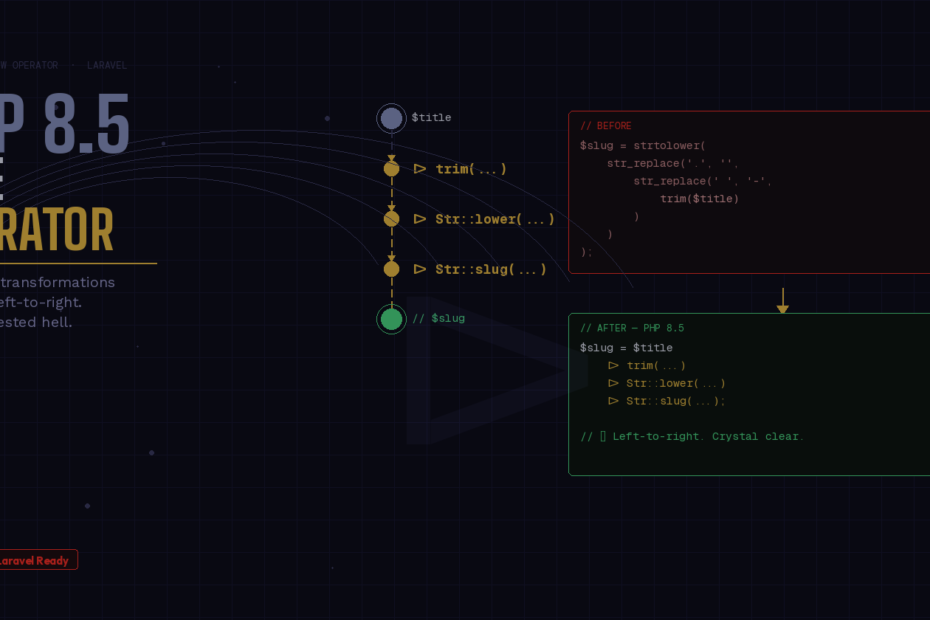
The feature PHP developers have been asking for since 2022 is finally here.
PHP 8.5 shipped on November 20, 2025, and while it brought several excellent additions, one feature stands above the rest: the pipe operator (|>). It’s been three years in the making, two failed RFCs, and now it’s finally in the language — and if you write Laravel, it’s going to change the way you transform data every single day.
This isn’t hype. Let me show you why.
The Problem We’ve All Lived With
Every Laravel developer has written something like this:
php
$slug = strtolower(
    str_replace(
        '.',
        '',
        str_replace(
            ' ',
            '-',
            trim($title)
        )
    )
);
You read it inside-out. You mentally unwind the nesting to figure out what’s happening. Add one more transformation and it becomes even harder to follow. The alternative — temporary variables — isn’t much better:
php
$trimmed   = trim($title);
$dashed    = str_replace(' ', '-', $trimmed);
$nodots    = str_replace('.', '', $dashed);
$slug      = strtolower($nodots);
Four variables that exist only to pass a value from one function to the next. Readable, but noisy. This is the problem the pipe operator solves.
Enter the Pipe Operator
PHP 8.5 introduces |> — a left-to-right chaining operator. It takes the value on the left and passes it as the argument to the callable on the right. The slug example becomes:
php
$slug = $title
    |> trim(...)
    |> (fn($s) => str_replace(' ', '-', $s))
    |> (fn($s) => str_replace('.', '', $s))
    |> strtolower(...);
Read top to bottom. Follow the data as it flows. Every step is visible, every transformation is explicit. This is how data pipelines should look.
How It Works
The syntax is simple:
$value |> callableThe callable must accept exactly one argument — the value piped in from the left. That means:
- Named functions work via first-class callables:
trim(...) - Built-in functions work the same way:
strtolower(...) - Anonymous functions and arrow functions work wrapped in parentheses:
(fn($x) => ...) - Static methods work:
Str::slug(...)
One important note: arrow functions must be wrapped in parentheses. Without them, the parser gets confused. This is a syntax requirement, not a bug.
Real Laravel Examples
Let’s look at where this shines in day-to-day Laravel code.
String Normalization in a Service Class
Before:
php
public function normalizeInput(string $input): string
{
    return strtolower(
        preg_replace('/\s+/', '-',
            trim(strip_tags($input))
        )
    );
}
After:
php
public function normalizeInput(string $input): string
{
    return $input
        |> strip_tags(...)
        |> trim(...)
        |> (fn($s) => preg_replace('/\s+/', '-', $s))
        |> strtolower(...);
}
The transformation reads like a recipe. Each step is self-contained and easy to add, remove, or reorder.
Collection Pipeline in a Laravel Controller
Before:
php
public function activeAdmins(): Collection
{
    return $this->users
        ->filter(fn(User $u) => $u->isActive())
        ->filter(fn(User $u) => $u->isAdmin())
        ->sortBy('name')
        ->values();
}
With the pipe operator, you can chain these in a match() expression or pass the whole pipeline as a single expression to another function — something previously impossible without temporary variables.
php
$result = $users
    |> (fn($c) => $c->filter(fn(User $u) => $u->isActive()))
    |> (fn($c) => $c->filter(fn(User $u) => $u->isAdmin()))
    |> (fn($c) => $c->sortBy('name'))
    |> (fn($c) => $c->values());
This becomes especially powerful when you use it inside match() expressions or as a return value — places where only a single expression was previously allowed.
Inside a match() Expression
One of the killer use cases the PHP Foundation highlighted is using pipes inside match():
php
$formatted = match ($format) {
    'slug'  => $string |> trim(...) |> (fn($s) => str_replace(' ', '-', $s)) |> strtolower(...),
    'upper' => $string |> trim(...) |> strtoupper(...),
    'title' => $string |> trim(...) |> ucwords(...),
    default => $string |> trim(...),
};
Before this, each arm of the match() would need either nested function calls or you’d have to extract the logic into separate methods. Now each branch reads cleanly as a left-to-right pipeline.
Using Laravel’s Str Helper
Laravel’s Str class works beautifully with the pipe operator since most methods are static and accept a single primary argument:
php
use Illuminate\Support\Str;

$slug = $userInput
    |> trim(...)
    |> Str::lower(...)
    |> Str::slug(...);
Clean, readable, no temporary variables.
The One Limitation to Know
The pipe operator passes a single value to the right-hand callable. Functions that require multiple arguments — like array_filter($array, $callback) — need to be wrapped in an arrow function:
php
// This won't work directly:
$result = $users |> array_filter(...); // array_filter needs a second argument

// This works:
$result = $users |> (fn($u) => array_filter($u, fn(User $user) => $user->isAdmin()));
This limitation is temporary. PHP 8.6 (planned for late 2026) is set to ship partial function application, which will let you pre-fill arguments and use functions like array_filter directly in a pipe chain. The pipe operator is already powerful — it’s going to get even better.
Should You Upgrade to PHP 8.5?
Yes — and sooner rather than later. PHP 8.5 shipped in November 2025 and most teams will migrate to it in 2026. Beyond the pipe operator, 8.5 also brings:
clone($obj, ['prop' => $val])— modify readonly properties while cloning, making immutable DTOs dramatically cleanerarray_first()andarray_last()— finally built in, no more manual workarounds#[\NoDiscard]attribute — warns when a return value is ignored, catching subtle bugs at static analysis time- A new URI extension — standards-compliant URL parsing via
Uri\Rfc3986\Uri, replacing the unreliableparse_url() - Backtraces on fatal errors — your 2 AM debugging sessions just got easier
Start Small
You don’t need to refactor your entire codebase overnight. Start with the places where you already have nested function calls or chains of temporary variables. Replace them one at a time. The pipe operator is purely additive — no breaking changes, no new concepts to teach your team.
The best code is the code that reads like what it does. With |>, PHP finally gives us a natural way to write data transformations that any developer can follow from top to bottom.
That’s worth upgrading for.