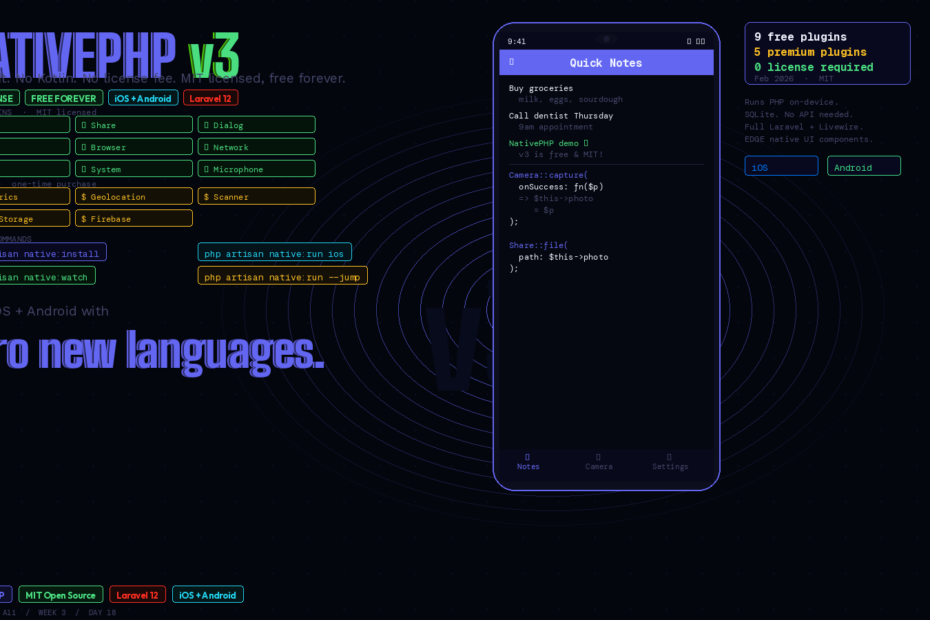
The core framework and all essential plugins are now open source. No license fee. No Swift or Kotlin. Just Laravel running natively on your phone.
There’s a moment every PHP developer dreads. The client or boss says: “We also need a mobile app.” And you think: do I learn Swift? React Native? Flutter? Hire someone? Quote six months?
With NativePHP v3 — released February 2026 as MIT-licensed open source — the answer is now: just use Laravel.
This is the complete guide: what v3 actually is, how the new plugin architecture works, the install flow, real code using Camera and Share, the EDGE components that give you genuine native UI, and how Jump gets your app onto a physical device without submitting to the App Store first.
What Changed in v3 (And Why It’s a Big Deal)
It’s Free
Before v3, NativePHP for Mobile required a paid license. Starting with v3 (also called NativePHP Air), the entire core framework is MIT-licensed and free forever. The core and all essential plugins are open source. Not a trial. Not a freemium tier with arbitrary limits. Free.
This is a genuine change in what’s accessible to the Laravel community. Building native iOS and Android apps is now part of the standard Laravel toolkit — no budget approval required.
Monolith → Plugin Architecture
The biggest architectural change in v3: almost every native capability moved out of the core and into standalone plugin packages. Instead of bundling every native feature into one massive package, you now install only what you need.
composer require nativephp/mobile-camera
composer require nativephp/mobile-share
composer require nativephp/mobile-dialog
Each plugin is a standalone Composer package with its own Swift and Kotlin code. Your app stays smaller and app store reviews go smoother because you’re not requesting permissions for features you don’t use.
This matters for App Store review specifically. Apple and Google review apps based on the permissions they request. A v1/v2 NativePHP app that included everything would request permissions for camera, microphone, location, biometrics — even if your app didn’t need any of them. With the plugin architecture, you only bundle what you actually use.
EDGE Components
There’s a new feature called EDGE components that gives you truly native UI elements like top bars and bottom navigation. Not web view approximations. Actual native components rendered by the OS.
This is the visual detail that separates “web app wrapped in a shell” from “actual native app.” When users see iOS-native navigation bars and tab bars rendered by the OS — not recreated in CSS — the app feels right.
Free Plugins vs Premium Plugins
Free (MIT) plugins include Browser, Camera, Device, Dialog, File, Microphone, Network, Share, and System. Premium (one-time purchase) plugins cover Biometrics, Geolocation, Push Notifications (Firebase), Scanner, and Secure Storage.
For most applications — note-taking apps, field tools, internal dashboards, client-facing utilities — the free plugin set covers everything you need. The premium plugins are one-time purchases (not subscriptions), priced accessibly, and yours permanently once purchased.
Install: Three Steps to a Running App
Requirements
Before starting, make sure you have:
- PHP 8.2+, Laravel 12, Composer
- For iOS: a Mac with Xcode (or use Jump for device testing without full Xcode)
- For Android: Android Studio, or use Jump
Step 1: Install the Package
composer require nativephp/mobile
Step 2: Configure .env
NATIVEPHP_APP_ID=com.yourcompany.yourapp
NATIVEPHP_APP_VERSION="1.0.0"
NATIVEPHP_APP_VERSION_CODE="1"

# For iOS device builds (optional for simulator)
NATIVEPHP_DEVELOPMENT_TEAM=YOUR_APPLE_TEAM_ID
Your Apple Developer Team ID is in your Apple Developer account under “Membership details.”
Step 3: Run the Installer
php artisan native:install
This scaffolds a nativephp/ directory containing the native Xcode and Android Studio project files. You never need to open these manually — NativePHP manages them for you. Treat the nativephp/ directory as ephemeral and add it to .gitignore.
When prompted about ICU-enabled PHP binaries: install them if your app uses Filament (which requires intl). Otherwise use the default non-ICU builds.
Run Your App
Test in the browser first to catch any exceptions before going native:
php artisan serve
Then run natively:
# iOS Simulator
php artisan native:run ios

# Android Emulator
php artisan native:run android

# Watch mode — auto-reloads on file changes
php artisan native:watch
The native:watch command attaches to your running simulator and automatically reloads on file changes — no manual refresh, no Cmd+Ctrl+Z.
Real Code: Camera + Share in Under 30 Lines
Install the plugins you need:
composer require nativephp/mobile-camera
composer require nativephp/mobile-share
composer require nativephp/mobile-dialog
Register them in your AppServiceProvider:
use NativePHP\Mobile\Camera\CameraPlugin;
use NativePHP\Mobile\Share\SharePlugin;
use NativePHP\Mobile\Dialog\DialogPlugin;

public function boot(): void
{
    NativeApp::registerPlugins([
        CameraPlugin::class,
        SharePlugin::class,
        DialogPlugin::class,
    ]);
}
Now use them in a Livewire component — this feels like any other Laravel code:
<?php

new class extends Livewire\Component {
    public ?string $photoPath = null;

    public function takePhoto(): void
    {
        // Triggers the native camera
        Camera::capture(
            onSuccess: function (string $path) {
                $this->photoPath = $path;
            }
        );
    }

    public function sharePhoto(): void
    {
        if (!$this->photoPath) {
            Dialog::alert('No photo yet', 'Take a photo first!');
            return;
        }

        Share::file(
            path: $this->photoPath,
            title: 'Check out this photo'
        );
    }
}
?>

<div class="p-6">
    @if($photoPath)
        <img src="{{ $photoPath }}" class="rounded-xl mb-4 w-full">
        <button wire:click="sharePhoto"
                class="w-full bg-blue-500 text-white py-3 rounded-xl">
            Share Photo
        </button>
    @else
        <button wire:click="takePhoto"
                class="w-full bg-indigo-500 text-white py-3 rounded-xl">
            Take Photo
        </button>
    @endif
</div>
Standard Livewire. Standard Tailwind. Tapping “Take Photo” opens the device’s native camera. The returned path is a real file path on the device. The Share button opens the native iOS/Android share sheet.
No Swift. No Kotlin. No bridge JavaScript. Just PHP.
EDGE Components: Native UI Without CSS Gymnastics
The top navigation bar and bottom tab bar in native apps are rendered by the OS. Recreating them with CSS always looks slightly wrong — different font weights, wrong shadow, wrong animation timing.
EDGE components solve this. They’re actual native UI elements that the OS renders:
// In your NativePHP config
use NativePHP\Mobile\Components\TopBar;
use NativePHP\Mobile\Components\BottomNavigation;

TopBar::make()
    ->title('Quick Notes')
    ->backgroundColor('#1e1b4b')
    ->textColor('#ffffff');

BottomNavigation::make()
    ->items([
        ['label' => 'Notes', 'icon' => 'note', 'route' => '/notes'],
        ['label' => 'Camera', 'icon' => 'camera', 'route' => '/camera'],
        ['label' => 'Settings', 'icon' => 'gear', 'route' => '/settings'],
    ]);
The OS renders these as native tab bars and navigation bars — the same components used by every other app on the device. Your app looks at home on the platform.
SQLite on Device: Offline-First by Default
NativePHP apps run the full PHP runtime on-device with no server. The database is SQLite, stored locally:
// config/database.php — already set up by native:install
'sqlite' => [
    'driver'   => 'sqlite',
    'database' => env('DB_DATABASE', database_path('database.sqlite')),
    'prefix'   => '',
]
// Regular Eloquent — works exactly the same
class Note extends Model
{
    protected $fillable = ['title', 'body', 'created_at'];
}

// In your controller — no API call, direct DB access on device
public function store(Request $request): RedirectResponse
{
    Note::create($request->validated());
    return redirect()->route('notes.index');
}
Your data lives on the device. The app works with no internet connection. No API to build. No authentication to set up for local data. It’s the simplest possible architecture for a mobile app.
Testing on a Real Device: Jump
The fastest way to get your app onto a physical device without a full App Store submission or Xcode provisioning setup is Jump.
Install the Jump app on your iPhone or Android device. Then from your terminal:
php artisan native:run --jump
A QR code appears. Scan it with the Jump app on your device. Your app loads over your local network — no cable, no App Store, no provisioning certificates.
This is the development workflow: edit a Livewire component, native:watch picks it up, the device updates automatically. The full edit→test loop happens without leaving your editor.
When to Use NativePHP vs React Native vs Flutter
NativePHP isn’t the right tool for every mobile app — and the documentation is honest about this. Here’s the practical breakdown:
Use NativePHP when:
- You’re a PHP/Laravel developer and want to ship something quickly
- Your app is primarily data display, forms, CRUD, or content
- You want offline-first with local SQLite storage
- You’re building an internal tool, field utility, or client-specific app
- You don’t need complex animations or platform-specific design systems
Use React Native or Flutter when:
- You need pixel-perfect native UI throughout (complex custom components)
- Your app is highly interactive with complex animations
- You’re building a game or media-heavy experience
- Your team has strong JavaScript/Dart skills already
For the category of apps most PHP developers actually get asked to build — field tools, internal dashboards, client utilities, simple consumer apps — NativePHP v3 is now a serious first option rather than an experimental curiosity.
Upgrading from v1 / v2
If you have an existing NativePHP for Mobile project:
# Remove the old repo config if you had it
composer config --unset repositories.nativephp

# Remove old package
composer remove nativephp/mobile

# Install v3
composer require nativephp/mobile

# Install only the plugins you actually use
composer require nativephp/mobile-camera   # if you used camera
composer require nativephp/mobile-dialog   # if you used dialogs

# Rebuild native directory
php artisan native:install --force
The team states you shouldn’t need to change app code beyond plugin registration. Your routes, controllers, and Livewire components work unchanged. You’re registering plugins explicitly now instead of having everything bundled — that’s the only code change.
The Bigger Picture
Starting with v3, the entire Laravel community (and beyond) can build native iOS and Android apps without paying a cent.
That single sentence changes what’s possible for the average PHP developer. Building a companion mobile app for your SaaS, a field tool for your internal team, or a client-facing utility on iOS and Android was previously gated by either budget (paid license + potentially needing to hire Swift/Kotlin developers) or stack-switching (learning React Native or Flutter).
Both gates are now gone. The stack is Laravel. The cost is zero. The deployment story is the same as any other Composer package.
NativePHP v3 is worth trying on your next project that needs mobile.
Follow me for daily deep-dives on Laravel, PHP, Vue.js, and AI integrations. New article every day.