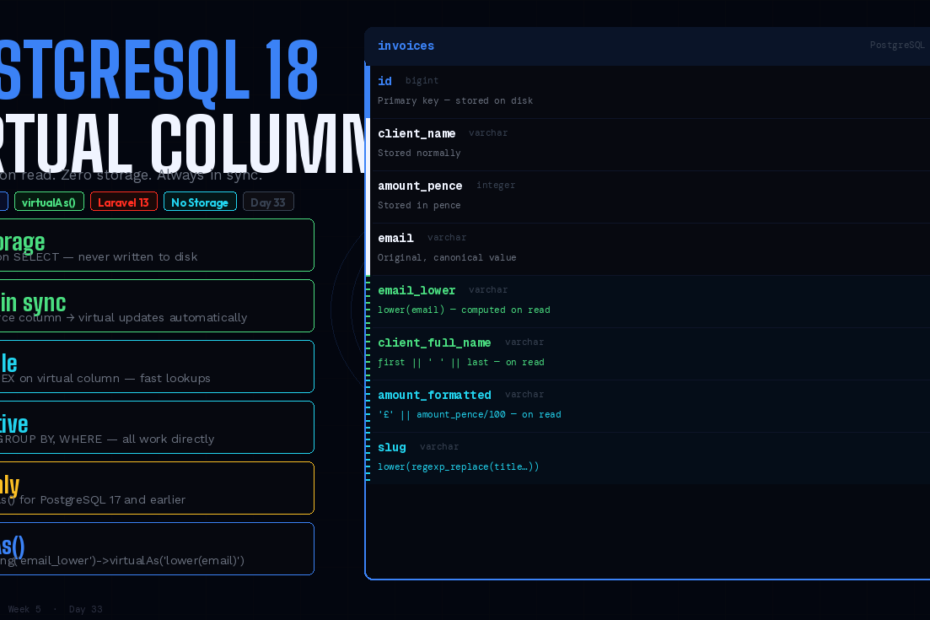
PostgreSQL 17 and earlier would throw a syntax error on virtualAs(). PostgreSQL 18 — released September 2025 — finally supports it. Laravel’s support merged October 7. Here’s what virtual columns unlock, how they differ from stored, and every real-world pattern that benefits.
For three years, Laravel’s schema builder has carried a quiet footgun in its documentation.
The virtualAs() column modifier was listed as a cross-database feature. The docs showed examples. The API looked correct. But if you used virtualAs() on a PostgreSQL database, you’d get this:
-- What Laravel generated for PostgreSQL 17 and earlier:
ALTER TABLE "users" ADD COLUMN "email_lower" text NOT NULL GENERATED ALWAYS AS (lower(email));

-- ERROR: syntax error at or near ";"
-- LINE 1: ...email_lower" text not null generated always as (lower(email));
PostgreSQL simply didn’t support virtual generated columns before version 18. The GENERATED ALWAYS AS syntax existed, but only for stored columns — values computed on write and persisted to disk. The virtual variant — computed on read, zero disk storage — wasn’t implemented.
PostgreSQL 18 was released with virtual generated columns support, and contributor tpetry submitted a Laravel PR adding support in a backwards-compatible manner. Taylor merged it on October 7, 2025. The virtualAs() modifier now generates valid PostgreSQL SQL, with the explicit VIRTUAL keyword to be safe against future default changes.
This is the complete guide: what virtual generated columns are, how they differ from stored, every real-world pattern worth using them for, and the full cross-database picture.
What Is a Virtual Generated Column?
A generated column is a special column that is always computed from other columns — it is for columns what a view is for tables. There are two kinds: stored and virtual. A stored generated column is computed when it is written and occupies storage as if it were a normal column. A virtual generated column occupies no storage and is computed when it is read.
The mental model:
- Stored column = materialised view at the row level. Written on INSERT/UPDATE, stored on disk, fast to read, costs storage.
- Virtual column = view at the column level. Never stored, computed on every read, zero storage cost, always in sync.
A generated column is by default of the virtual kind in PostgreSQL 18.
The Laravel API: Three Modifiers
Laravel exposes generated columns through three column modifiers, each with different database support:
// Virtual — computed on read, no storage
$table->string('email_lower')->virtualAs('lower(email)');

// Stored — computed on write, stored on disk
$table->string('email_lower')->storedAs('lower(email)');

// PostgreSQL-specific sequence expression (identity columns)
$table->integer('id')->generatedAs('nextval(\'my_sequence\')');
Database support matrix:
| Modifier | MySQL | PostgreSQL 18+ | PostgreSQL < 18 | SQLite |
|---|---|---|---|---|
virtualAs() | ✅ | ✅ (new) | ❌ error | ✅ |
storedAs() | ✅ | ✅ | ✅ | ✅ |
generatedAs() | ❌ | ✅ | ✅ | ❌ |
If you’re on PostgreSQL 17 or earlier and need generated columns, use storedAs(). The upgrade to virtualAs() is available the moment you move to PostgreSQL 18.
The SQL That Now Works
Here’s what virtualAs() generates on PostgreSQL 18:
// Migration
Schema::table('users', function (Blueprint $table) {
    $table->string('email_lower')->virtualAs('lower(email)');
});
-- PostgreSQL 18 output (now valid)
ALTER TABLE "users"
    ADD COLUMN "email_lower" varchar(255) GENERATED ALWAYS AS (lower(email)) VIRTUAL;
The VIRTUAL keyword is explicit — added by tpetry’s PR specifically to be safe against any future PostgreSQL default changes, even though virtual is already the default in PG18.
Pattern 1: Normalised Search Columns
The most common use case. You store data in its original form, but need case-insensitive or normalised search without remembering to lowercase in every query.
Schema::create('users', function (Blueprint $table) {
    $table->id();
    $table->string('email');
    $table->string('email_lower')->virtualAs('lower(email)');
    $table->index('email_lower');  // index the virtual column for fast lookup
    $table->string('name');
    $table->string('name_normalised')
          ->virtualAs("lower(regexp_replace(name, '[^a-zA-Z0-9]', '', 'g'))");
});
Now query with exact performance, no application-layer transformation required:
// Fast case-insensitive user lookup
User::where('email_lower', strtolower($request->email))->first();

// No more: User::whereRaw('lower(email) = ?', [strtolower($request->email)])->first();
The virtual column keeps storage at zero — email_lower never occupies disk space — while the index on it means lookups are as fast as a regular indexed column.
Pattern 2: Computed Display Columns
Full name, formatted currency, combined address — any value you currently compute in PHP accessors but want available in raw SQL queries and database aggregations.
Schema::create('invoices', function (Blueprint $table) {
    $table->id();
    $table->string('client_first_name');
    $table->string('client_last_name');
    $table->integer('amount_pence');  // store in pence

    // Virtual — always in sync, zero storage
    $table->string('client_full_name')
          ->virtualAs("client_first_name || ' ' || client_last_name");

    $table->string('amount_formatted')
          ->virtualAs("'£' || to_char(amount_pence::numeric / 100, 'FM999,999,990.00')");
});
// Now these work directly in queries
Invoice::orderBy('client_full_name')->get();
Invoice::select('client_full_name', 'amount_formatted')->paginate(20);

// And in raw aggregations:
DB::table('invoices')
    ->select('client_full_name', DB::raw('SUM(amount_pence) as total_pence'))
    ->groupBy('client_full_name')
    ->orderBy('client_full_name')
    ->get();
Without the virtual column, client_full_name isn’t a real database column — you can’t ORDER BY it, GROUP BY it, or filter on it without whereRaw. With it, the database handles everything.
Pattern 3: Slug and URL Generation
Keep the source field as the single source of truth; derive the slug in the database.
Schema::create('blog_posts', function (Blueprint $table) {
    $table->id();
    $table->string('title');

    // slug derived from title — always in sync
    $table->string('slug')
          ->virtualAs("lower(regexp_replace(trim(title), '[^a-zA-Z0-9]+', '-', 'g'))");

    $table->index('slug');  // index for URL routing lookups
    $table->timestamps();
});
// Routing by slug — fast because slug is indexed
Route::get('/posts/{slug}', function (string $slug) {
    return BlogPost::where('slug', $slug)->firstOrFail();
});

// Slug stays in sync automatically when title changes
$post->update(['title' => 'My Updated Title']);
echo $post->fresh()->slug;  // 'my-updated-title' — no action needed
The critical difference from an Eloquent accessor: the slug is a real database column. It’s indexable. It’s queryable in WHERE, ORDER BY, and GROUP BY. An Eloquent accessor exists only after the model is hydrated — it’s invisible to the database.
Pattern 4: JSON Field Extraction
If you store JSON blobs, virtual columns let you extract frequently-accessed fields as proper indexed columns — without denormalising your schema.
Schema::create('orders', function (Blueprint $table) {
    $table->id();
    $table->jsonb('metadata');  // {"customer_tier": "premium", "source": "web"}

    // Extract into virtual columns for indexing and querying
    $table->string('customer_tier')
          ->virtualAs("metadata->>'customer_tier'");

    $table->string('order_source')
          ->virtualAs("metadata->>'source'");

    $table->index('customer_tier');
    $table->index('order_source');
});
// Now query JSON fields with index-backed performance
Order::where('customer_tier', 'premium')
     ->where('order_source', 'web')
     ->count();
Previously this required GIN indexes on the JSON column with complex jsonb_path_ops expressions. Virtual columns give you the same performance with straightforward indexed lookups.
Pattern 5: Date and Time Extraction
Useful for reporting queries that group by year, month, or day without recomputing the extraction every time.
Schema::create('events', function (Blueprint $table) {
    $table->id();
    $table->timestampTz('starts_at');

    // Virtual columns for common reporting breakdowns
    $table->integer('starts_year')
          ->virtualAs('EXTRACT(year FROM starts_at)::integer');

    $table->integer('starts_month')
          ->virtualAs('EXTRACT(month FROM starts_at)::integer');

    $table->integer('starts_day_of_week')
          ->virtualAs('EXTRACT(dow FROM starts_at)::integer');  // 0=Sunday, 6=Saturday

    $table->index(['starts_year', 'starts_month']);
});
// Fast grouping for dashboards — no EXTRACT() in every query
Event::select('starts_year', 'starts_month', DB::raw('count(*) as total'))
     ->groupBy('starts_year', 'starts_month')
     ->orderBy('starts_year')
     ->orderBy('starts_month')
     ->get();
Virtual vs Stored: Choosing the Right One
The decision comes down to three factors:
Choose virtualAs() when:
- Storage cost matters (high-volume tables, large derived values)
- The expression is fast to compute (string manipulation, simple arithmetic, JSON extraction)
- You don’t need to index the column with high-write-volume considerations
Choose storedAs() when:
- The expression is expensive to compute (complex aggregations, slow functions)
- You’re on PostgreSQL 17 or earlier and can’t use
virtualAs() - Maximum read performance is critical and storage cost is acceptable
The important PostgreSQL 18 constraint: Virtual generated columns compute their values at query time rather than storing them on disk, giving you flexibility to choose between storage efficiency and query performance. But in PostgreSQL 18, virtual columns cannot be the target of an index directly in the same way stored columns can — you can create an index on the expression, which achieves the same result:
// This works — expression index equivalent to indexing the virtual column
DB::statement('CREATE INDEX idx_email_lower ON users (lower(email))');

// Or in a migration using the virtual column name directly
// (PostgreSQL 18 allows indexing virtual columns)
$table->index('email_lower');
Eloquent Models: One Gotcha
When you use virtual columns with Eloquent, there’s one behaviour worth knowing: after updating a model, you need $model->refresh() or $model->fresh() to get the recalculated value of a virtual column.
$user = User::create(['email' => 'HELLO@EXAMPLE.COM', 'name' => 'Alice']);

// $user->email_lower is null here — not yet populated from DB
echo $user->email_lower;  // null

// Refresh to get computed values
$user->refresh();
echo $user->email_lower;  // 'hello@example.com'

// Or use fresh() for a new instance
$freshUser = $user->fresh();
echo $freshUser->email_lower;  // 'hello@example.com'
This is different from Eloquent accessors, which compute immediately after hydration. Virtual columns are database-level — the value comes from the database on read, not from PHP on access.
Add the virtual column to $appends if you want it serialised automatically:
class User extends Model
{
    // Include virtual columns in toArray() / toJson()
    protected $appends = ['email_lower', 'client_full_name'];
}
Migrating an Existing Table
Adding a virtual column to an existing table with millions of rows is safe — there’s nothing to backfill. The column is computed on read, so there’s no write operation:
// Fast — no data written, no table lock in PostgreSQL
Schema::table('users', function (Blueprint $table) {
    $table->string('email_lower')->virtualAs('lower(email)');
});

// Adding an index takes longer (scans existing rows to build index)
Schema::table('users', function (Blueprint $table) {
    $table->index('email_lower');  // CONCURRENTLY in raw SQL for zero downtime
});
For the index specifically, use CONCURRENTLY if you need zero downtime on a live table:
// Zero-downtime index creation on a large table
DB::statement('CREATE INDEX CONCURRENTLY idx_users_email_lower ON users (email_lower)');
The Bigger Picture: PostgreSQL 18
Virtual generated columns are the most developer-facing feature in PostgreSQL 18, but they arrived alongside several others worth noting:
uuidv7() function: PostgreSQL 18 adds a uuidv7() function for generating timestamp-ordered UUIDs — sortable, indexable, better than UUIDv4 for primary keys. In Laravel, use $table->uuid('id')->default(DB::raw('uuidv7()')).
Async I/O: PostgreSQL 18 introduces asynchronous I/O capabilities, addressing one of the traditional bottlenecks in database performance. Sequential scans and vacuum operations benefit without any configuration changes.
Skip scan: Multicolumn B-tree indexes can now be used in more cases without the leading column in the query — reducing the need for additional single-column indexes.
The upgrade path from PostgreSQL 17 to 18 is straightforward. If you’re running Laravel on PostgreSQL and haven’t upgraded your database yet, virtual columns alone are a meaningful reason to.
Follow for weekly deep-dives on Laravel, PHP, Vue.js, and the agentic stack.