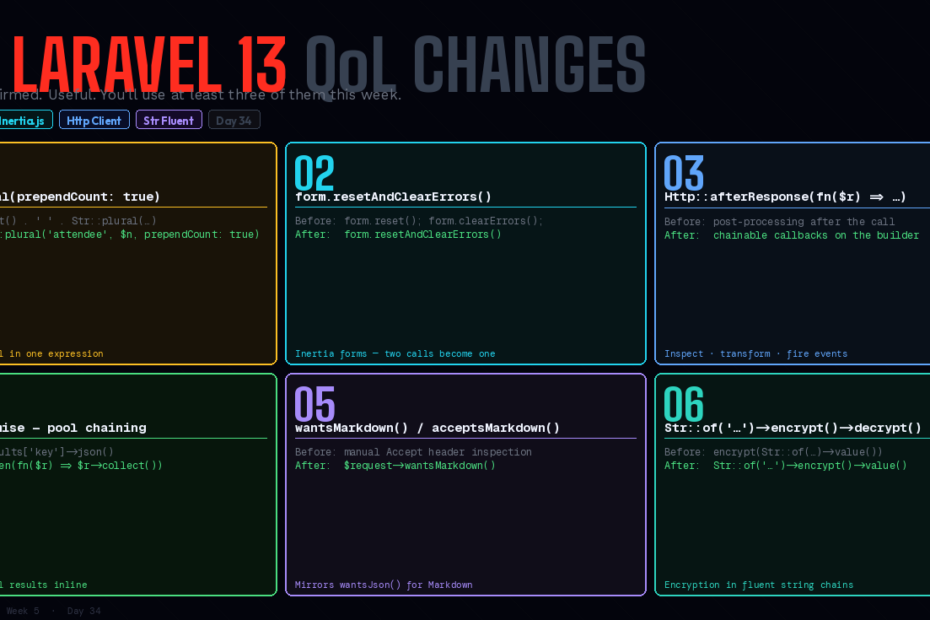
The big features got the coverage. These six didn’t. Each one is small. All of them are useful. You’ll use at least three of them this week.
Every major Laravel release gets two articles: the launch day roundup covering the headline features, and then silence on everything else. PHP Attributes, the AI SDK, passkeys, Reverb database driver — those got written about extensively. Rightly so.
But the changelog has another tier: the quality-of-life changes. Smaller, less photogenic, and genuinely useful in ways you’ll feel immediately when you encounter the problem they solve. This is that article.
Six changes. All confirmed in the official Laravel changelog. All shipping in the 12.x/13.x cycle.
1. Str::plural(prependCount: true) — Stop Writing That Pattern
You know this pattern. You’ve written it a hundred times:
// The old way — verbose and error-prone
$count = $attendees->count();
echo number_format($count) . ' ' . Str::plural('attendee', $count);
// "1,234 attendees"

// Or worse — forgetting to use the same variable:
echo $attendees->count() . ' ' . Str::plural('attendee', $attendees->count());
The new prependCount argument handles this in one call:
// Laravel 13
echo Str::plural('attendee', $attendees->count(), prependCount: true);
// "1234 attendees" or "1 attendee" — automatically

// Works with number formatting too:
echo Str::plural('attendee', 1234, prependCount: true);
// "1234 attendees"
From the official changelog example:
{{-- Before --}}
We had {{ number_format($attendees->count()) . ' ' . Str::plural('attendee', $attendees->count()) }} at Laracon 2025.

{{-- After --}}
We had {{ Str::plural('attendee', $attendees->count(), prependCount: true) }} at Laracon 2025.
One argument. Correct pluralisation. Count included. The pattern that’s been a two-liner for years is now one expression.
2. form.resetAndClearErrors() — Inertia Forms in One Call
If you build forms with Inertia.js, you have definitely written this:
// Before — two calls to reset a form completely
form.reset();
form.clearErrors();
This is a minor inconvenience that surfaces in a handful of places: cancel buttons, successful submission handlers, “start over” flows. Nothing dramatic, but the two calls always felt like one missing.
// Laravel 13 / Inertia.js
const form = useForm({ name: '', email: '' });

// After — one call to reset fields and clear validation errors
form.resetAndClearErrors();
Works identically across Vue, React, and Svelte. The method simply calls both operations atomically, so you can’t accidentally clear errors without resetting or vice versa.
// Common pattern — cancel button
<button @click="form.resetAndClearErrors()">Cancel</button>

// After successful submission
router.post('/orders', form, {
    onSuccess: () => form.resetAndClearErrors(),
});
Small but satisfying. The mental overhead of remembering to call both is now zero.
3. Http::afterResponse() — Chainable Post-Response Callbacks
The HTTP client gained afterResponse() callbacks — closures that fire after a response is returned, chained directly onto the request builder. They can inspect the response, fire events, log behaviour, or transform the response entirely.
// Before — post-response processing was tangled into the call
$response = Http::withHeader('Authorization', "Bearer {$token}")
    ->get('/api/data');

if ($response->header('X-API-Deprecated-Reason')) {
    Log::warning('Deprecated API endpoint', ['reason' => $response->header('X-API-Deprecated-Reason')]);
}

$data = $response->json();
// After — callbacks are part of the request definition
Http::withHeader('Authorization', "Bearer {$token}")
    ->afterResponse(function (Response $response) {
        if ($header = $response->header('X-API-Deprecated-Reason')) {
            Log::warning('Deprecated API endpoint', ['reason' => $header]);
        }
    })
    ->get('/api/data');
You can chain multiple afterResponse() callbacks, each one receiving the response from the previous (or the original response if it’s the first). This enables a clean pipeline pattern:
// From the official changelog — Shopify API wrapper pattern
Http::acceptJson()
    ->withHeader('X-Shopify-Access-Token', $credentials->token)
    ->baseUrl("https://{$credentials->shop_domain}.myshopify.com/admin/api/2025-10/")
    ->afterResponse(
        // Report deprecation notices
        function (Response $response) use ($credentials) {
            if ($header = $response->header('X-Shopify-API-Deprecated-Reason')) {
                event(new ShopifyDeprecationNotice($credentials->shop, $header));
            }
        }
    )
    ->afterResponse(
        // Map to a custom response class
        fn (Response $response) => new ShopifyResponse($response->toPsrResponse())
    )
    ->afterResponse(
        // Report query cost
        static fn (ShopifyResponse $response) => QueryCostResponse::report(
            $response->getQueryCost(),
            $credentials->shop
        )
    );
Each callback in the chain receives the return value of the previous callback — if a callback returns a new object, the next callback receives that object. This means you can use afterResponse() to wrap the raw Response in a typed object early in the chain and have subsequent callbacks work with the typed version.
This is particularly valuable for API client classes that wrap external services. Instead of post-processing responses at the call site, you encode the behaviour once in the shared HTTP client setup.
4. FluentPromise — Chainable HTTP Pool Results
Http::pool() runs concurrent requests, but its results were previously always indexed by the key you passed to as(). The chain returned the original response, limiting what you could do with the result inline.
FluentPromise enables userland chaining directly on pool results:
// Before — index-based result access
$responses = Http::pool(fn ($pool) => [
    $pool->as('users')->get('/api/users'),
    $pool->as('orders')->get('/api/orders'),
    $pool->as('products')->get('/api/products'),
]);

$users    = $responses['users']->json();
$orders   = $responses['orders']->json();
$products = $responses['products']->json();
// After — fluent chaining with FluentPromise
use Illuminate\Http\Client\Pool;

$results = Http::pool(fn (Pool $pool) => [
    $pool->as('users')
         ->get('/api/users')
         ->then(fn ($response) => $response->collect('data')),

    $pool->as('orders')
         ->get('/api/orders')
         ->then(fn ($response) => $response->collect('data')
              ->where('status', 'pending')),

    $pool->as('products')
         ->get('/api/products')
         ->then(fn ($response) => $response->collect('data')
              ->keyBy('id')),
]);

$users    = $results['users'];    // already a collection
$orders   = $results['orders'];   // already filtered
$products = $results['products']; // already keyed
The transformation lives with the request definition, not scattered across subsequent lines. The result you pull out of the pool is already in the shape you need it.
5. wantsMarkdown() / acceptsMarkdown() — Markdown-Aware APIs
A small but meaningful addition for API developers building LLM-integrated endpoints or Markdown-aware clients.
// New request detection methods
if ($request->wantsMarkdown()) {
    return response($markdownContent, 200, [
        'Content-Type' => 'text/markdown',
    ]);
}

if ($request->acceptsMarkdown()) {
    // Client will accept markdown if available
    return response()->json([
        'content' => $markdownContent,
        'format'  => 'markdown',
    ]);
}
wantsMarkdown() returns true when the request’s Accept header explicitly requests text/markdown. acceptsMarkdown() returns true when markdown is among the acceptable content types (the client will accept it but didn’t specifically request it).
This mirrors the existing wantsJson() / acceptsJson() pattern and works alongside it:
public function show(Article $article): Response
{
    if ($request->wantsMarkdown()) {
        return response($article->content_markdown, 200, [
            'Content-Type' => 'text/markdown',
        ]);
    }

    if ($request->wantsJson()) {
        return response()->json($article);
    }

    return view('articles.show', compact('article'));
}
The practical use case is growing: AI agents querying your API, MCP tools accessing content, Markdown-native editors fetching source content. The pattern that previously required manual header inspection is now a first-class method.
6. Str::of()->encrypt() and ->decrypt() — Fluent String Encryption
The Str fluent interface gained encrypt() and decrypt() methods, letting you handle encryption inline with other string operations:
// Before — separate calls broke fluent chains
$value = Str::of('secret-api-key')
    ->prepend('key_')
    ->value();

$encrypted = encrypt($value);

// After — encryption in the chain
$encrypted = Str::of('secret-api-key')
    ->prepend('key_')
    ->encrypt()
    ->value();

// Works in the other direction too
$decrypted = Str::of($encryptedToken)
    ->decrypt()
    ->after('key_')
    ->value();
This is especially clean in pipeline-style code where you’re building values from parts:
// Build, encrypt, store — all in one expression
$token = Str::of($userId)
    ->prepend('user_')
    ->append("_{$timestamp}")
    ->encrypt()
    ->value();

Cache::put("auth_token:{$userId}", $token, now()->addHour());
Uses Laravel’s standard Crypt facade under the hood, so the same app key rotation and serialization behaviour applies.
Bonus: <InfiniteScroll> Component for Inertia
While we’re here — the official Inertia starter kits shipped an <InfiniteScroll> component for Vue, React, and Svelte that wraps Inertia v2’s merging prop system:
<!-- Vue — before: manual scroll detection + router.visit calls -->
<!-- Vue — after -->
<template>
    <InfiniteScroll data="users">
        <div v-for="user in users.data" :key="user.id">
            {{ user.name }}
        </div>
    </InfiniteScroll>
</template>
Pairs with Inertia::merge() on the server (covered in the Inertia v2 article). The component handles the intersection observer, the partial reload, and the result merging automatically. Infinite scroll with zero boilerplate.
The Pattern
These six changes share something: they’re all removals of friction rather than additions of capability. You could already do all of them before. They just required more lines, more steps, or more manual wiring.
That’s what quality-of-life changes are. They don’t make the impossible possible. They make the tedious fast. And in aggregate — across a codebase, across a team, across a year of commits — the tedious-made-fast adds up to something real.
Follow for weekly deep-dives on Laravel, PHP, Vue.js, and the agentic stack.