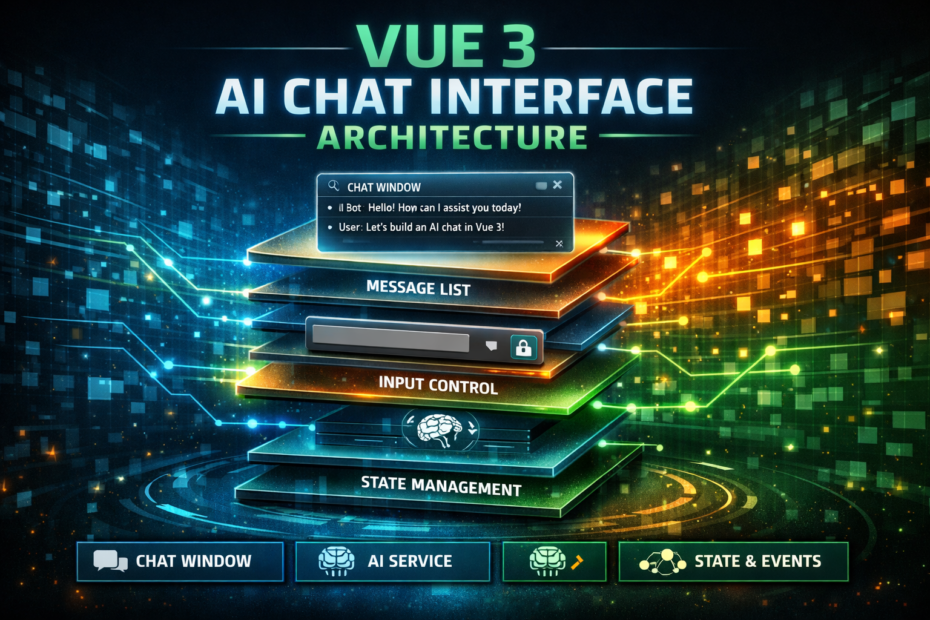
Streaming token rendering, auto-scrolling message lists, optimistic message inserts, abort/cancel mid-generation, markdown rendering with syntax highlighting, and the composable that manages all of it — the real-world Vue AI chat implementation, not the toy demo.
Every AI chat tutorial shows you the same thing: a <textarea> that POSTs a message, a div that renders the response. Two components, thirty lines. Working demo. The tutorial ends.
Then you try to build the actual thing. The streaming state doesn’t clear properly between messages. The scroll jumps when the user is reading earlier messages. Markdown renders fine for paragraphs but breaks on code blocks during the stream. The abort controller doesn’t actually cancel in-flight requests. The input re-enables before the stream closes cleanly.
The gap between the tutorial chat and a production chat interface is where this post lives. This is the real architecture: the composable that owns all state, the components that consume it, the edge cases that break the toy demo, and the patterns that make it feel like ChatGPT built it.
The Architecture: One Composable, Several Components
The key principle: all chat state lives in one composable. Components are purely presentational — they receive state and emit events. Nothing else.
useChat (composable)
├── messages[]          — the conversation history
├── streamingContent    — the token being built during stream
├── isStreaming         — whether a stream is active
├── error               — any error state
├── send(prompt)        — sends a message, starts streaming
└── cancel()            — aborts the current stream

Components:
├── ChatInterface       — root layout, owns useChat
├── MessageList         — scrollable list of messages
├── MessageBubble       — individual message rendering
├── StreamingBubble     — the in-progress AI response
├── ChatInput           — textarea + send/cancel buttons
└── MarkdownRenderer    — markdown with syntax highlighting
The Types
// types/chat.ts
export type MessageRole = 'user' | 'assistant' | 'system'

export interface Message {
  id:        string
  role:      MessageRole
  content:   string
  createdAt: Date
  isError?:  boolean
}

export interface ChatState {
  messages:         Message[]
  streamingContent: string
  isStreaming:      boolean
  error:            string | null
}
The Core Composable: useChat
This is the centrepiece. Every piece of chat state, every operation, managed here:
// composables/useChat.ts
import { ref, computed, readonly, nextTick } from 'vue'
import type { Message, ChatState } from '@/types/chat'

export function useChat(options: {
  apiEndpoint?: string
  systemPrompt?: string
  maxMessages?:  number
} = {}) {
  const {
    apiEndpoint = '/api/ai/stream',
    systemPrompt = '',
    maxMessages  = 100,
  } = options

  // ── State ──────────────────────────────────────────────────────────
  const messages         = ref<Message[]>([])
  const streamingContent = ref<string>('')
  const isStreaming      = ref<boolean>(false)
  const error            = ref<string | null>(null)
  let   abortController: AbortController | null = null

  // ── Computed ───────────────────────────────────────────────────────
  const hasMessages = computed(() => messages.value.length > 0)

  const lastMessage = computed(() =>
    messages.value[messages.value.length - 1] ?? null
  )

  // Build the messages array for the API
  // Includes history + system prompt
  const conversationHistory = computed(() =>
    messages.value.map(m => ({
      role:    m.role,
      content: m.content,
    }))
  )

  // ── Helpers ────────────────────────────────────────────────────────
  function createMessage(role: Message['role'], content: string): Message {
    return {
      id:        crypto.randomUUID(),
      role,
      content,
      createdAt: new Date(),
    }
  }

  function addMessage(message: Message): void {
    messages.value.push(message)

    // Trim to max message limit (remove oldest, keep system messages)
    if (messages.value.length > maxMessages) {
      const firstNonSystem = messages.value.findIndex(m => m.role !== 'system')
      if (firstNonSystem !== -1) {
        messages.value.splice(firstNonSystem, 1)
      }
    }
  }

  // ── Send ───────────────────────────────────────────────────────────
  async function send(prompt: string): Promise<void> {
    if (!prompt.trim() || isStreaming.value) return

    error.value = null

    // 1. Optimistic insert — user message appears immediately
    const userMessage = createMessage('user', prompt.trim())
    addMessage(userMessage)

    // 2. Reset streaming content
    streamingContent.value = ''
    isStreaming.value      = true

    // 3. Create a fresh abort controller
    abortController = new AbortController()

    try {
      const response = await fetch(apiEndpoint, {
        method:  'POST',
        headers: {
          'Content-Type':  'application/json',
          'Accept':        'text/event-stream',
          'Authorization': `Bearer ${getToken()}`,
          'X-CSRF-TOKEN':  getCsrfToken(),
        },
        body: JSON.stringify({
          messages:      conversationHistory.value,
          systemPrompt,
        }),
        signal: abortController.signal,
      })

      if (!response.ok) {
        throw new Error(`HTTP ${response.status}: ${response.statusText}`)
      }

      // 4. Read the stream
      const reader  = response.body!.getReader()
      const decoder = new TextDecoder()
      let   buffer  = ''

      while (true) {
        const { done, value } = await reader.read()
        if (done) break

        buffer += decoder.decode(value, { stream: true })
        const lines = buffer.split('\n')
        buffer = lines.pop() ?? ''  // keep incomplete line

        for (const line of lines) {
          if (!line.startsWith('data: ')) continue

          const jsonStr = line.slice(6).trim()
          if (!jsonStr || jsonStr === '[DONE]') continue

          try {
            const data = JSON.parse(jsonStr)

            if (data.type === 'content' && data.token) {
              streamingContent.value += data.token
            } else if (data.type === 'done') {
              // Stream complete — commit to messages
              if (streamingContent.value) {
                addMessage(createMessage('assistant', streamingContent.value))
                streamingContent.value = ''
              }
            } else if (data.type === 'error') {
              throw new Error(data.message ?? 'Stream error')
            }
          } catch (parseError) {
            // Malformed JSON chunk — skip silently
          }
        }
      }

    } catch (err) {
      if ((err as Error).name === 'AbortError') {
        // User cancelled — commit whatever was streamed
        if (streamingContent.value.trim()) {
          addMessage(createMessage(
            'assistant',
            streamingContent.value + '\n\n*(generation cancelled)*'
          ))
        }
        streamingContent.value = ''
        return
      }

      // Real error
      error.value = (err as Error).message || 'An error occurred'

      // Add error message to conversation
      addMessage({
        ...createMessage('assistant', 'Sorry, something went wrong. Please try again.'),
        isError: true,
      })

      streamingContent.value = ''

    } finally {
      isStreaming.value = false
      abortController   = null
    }
  }

  // ── Cancel ─────────────────────────────────────────────────────────
  function cancel(): void {
    if (abortController) {
      abortController.abort()
    }
  }

  // ── Reset ──────────────────────────────────────────────────────────
  function clearHistory(): void {
    if (isStreaming.value) cancel()
    messages.value         = []
    streamingContent.value = ''
    error.value            = null
  }

  // ── Expose ─────────────────────────────────────────────────────────
  return {
    // State (readonly to prevent direct mutation)
    messages:         readonly(messages),
    streamingContent: readonly(streamingContent),
    isStreaming:      readonly(isStreaming),
    error:            readonly(error),

    // Computed
    hasMessages,
    lastMessage,

    // Actions
    send,
    cancel,
    clearHistory,
  }
}

// ── Utilities ────────────────────────────────────────────────────────
function getToken(): string {
  return localStorage.getItem('auth_token') ?? ''
}

function getCsrfToken(): string {
  return document.querySelector<HTMLMetaElement>('meta[name="csrf-token"]')?.content ?? ''
}
The Root Component: ChatInterface
<!-- components/Chat/ChatInterface.vue -->
<script setup lang="ts">
import { ref, provide } from 'vue'
import { useChat } from '@/composables/useChat'
import MessageList     from './MessageList.vue'
import ChatInput       from './ChatInput.vue'

const props = defineProps<{
  systemPrompt?: string
  title?:        string
}>()

// Instantiate and provide chat state to all descendants
const chat = useChat({
  systemPrompt: props.systemPrompt,
  maxMessages:  100,
})

// Provide to descendants — avoids prop drilling through MessageList → MessageBubble
provide('chat', chat)
</script>

<template>
  <div class="chat-interface">
    <!-- Header -->
    <header class="chat-header">
      <h2>{{ title ?? 'AI Assistant' }}</h2>
      <button
        v-if="chat.hasMessages.value"
        @click="chat.clearHistory"
        class="btn-ghost"
        :disabled="chat.isStreaming.value"
      >
        New conversation
      </button>
    </header>

    <!-- Message list -->
    <MessageList
      :messages="chat.messages.value"
      :streaming-content="chat.streamingContent.value"
      :is-streaming="chat.isStreaming.value"
    />

    <!-- Error banner -->
    <Transition name="slide-up">
      <div v-if="chat.error.value" class="error-banner" role="alert">
        <span>{{ chat.error.value }}</span>
        <button @click="chat.error.value = null">×</button>
      </div>
    </Transition>

    <!-- Input -->
    <ChatInput
      :disabled="chat.isStreaming.value"
      :is-streaming="chat.isStreaming.value"
      @send="chat.send"
      @cancel="chat.cancel"
    />
  </div>
</template>
MessageList: The Scroll Management Problem
The scroll behaviour is the hardest part of a chat interface to get right. The rules:
- When the user sends a message: always scroll to bottom
- When streaming arrives: scroll to bottom UNLESS the user has scrolled up
- When the user manually scrolls up: stop auto-scrolling
- When the user scrolls back to the bottom: resume auto-scrolling
<!-- components/Chat/MessageList.vue -->
<script setup lang="ts">
import { ref, watch, nextTick, onMounted } from 'vue'
import type { Message } from '@/types/chat'
import MessageBubble   from './MessageBubble.vue'
import StreamingBubble from './StreamingBubble.vue'
import TypingIndicator from './TypingIndicator.vue'

const props = defineProps<{
  messages:         Message[]
  streamingContent: string
  isStreaming:      boolean
}>()

const containerRef   = ref<HTMLElement | null>(null)
const isUserScrolled = ref(false)

// Detect when user manually scrolls up
function onScroll() {
  if (!containerRef.value) return
  const el        = containerRef.value
  const threshold = 50  // pixels from bottom considered "at bottom"
  isUserScrolled.value = el.scrollHeight - el.scrollTop - el.clientHeight > threshold
}

// Scroll to bottom
async function scrollToBottom(force = false) {
  await nextTick()
  if (!containerRef.value) return
  if (force || !isUserScrolled.value) {
    containerRef.value.scrollTo({
      top:      containerRef.value.scrollHeight,
      behavior: force ? 'instant' : 'smooth',
    })
  }
}

// When the user sends a message — always scroll (force)
watch(
  () => props.messages.length,
  (newLen, oldLen) => {
    if (newLen > oldLen) {
      const latestMessage = props.messages[props.messages.length - 1]
      if (latestMessage?.role === 'user') {
        // User sent a message — reset scrolled state and force scroll
        isUserScrolled.value = false
        scrollToBottom(true)
      } else {
        // AI message committed (end of stream) — scroll if not user-scrolled
        scrollToBottom(false)
      }
    }
  }
)

// When streaming content changes — scroll if not user-scrolled
watch(
  () => props.streamingContent,
  () => scrollToBottom(false)
)

onMounted(() => scrollToBottom(true))
</script>

<template>
  <div
    ref="containerRef"
    class="message-list"
    @scroll="onScroll"
  >
    <!-- Empty state -->
    <div v-if="!messages.length && !isStreaming" class="empty-state">
      <p>Start a conversation by typing a message below.</p>
    </div>

    <!-- Message history -->
    <TransitionGroup name="message" tag="div" class="messages-container">
      <MessageBubble
        v-for="message in messages"
        :key="message.id"
        :message="message"
      />
    </TransitionGroup>

    <!-- Streaming bubble — shows while AI is generating -->
    <StreamingBubble
      v-if="isStreaming || streamingContent"
      :content="streamingContent"
      :is-streaming="isStreaming"
    />

    <!-- Typing indicator — shown before first token arrives -->
    <TypingIndicator
      v-if="isStreaming && !streamingContent"
    />

    <!-- Scroll-to-bottom button — shown when user has scrolled up -->
    <Transition name="fade">
      <button
        v-if="isUserScrolled"
        class="scroll-to-bottom"
        @click="() => { isUserScrolled = false; scrollToBottom(true) }"
        aria-label="Scroll to latest message"
      >
        ↓
      </button>
    </Transition>
  </div>
</template>

<style scoped>
.message-list {
  flex: 1;
  overflow-y: auto;
  padding: 16px;
  display: flex;
  flex-direction: column;
  gap: 12px;
  scroll-behavior: smooth;
  position: relative;
}

.scroll-to-bottom {
  position: sticky;
  bottom: 16px;
  left: 50%;
  transform: translateX(-50%);
  /* ... button styles */
}

.message-enter-active {
  transition: all 0.2s ease-out;
}
.message-enter-from {
  opacity: 0;
  transform: translateY(8px);
}
</style>
MessageBubble: Rendering with Markdown
<!-- components/Chat/MessageBubble.vue -->
<script setup lang="ts">
import { computed } from 'vue'
import type { Message } from '@/types/chat'
import MarkdownRenderer from './MarkdownRenderer.vue'

const props = defineProps<{
  message: Message
}>()

const isUser      = computed(() => props.message.role === 'user')
const isAssistant = computed(() => props.message.role === 'assistant')
const timestamp   = computed(() =>
  props.message.createdAt.toLocaleTimeString('en', {
    hour: '2-digit', minute: '2-digit'
  })
)
</script>

<template>
  <div
    class="message-bubble"
    :class="{
      'message-bubble--user':      isUser,
      'message-bubble--assistant': isAssistant,
      'message-bubble--error':     message.isError,
    }"
    :aria-label="`${message.role} message`"
  >
    <!-- Avatar -->
    <div class="message-avatar">
      <span v-if="isUser">You</span>
      <span v-else>AI</span>
    </div>

    <!-- Content -->
    <div class="message-content">
      <!-- User messages are plain text -->
      <p v-if="isUser" class="message-text">{{ message.content }}</p>

      <!-- Assistant messages render markdown -->
      <MarkdownRenderer
        v-else
        :content="message.content"
        :is-streaming="false"
      />

      <!-- Timestamp -->
      <span class="message-timestamp">{{ timestamp }}</span>
    </div>
  </div>
</template>
StreamingBubble: The In-Progress Rendering Challenge
The streaming bubble is the most complex component. Markdown rendered during streaming has edge cases: an incomplete code block (no closing ```) will render incorrectly. The trick is to detect incomplete blocks and handle them:
<!-- components/Chat/StreamingBubble.vue -->
<script setup lang="ts">
import { computed } from 'vue'
import MarkdownRenderer from './MarkdownRenderer.vue'

const props = defineProps<{
  content:     string
  isStreaming: boolean
}>()

// Fix incomplete markdown during streaming
// Code blocks without closing ``` cause parse errors
const safeContent = computed(() => {
  if (!props.isStreaming) return props.content

  const content    = props.content
  const codeBlocks = (content.match(/```/g) ?? []).length

  // If we have an odd number of ``` markers, add a closing one temporarily
  if (codeBlocks % 2 !== 0) {
    return content + '\n```'
  }

  return content
})
</script>

<template>
  <div class="message-bubble message-bubble--assistant message-bubble--streaming">
    <div class="message-avatar">
      <span>AI</span>
    </div>

    <div class="message-content">
      <MarkdownRenderer
        :content="safeContent"
        :is-streaming="isStreaming"
      />

      <!-- Blinking cursor at the end of the content -->
      <span
        v-if="isStreaming"
        class="streaming-cursor"
        aria-hidden="true"
      >▌</span>
    </div>
  </div>
</template>

<style scoped>
.streaming-cursor {
  display: inline-block;
  color: #3b82f6;
  animation: blink 1.1s step-end infinite;
  margin-left: 1px;
  vertical-align: text-bottom;
}

@keyframes blink {
  0%, 100% { opacity: 1; }
  50%       { opacity: 0; }
}

.message-bubble--streaming {
  opacity: 0.95;
}
</style>
MarkdownRenderer: Progressive Rendering with Syntax Highlighting
npm install marked highlight.js
<!-- components/Chat/MarkdownRenderer.vue -->
<script setup lang="ts">
import { computed, onMounted } from 'vue'
import { marked, type RendererObject } from 'marked'
import hljs from 'highlight.js'

const props = defineProps<{
  content:     string
  isStreaming: boolean
}>()

// Configure marked with syntax highlighting
const renderer: RendererObject = {
  code({ text, lang }) {
    const language = lang && hljs.getLanguage(lang) ? lang : 'plaintext'

    let highlighted: string
    try {
      highlighted = language === 'plaintext'
        ? hljs.highlightAuto(text).value
        : hljs.highlight(text, { language }).value
    } catch {
      highlighted = text
    }

    return `
      <div class="code-block">
        <div class="code-block-header">
          <span class="code-language">${language}</span>
          <button class="copy-code-btn" data-code="${encodeURIComponent(text)}">
            Copy
          </button>
        </div>
        <pre><code class="hljs language-${language}">${highlighted}</code></pre>
      </div>
    `
  },

  // Open links in new tab
  link({ href, title, text }) {
    return `<a href="${href}" title="${title ?? ''}" target="_blank" rel="noopener noreferrer">${text}</a>`
  },
}

marked.use({ renderer })

const parsedContent = computed(() => {
  if (!props.content) return ''

  return marked.parse(props.content, {
    gfm:    true,    // GitHub Flavored Markdown
    breaks: true,    // convert \n to <br>
  }) as string
})

// Handle copy button clicks (delegated event handling)
function onContentClick(event: MouseEvent) {
  const target = event.target as HTMLElement
  const button = target.closest('.copy-code-btn') as HTMLButtonElement | null
  if (!button) return

  const code = decodeURIComponent(button.dataset.code ?? '')
  navigator.clipboard.writeText(code).then(() => {
    const original = button.textContent
    button.textContent = 'Copied!'
    setTimeout(() => { button.textContent = original }, 2000)
  })
}
</script>

<template>
  <!-- eslint-disable vue/no-v-html -->
  <div
    class="markdown-content"
    v-html="parsedContent"
    @click="onContentClick"
  />
</template>

<style>
/* Import highlight.js theme */
@import 'highlight.js/styles/github-dark.css';

.markdown-content {
  font-size: 0.95rem;
  line-height: 1.7;
  color: inherit;
}

.markdown-content p { margin: 0 0 0.75rem; }
.markdown-content p:last-child { margin-bottom: 0; }

.markdown-content ul, .markdown-content ol {
  margin: 0.5rem 0;
  padding-left: 1.5rem;
}

.markdown-content code:not(pre code) {
  background: rgba(0,0,0,0.1);
  padding: 0.1em 0.4em;
  border-radius: 3px;
  font-size: 0.875em;
  font-family: 'Fira Code', monospace;
}

.code-block {
  margin: 0.75rem 0;
  border-radius: 8px;
  overflow: hidden;
  border: 1px solid rgba(0,0,0,0.1);
}

.code-block-header {
  display: flex;
  justify-content: space-between;
  align-items: center;
  padding: 6px 12px;
  background: #1e1e2e;
  font-size: 0.75rem;
}

.code-language {
  color: #a6adc8;
  text-transform: uppercase;
  letter-spacing: 0.05em;
}

.copy-code-btn {
  background: transparent;
  border: 1px solid #45475a;
  color: #cdd6f4;
  padding: 2px 8px;
  border-radius: 4px;
  cursor: pointer;
  font-size: 0.75rem;
  transition: all 0.2s;
}

.copy-code-btn:hover {
  background: #45475a;
}

.code-block pre {
  margin: 0;
  padding: 12px 16px;
  overflow-x: auto;
}

.code-block code {
  font-family: 'Fira Code', 'Cascadia Code', monospace;
  font-size: 0.875rem;
}
</style>
TypingIndicator: Before the First Token
<!-- components/Chat/TypingIndicator.vue -->
<template>
  <div class="message-bubble message-bubble--assistant" aria-label="AI is typing">
    <div class="message-avatar"><span>AI</span></div>
    <div class="typing-indicator" aria-hidden="true">
      <span /><span /><span />
    </div>
  </div>
</template>

<style scoped>
.typing-indicator {
  display: flex;
  gap: 4px;
  padding: 12px 16px;
  align-items: center;
}

.typing-indicator span {
  width:  8px;
  height: 8px;
  border-radius: 50%;
  background: currentColor;
  opacity: 0.4;
  animation: typing-dot 1.4s ease-in-out infinite;
}

.typing-indicator span:nth-child(2) { animation-delay: 0.2s; }
.typing-indicator span:nth-child(3) { animation-delay: 0.4s; }

@keyframes typing-dot {
  0%, 60%, 100% { opacity: 0.4; transform: scale(1); }
  30%            { opacity: 1;   transform: scale(1.2); }
}
</style>
ChatInput: The Input Component
<!-- components/Chat/ChatInput.vue -->
<script setup lang="ts">
import { ref, computed } from 'vue'

const props = defineProps<{
  disabled:    boolean
  isStreaming: boolean
}>()

const emit = defineEmits<{
  send:   [prompt: string]
  cancel: []
}>()

const prompt    = ref('')
const textareaRef = ref<HTMLTextAreaElement | null>(null)

const canSend = computed(() =>
  prompt.value.trim().length > 0 && !props.disabled
)

function send() {
  if (!canSend.value) return
  emit('send', prompt.value.trim())
  prompt.value = ''
  // Reset textarea height
  if (textareaRef.value) {
    textareaRef.value.style.height = 'auto'
  }
}

function onKeydown(event: KeyboardEvent) {
  // Enter sends, Shift+Enter inserts newline
  if (event.key === 'Enter' && !event.shiftKey) {
    event.preventDefault()
    send()
  }
}

// Auto-resize textarea as user types
function autoResize(event: Event) {
  const el = event.target as HTMLTextAreaElement
  el.style.height = 'auto'
  el.style.height = Math.min(el.scrollHeight, 200) + 'px'
}
</script>

<template>
  <div class="chat-input-container">
    <div class="chat-input-wrapper" :class="{ disabled }">
      <textarea
        ref="textareaRef"
        v-model="prompt"
        placeholder="Message AI Assistant... (Enter to send, Shift+Enter for newline)"
        rows="1"
        :disabled="disabled"
        class="chat-textarea"
        @keydown="onKeydown"
        @input="autoResize"
        aria-label="Message input"
      />

      <!-- Cancel button during streaming -->
      <button
        v-if="isStreaming"
        class="btn-stop"
        @click="$emit('cancel')"
        type="button"
        aria-label="Stop generating"
      >
        <svg width="16" height="16" viewBox="0 0 16 16" fill="currentColor">
          <rect x="3" y="3" width="10" height="10" rx="2" />
        </svg>
      </button>

      <!-- Send button -->
      <button
        v-else
        class="btn-send"
        @click="send"
        :disabled="!canSend"
        type="button"
        aria-label="Send message"
      >
        <svg width="16" height="16" viewBox="0 0 16 16" fill="none" stroke="currentColor">
          <path d="M2 8h12M8 2l6 6-6 6" stroke-width="2" stroke-linecap="round" />
        </svg>
      </button>
    </div>

    <p class="chat-input-hint">
      <kbd>Enter</kbd> to send · <kbd>Shift+Enter</kbd> for new line
    </p>
  </div>
</template>
Persisting Conversation History
For conversations that survive a page refresh:
// composables/usePersistentChat.ts
import { watch } from 'vue'
import { useChat } from './useChat'

const STORAGE_KEY = 'chat_history'

export function usePersistentChat(options = {}) {
  const chat = useChat(options)

  // Restore from storage on init
  const stored = localStorage.getItem(STORAGE_KEY)
  if (stored) {
    try {
      const parsed = JSON.parse(stored)
      // Restore messages with proper Date objects
      parsed.forEach((m: any) => {
        chat.messages.value.push({
          ...m,
          createdAt: new Date(m.createdAt),
        })
      })
    } catch {
      localStorage.removeItem(STORAGE_KEY)
    }
  }

  // Persist whenever messages change
  watch(
    chat.messages,
    (messages) => {
      // Only persist completed messages (not streaming state)
      if (!chat.isStreaming.value) {
        localStorage.setItem(STORAGE_KEY, JSON.stringify(messages))
      }
    },
    { deep: true }
  )

  // Override clearHistory to also clear storage
  const originalClear = chat.clearHistory
  function clearHistory() {
    originalClear()
    localStorage.removeItem(STORAGE_KEY)
  }

  return { ...chat, clearHistory }
}
The Edge Cases That Break Toy Demos
Edge Case 1: Double-firing the send on mobile
Mobile browsers fire both keydown and a virtual keyboard submit. Guard against it:
let lastSentAt = 0

function send() {
  const now = Date.now()
  if (now - lastSentAt < 500) return  // debounce 500ms
  if (!canSend.value) return

  lastSentAt = now
  emit('send', prompt.value.trim())
  prompt.value = ''
}
Edge Case 2: Stream that never closes
If the server drops the connection without sending a done event, isStreaming stays true forever. Add a client-side timeout:
// In useChat.ts — inside send()
let streamTimeout: ReturnType<typeof setTimeout> | null = null

// Reset timeout on every received chunk
function resetTimeout() {
  if (streamTimeout) clearTimeout(streamTimeout)
  streamTimeout = setTimeout(() => {
    if (isStreaming.value) {
      // No data for 30 seconds — assume connection dropped
      error.value = 'Connection timed out. The response may be incomplete.'
      if (streamingContent.value) {
        addMessage(createMessage('assistant', streamingContent.value))
        streamingContent.value = ''
      }
      isStreaming.value = false
    }
  }, 30_000)
}

// Call resetTimeout() on every chunk received
Edge Case 3: Sending while the previous stream is still active
The isStreaming check in send() prevents this at the UI level, but guard it defensively:
async function send(prompt: string): Promise<void> {
  if (!prompt.trim()) return

  // If somehow called while streaming, cancel first
  if (isStreaming.value) {
    cancel()
    // Small delay to let the abort settle
    await new Promise(resolve => setTimeout(resolve, 100))
  }

  // ... rest of send()
}
Edge Case 4: Browser tab visibility and streaming
When the user switches tabs, some browsers throttle timers. The stream continues but the UI doesn’t update until they return:
// Resume scroll and force UI update on visibility change
document.addEventListener('visibilitychange', () => {
  if (document.visibilityState === 'visible' && isStreaming.value) {
    nextTick(() => scrollToBottom(false))
  }
})
The Complete Component File Structure
src/
├── composables/
│   ├── useChat.ts               ← core composable
│   └── usePersistentChat.ts     ← with localStorage persistence
│
├── components/
│   └── Chat/
│       ├── ChatInterface.vue    ← root layout, provides chat context
│       ├── MessageList.vue      ← scrollable list with auto-scroll logic
│       ├── MessageBubble.vue    ← single completed message
│       ├── StreamingBubble.vue  ← in-progress AI response with cursor
│       ├── TypingIndicator.vue  ← three-dot animation before first token
│       ├── ChatInput.vue        ← textarea with send/cancel
│       └── MarkdownRenderer.vue ← marked + highlight.js
│
└── types/
    └── chat.ts                  ← Message, MessageRole, ChatState
Final Thoughts
The distance between a working toy demo and a production chat interface is almost entirely in the details: the scroll behaviour that respects user intent, the incomplete markdown that doesn’t break mid-stream, the abort that actually cleans up state, the typing indicator that shows before the first token, the copy button on code blocks, the persistence across refreshes.
The architecture in this post makes all of those details manageable. One composable owns all state. Components are purely presentational. State flows down. Events flow up. No component reaches outside its scope.
Build the composable first, test it in isolation, then wire up the components. The streaming implementation is the core — everything else is presentation layer on top of a well-modelled state machine.