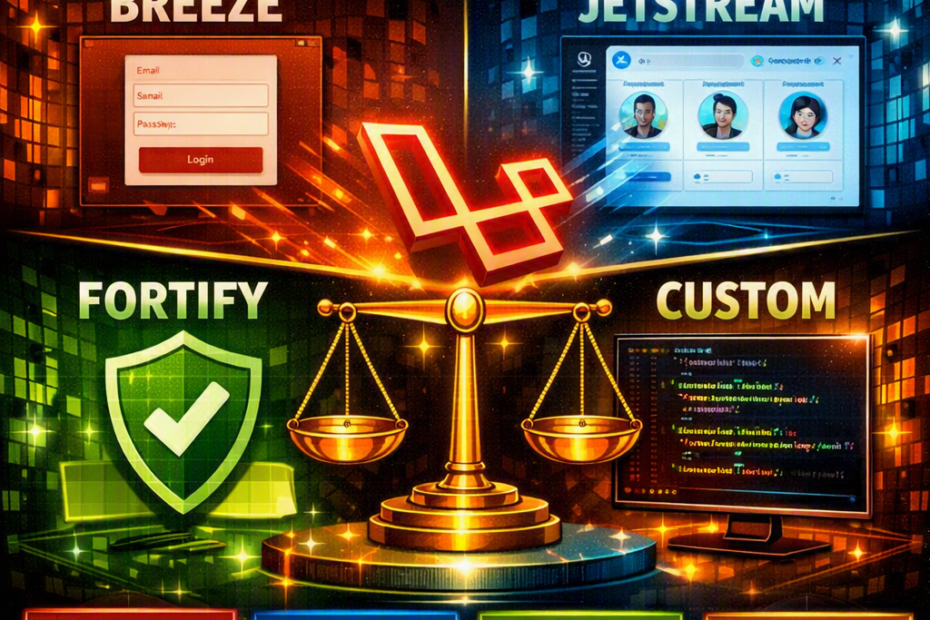
Four authentication approaches. Completely different architectures. The one you choose on day one determines your project’s structure, your team’s workflow, and how painful your next security audit will be. Here’s the honest breakdown that the official docs don’t give you.
A security audit flags 2FA as missing on a client’s SaaS product. The team scoped it as a two-day task — add a package, wire up a settings page, done. Three weeks later they’re still untangling it, because the auth scaffolding was Breeze, installed eighteen months earlier when the project was three routes and a login form. Breeze publishes controllers directly into the app — you own the code from day one, which is exactly the point of choosing it. Nobody had touched those files since. Two years of framework updates had passed the auth layer by, and the “two-day task” was actually a rewrite of code nobody remembered writing decisions about.
This is the part the “which one should I use” tutorials skip: authentication scaffolding isn’t a package you swap out later like a logging driver. It’s a decision about where auth logic lives — in your app’s own controllers, behind a headless backend, or built by hand — and that decision shapes every auth-adjacent feature for as long as the project lives. This post is the honest version: what Breeze, Jetstream, Fortify, and custom auth actually commit you to, what changed with Laravel 12’s new starter kits, and the specific situations where each one is the right call and where it quietly becomes technical debt.
The Landscape Actually Changed — Read This Before the Rest
If the last time you evaluated this was pre-Laravel 12, the decision tree is different now. Laravel 12 shipped new first-party starter kits — React, Vue, and Livewire — and Breeze and Jetstream stopped receiving new development as a result. They still work, they’re still installable, and existing projects built on them aren’t broken. But new features, new conventions, and things like first-class passkey (WebAuthn) support are landing in the new starter kits and in Fortify directly, not in Breeze or Jetstream.
This matters for the decision, not just as trivia: choosing Breeze or Jetstream for a new project in 2026 means choosing a scaffold that’s frozen at whatever state it’s in today. That’s not automatically wrong — frozen means stable, and for the “you own the code” model that’s arguably the point — but it’s a materially different decision than it was three years ago, when Breeze and Jetstream were the actively evolving path and Fortify was the niche headless option.
Laravel Breeze — You Own Every Line, Starting Today
Breeze publishes real controllers, real routes, and real Blade/Vue/React components directly into your application. There’s no abstraction layer sitting between your code and the auth logic — what php artisan breeze:install generates is your auth system, immediately editable, immediately yours.
// app/Http/Controllers/Auth/AuthenticatedSessionController.php
// This is not a vendor file. This is your file, generated once, owned forever.
class AuthenticatedSessionController extends Controller
{
    public function store(LoginRequest $request): RedirectResponse
    {
        $request->authenticate();
        $request->session()->regenerate();

        return redirect()->intended(route('dashboard', absolute: false));
    }
}
What this commits you to: every framework-level auth change from this point forward is something you have to apply manually. Laravel doesn’t push updates into files it already handed you — that’s the entire model. A new rate-limiting convention, a security fix in how password reset tokens are validated, a passkey integration pattern — none of it arrives via composer update for a Breeze-scaffolded auth flow, because Breeze isn’t a dependency your controllers call into; it was a one-time generator.
Where this is the right call: small to mid-sized apps where the team genuinely wants full control and is confident they’ll actually exercise it — reading and maintaining the auth code as a normal part of the codebase, not treating it as generated-and-forgotten. Projects with simple auth requirements (login, registration, password reset, maybe email verification) that aren’t going to grow 2FA, team management, or API token requirements. Teams that want zero magic — every line of the login flow is grep-able in the app’s own repo.
Where it becomes debt: the scenario at the top of this post. A team installs Breeze for a simple MVP, ships it, moves on to features, and eighteen months later the auth layer hasn’t been touched by anyone who understands why it’s structured the way it is. Adding 2FA, WebAuthn, or team-based permissions later means building it from scratch on top of Breeze’s generated code, because there’s no upgrade path — there was never a package relationship to upgrade.
Laravel Jetstream — The Full Kit, With Fortify Underneath
Jetstream is a complete application scaffold — login, registration, email verification, two-factor authentication, session management, API tokens via Sanctum, and optional team management, all provided out of the box, styled with Tailwind, available in Livewire or Inertia stacks. Under the hood, Jetstream’s authentication logic is powered by Fortify — Jetstream is the UI and feature layer, Fortify is the engine underneath it.
// config/fortify.php — Jetstream configures Fortify, doesn't replace it
'features' => [
    Features::registration(),
    Features::resetPasswords(),
    Features::emailVerification(),
    Features::twoFactorAuthentication([
        'confirmPassword' => true,
    ]),
],
What this commits you to: more structure than Breeze, less than hand-rolling it. Because Jetstream is built on Fortify’s abstractions rather than publishing plain controllers, customizing behavior means learning Fortify’s pipeline-based action pattern — Fortify authenticates requests by piping them through a configurable sequence of invokable classes — rather than editing a controller method directly. That’s a real learning curve compared to Breeze’s “it’s just a controller,” and it’s the tradeoff for getting 2FA, session management, and team features without building them.
Where this is the right call: SaaS products and team-based apps that need 2FA, API tokens, or multi-tenant team structures from day one, and would otherwise be building all of that by hand on top of Breeze anyway. If the honest project requirements already include “users need to invite teammates” and “we need 2FA before launch,” Jetstream is those features already built, tested, and wired together — building the equivalent from a Breeze base is a much larger project than it looks from the outside.
Where it becomes debt: teams that install Jetstream because it sounds more “complete” or “professional” for a project that never actually needed teams or 2FA. The complexity doesn’t sit quietly unused — it’s abstraction the team now has to understand to do anything with auth, including things Breeze would have made trivial. A solo-founder SaaS with no team concept at all, running on Jetstream because it seemed like the safer choice, ends up fighting the team-management assumptions baked into the scaffold for a feature that was never on the roadmap.
The frozen-scaffold caveat applies here too: like Breeze, Jetstream isn’t receiving new development now that Laravel 12’s own starter kits exist. It’s stable and still works, but it’s not where new first-party auth capability — passkeys included — is landing going forward.
Laravel Fortify — The Engine, No Frontend Opinion
Fortify is headless. It registers the routes and backend logic for login, registration, password reset, email verification, two-factor authentication, and passkeys — and renders nothing. No views, no components, no assumption about React, Vue, or a mobile app calling into it. You build 100% of the frontend and Fortify handles 100% of the backend logic behind it.
// app/Providers/FortifyServiceProvider.php
Fortify::authenticateUsing(function (Request $request) {
    $user = User::where('email', $request->email)->first();

    if ($user && Hash::check($request->password, $user->password)) {
        return $user;
    }
});

Fortify::loginView(fn () => Inertia::render('Auth/Login'));
This is the piece most “Breeze vs Jetstream vs Fortify” comparisons undersell: Fortify isn’t just “Jetstream without the UI.” It’s a legitimately different use case — a well-tested, actively maintained authentication backend for situations where the frontend isn’t a traditional server-rendered or Inertia-driven app at all. A React SPA calling a Laravel backend over an API. A mobile app authenticating against the same backend a web app uses. Any situation where “give me a Blade view for the login form” was never going to be useful in the first place.
// routes/web.php — no view registered, this route just doesn't render anything on its own.
// The SPA / mobile client hits Fortify's backend routes directly.
What this commits you to: building and maintaining every pixel of the auth UI yourself, on whatever frontend stack the rest of the app uses — which is exactly the right tradeoff when that frontend isn’t a Blade/Inertia app Laravel renders directly. Fortify gives you the tested backend (rate limiting, password reset token handling, 2FA challenge flow, passkey registration and verification) without dictating anything about how it’s presented.
Where this is the right call: a genuinely decoupled frontend — a separate SPA repo, a mobile app, a scenario where “Laravel renders the login page” was never on the table. Also the right call for a Blade or Inertia app where the team wants Jetstream’s feature set (2FA, passkeys, well-tested reset flows) but wants to own the UI completely rather than starting from Jetstream’s generated components. Fortify used standalone, with a custom frontend wired directly into its routes, gets you that combination.
Where it becomes debt: installing Fortify for a standard Blade or Inertia app “to keep things clean,” then discovering the pipeline-based customization model is more indirection than the project needed, for a frontend that could have just used Breeze’s plain controllers instead. Fortify’s abstraction earns its cost when there’s a real decoupled frontend to justify it — it’s overhead without a clear payoff when there isn’t one.
Custom Auth — No Package, Full Understanding, Full Liability
Laravel’s own documentation increasingly points toward manual authentication for teams that want neither a generated scaffold nor a headless package — using Auth::attempt(), Laravel’s built-in session and password-hashing primitives, directly in hand-written controllers, with zero package dependency for the auth flow itself.
// A fully custom login — no Breeze, no Fortify, no Jetstream
public function store(Request $request): RedirectResponse
{
    $credentials = $request->validate([
        'email' => ['required', 'email'],
        'password' => ['required'],
    ]);

    if (! Auth::attempt($credentials, $request->boolean('remember'))) {
        throw ValidationException::withMessages([
            'email' => trans('auth.failed'),
        ]);
    }

    $request->session()->regenerate();

    return redirect()->intended('dashboard');
}
What this commits you to: everything. Rate limiting on login attempts, password reset token generation and expiry, email verification flows, session fixation protection — all of it is the team’s responsibility to implement correctly and keep correct as the app evolves. Laravel’s underlying primitives (Auth, Hash, the password broker) are solid and well-tested; what’s not tested by anyone but the team is how they’re assembled.
Where this is the right call: unusual auth requirements that don’t map cleanly onto any scaffold’s assumptions — a non-standard identity model, an existing SSO/enterprise auth integration that replaces most of what a scaffold would generate anyway, or a small internal tool where every one of Breeze’s generated files would just be deleted or replaced regardless. Also legitimate for a team that specifically wants zero package surface area in the most security-sensitive part of the app and has the security expertise to justify that confidence.
Where it becomes debt: almost everywhere else. This is the option where “we’ll just build it ourselves, how hard can auth be” turns into a password reset flow with a subtly wrong token expiry check, discovered during a security audit rather than in code review. Every scaffold option above has had its rate-limiting, token-handling, and session logic exercised by thousands of production apps. Custom auth has had it exercised by however many people are on the team, however carefully they read the OWASP guidance before writing it.
The Decision, As a Table
| Breeze | Jetstream | Fortify | Custom | |
|---|---|---|---|---|
| Frontend included | Yes — Blade, Vue, or React | Yes — Livewire or Inertia | No — headless | No — you write everything |
| 2FA / passkeys out of the box | No | Yes | Yes | No |
| Team management | No | Optional | No | No |
| You own the auth code from day one | Yes | No — behind Fortify’s abstractions | Backend: no. Frontend: yes | Yes, entirely |
| Receiving new framework updates | No — frozen | No — frozen | Yes — actively maintained | N/A — no package |
| Right for | Simple auth, small-mid apps, full ownership wanted | SaaS/team apps needing 2FA + teams out of the box | Decoupled frontend (SPA/mobile), or custom UI wanting Fortify’s tested backend | Unusual requirements, SSO replacement, small internal tools |
| Becomes debt when | 2FA/teams needed later, nobody remembers the generated code | Installed for “completeness” on a project with no real team/2FA need | Used on a standard Blade/Inertia app that didn’t need the indirection | Used for a standard app where a scaffold would have been faster and better-tested |
The Questions Worth Answering Before Installing Anything
Does this project need 2FA, passkeys, or team management in the next 12 months — realistically, not aspirationally? If yes, Jetstream (for a Blade/Inertia app Laravel renders) or Fortify (for a decoupled frontend) saves building those features from scratch later on top of a scaffold that never anticipated them.
Is the frontend actually decoupled from Laravel — a separate SPA, a mobile app — or is Laravel rendering the pages? This alone rules out Breeze and Jetstream for a genuinely separate frontend, and rules out standalone Fortify as unnecessary indirection for a standard Blade/Inertia app.
Is the team going to actually read and maintain the auth code, or is this being installed and left alone? Breeze’s “you own it” model is a feature for a team that will engage with the code, and a liability for a team that won’t — because unlike a real dependency, nothing will ever remind them it needs attention.
Does the project have unusual auth requirements a scaffold’s assumptions actively fight against? SSO-first identity, a non-standard user model, an existing enterprise auth system to integrate with — these are legitimate reasons for custom auth. “We wanted more control” without a concrete requirement usually isn’t, given how much of rate limiting, token handling, and session security a scaffold gets right by default.
The One Rule
This decision doesn’t get revisited in six months the way a UI library choice does. Auth logic accumulates business-specific customization fast — password policies, onboarding steps tied to registration, roles checked at login — and by the time a team wants to reconsider, the cost isn’t “swap the package,” it’s “extract years of accumulated logic from wherever it’s currently living and rebuild it somewhere else.” The honest version of “which one should I use” isn’t about which is more modern or more popular. It’s about which one’s ownership model — generated-and-yours, abstracted-and-maintained, headless-and-custom-UI, or fully custom — the team is actually going to live inside of two years from now, not just on the day the first login form ships.