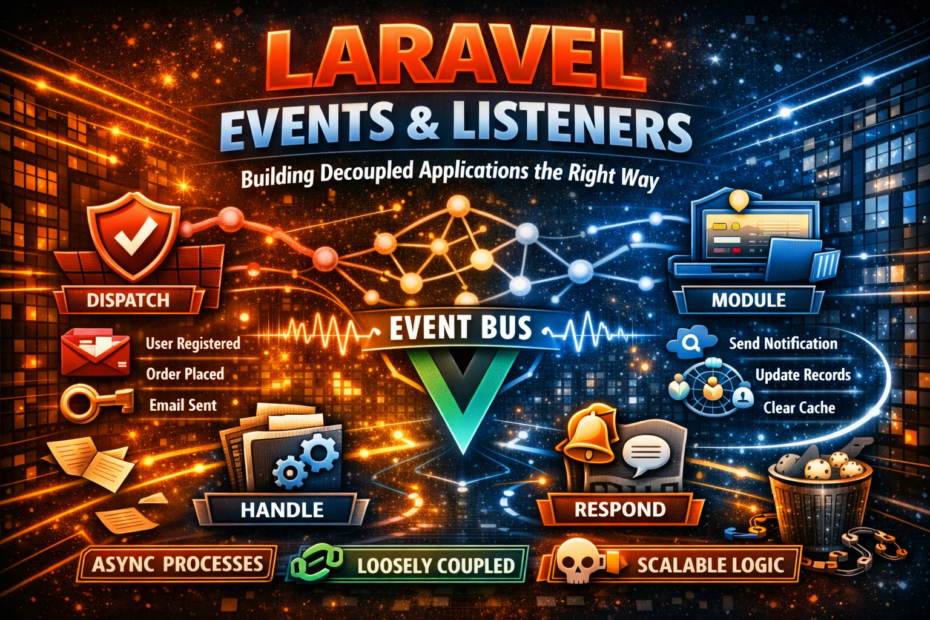
Event-driven architecture in Laravel — dispatching events, creating listeners, broadcasting with Reverb, event sourcing patterns, and keeping your application decoupled as it grows.
Most Laravel applications start tightly coupled. A controller registers a user, sends a welcome email, creates a trial subscription, notifies the Slack channel, and logs the activity — all in a single method. It works. It’s fast to build. And it becomes a maintenance problem the moment requirements change.
Event-driven architecture solves this by inverting the dependency. The controller dispatches a single event: UserRegistered. Everything else — the email, the trial, the Slack message, the log — is handled by independent listeners that react to that event. Add a new behaviour? Add a new listener. Remove one? Delete the listener. The controller never changes.
Laravel’s event system is one of its most underappreciated features. This guide covers the full picture: dispatching events, writing listeners, queueing heavy work, broadcasting real-time updates with Laravel Reverb, and the patterns that keep event-driven code maintainable as applications grow.
The Architecture: Why Events Decouple Your Code
Before writing code, the mental model matters.
Without events, your controller knows about every side effect of registration:
UserController::register()
    │── Auth::attempt()
    │── Mail::send(WelcomeEmail)
    │── Subscription::createTrial()
    │── Slack::notify()
    └── ActivityLog::write()
With events, the controller knows about one thing — and listeners handle the rest:
UserController::register()
    └── event(new UserRegistered($user))
            │── SendWelcomeEmailListener
            │── CreateTrialSubscriptionListener
            │── NotifySlackListener
            └── LogUserActivityListener
The controller has no knowledge of the side effects. Each listener has no knowledge of the others. Adding, removing, or modifying any behaviour touches exactly one class.
Creating Events and Listeners
Generating the Classes
# Generate an event
php artisan make:event UserRegistered

# Generate a listener
php artisan make:listener SendWelcomeEmail --event=UserRegistered

# Generate multiple at once by defining them in EventServiceProvider first
php artisan event:generate
The Event Class
An event is a plain PHP class. It carries the data that listeners need.
// app/Events/UserRegistered.php
<?php

namespace App\Events;

use App\Models\User;
use Illuminate\Foundation\Events\Dispatchable;
use Illuminate\Queue\SerializesModels;

class UserRegistered
{
    use Dispatchable, SerializesModels;

    public function __construct(
        public readonly User   $user,
        public readonly string $registrationSource = 'web',
        public readonly array  $metadata           = [],
    ) {}
}
SerializesModels is important: it means Eloquent models in the event are serialised as their ID and rehydrated fresh when the event reaches a queued listener. Always include it on events that will be broadcast or queued.
The Listener Class
// app/Listeners/SendWelcomeEmail.php
<?php

namespace App\Listeners;

use App\Events\UserRegistered;
use App\Mail\WelcomeEmail;
use Illuminate\Support\Facades\Mail;

class SendWelcomeEmail
{
    public function handle(UserRegistered $event): void
    {
        Mail::to($event->user)->send(new WelcomeEmail($event->user));
    }
}
Registering Listeners
In Laravel 11 and 12, event discovery is automatic by default — Laravel scans your Listeners directory and matches listeners to events via type-hinted handle() methods. You can still register manually in EventServiceProvider for clarity or for third-party events.
// app/Providers/EventServiceProvider.php
protected $listen = [
    UserRegistered::class => [
        SendWelcomeEmail::class,
        CreateTrialSubscription::class,
        NotifySlackChannel::class,
        LogUserActivity::class,
    ],

    OrderPlaced::class => [
        SendOrderConfirmation::class,
        UpdateInventory::class,
        NotifyFulfillment::class,
    ],

    PaymentFailed::class => [
        NotifyCustomerOfFailure::class,
        SuspendAccountIfOverdue::class,
        AlertFinanceTeam::class,
    ],
];
Dispatching Events
// Option 1 — static dispatch helper (most common)
UserRegistered::dispatch($user);

// Option 2 — global event() helper
event(new UserRegistered($user, 'mobile'));

// Option 3 — Event facade
use Illuminate\Support\Facades\Event;
Event::dispatch(new UserRegistered($user));

// Dispatch with additional data
UserRegistered::dispatch($user, 'oauth', ['provider' => 'google']);

// Dispatch conditionally
UserRegistered::dispatchIf(!$user->isGuest(), $user);
UserRegistered::dispatchUnless($user->isBanned(), $user);
Queueable Listeners: The Critical Pattern
By default, listeners run synchronously — inline in the request cycle. For anything slow (emails, API calls, notifications), implement ShouldQueue to move the work to the background.
// app/Listeners/SendWelcomeEmail.php
<?php

namespace App\Listeners;

use App\Events\UserRegistered;
use App\Mail\WelcomeEmail;
use Illuminate\Contracts\Queue\ShouldQueue;
use Illuminate\Queue\InteractsWithQueue;
use Illuminate\Support\Facades\Mail;

class SendWelcomeEmail implements ShouldQueue
{
    use InteractsWithQueue;

    // Queue configuration
    public string $queue      = 'emails';
    public int    $delay      = 5;       // seconds to wait before processing
    public int    $tries      = 3;
    public int    $backoff     = 30;

    public function handle(UserRegistered $event): void
    {
        Mail::to($event->user)->send(new WelcomeEmail($event->user));
    }

    public function failed(UserRegistered $event, \Throwable $exception): void
    {
        logger()->error('WelcomeEmail listener failed', [
            'user_id' => $event->user->id,
            'error'   => $exception->getMessage(),
        ]);
    }

    // Conditionally queue — return false to skip queueing and run synchronously
    public function shouldQueue(UserRegistered $event): bool
    {
        return $event->user->wantsWelcomeEmail;
    }
}
Event Subscribers: Grouping Related Listeners
An event subscriber is a single class that can subscribe to multiple events. Use subscribers when several listeners are conceptually part of the same bounded context.
// app/Listeners/UserEventSubscriber.php
<?php

namespace App\Listeners;

use App\Events\UserRegistered;
use App\Events\UserLoggedIn;
use App\Events\UserDeleted;
use Illuminate\Events\Dispatcher;

class UserEventSubscriber
{
    public function onUserRegistered(UserRegistered $event): void
    {
        // Handle registration
        ActivityLog::record($event->user, 'registered');
    }

    public function onUserLoggedIn(UserLoggedIn $event): void
    {
        // Update last login timestamp
        $event->user->update(['last_login_at' => now()]);
    }

    public function onUserDeleted(UserDeleted $event): void
    {
        // Cleanup — cancel subscriptions, revoke tokens, etc.
        $event->user->tokens()->delete();
        $event->user->subscriptions()->cancel();
    }

    // Subscribe method — maps events to handler methods
    public function subscribe(Dispatcher $events): array
    {
        return [
            UserRegistered::class => 'onUserRegistered',
            UserLoggedIn::class   => 'onUserLoggedIn',
            UserDeleted::class    => 'onUserDeleted',
        ];
    }
}
// Register in EventServiceProvider
protected $subscribe = [
    UserEventSubscriber::class,
    OrderEventSubscriber::class,
];
Real-Time Broadcasting with Laravel Reverb
Laravel Reverb is Laravel’s first-party WebSocket server, introduced in Laravel 11. It replaces the need for third-party services like Pusher for most use cases — running on your own infrastructure with full control over the WebSocket server.
Installation and Configuration
# Install Reverb
php artisan install:broadcasting
# This installs Reverb, configures broadcasting, and sets up Echo
# .env
BROADCAST_CONNECTION=reverb
REVERB_APP_ID=my-app-id
REVERB_APP_KEY=my-app-key
REVERB_APP_SECRET=my-app-secret
REVERB_HOST=localhost
REVERB_PORT=8080
REVERB_SCHEME=http
# Start the Reverb server
php artisan reverb:start

# With debugging enabled
php artisan reverb:start --debug

# In production, run via Supervisor (same as queue workers)
php artisan reverb:start --host=0.0.0.0 --port=8080
Making Events Broadcastable
// app/Events/OrderStatusUpdated.php
<?php

namespace App\Events;

use App\Models\Order;
use Illuminate\Broadcasting\Channel;
use Illuminate\Broadcasting\InteractsWithSockets;
use Illuminate\Broadcasting\PresenceChannel;
use Illuminate\Broadcasting\PrivateChannel;
use Illuminate\Contracts\Broadcasting\ShouldBroadcast;
use Illuminate\Foundation\Events\Dispatchable;
use Illuminate\Queue\SerializesModels;

class OrderStatusUpdated implements ShouldBroadcast
{
    use Dispatchable, InteractsWithSockets, SerializesModels;

    public function __construct(
        public readonly Order $order,
    ) {}

    // The channel this event broadcasts on
    public function broadcastOn(): array
    {
        return [
            new PrivateChannel("orders.{$this->order->user_id}"),
        ];
    }

    // The event name the JavaScript client listens for
    public function broadcastAs(): string
    {
        return 'order.status.updated';
    }

    // Only broadcast specific data — don't expose the full model
    public function broadcastWith(): array
    {
        return [
            'order_id'   => $this->order->id,
            'status'     => $this->order->status,
            'updated_at' => $this->order->updated_at->toISOString(),
        ];
    }

    // Only broadcast when status is meaningful
    public function broadcastWhen(): bool
    {
        return in_array($this->order->status, ['shipped', 'delivered', 'cancelled']);
    }
}
Channel Types
// Public channel — anyone can listen
public function broadcastOn(): array
{
    return [new Channel('announcements')];
}

// Private channel — authenticated users only
// Requires authorisation in routes/channels.php
public function broadcastOn(): array
{
    return [new PrivateChannel("orders.{$this->order->user_id}")];
}

// Presence channel — authenticated + membership awareness
// Good for "who's online" features
public function broadcastOn(): array
{
    return [new PresenceChannel("rooms.{$this->room->id}")];
}
Authorising Private Channels
// routes/channels.php
use App\Models\Order;
use Illuminate\Support\Facades\Broadcast;

// Private channel — user can only subscribe to their own order channel
Broadcast::channel('orders.{userId}', function ($user, int $userId) {
    return $user->id === $userId;
});

// Presence channel — return user data to share with other channel members
Broadcast::channel('rooms.{roomId}', function ($user, int $roomId) {
    if ($user->canJoinRoom($roomId)) {
        return ['id' => $user->id, 'name' => $user->name];
    }
    return false;
});
Listening on the Frontend with Laravel Echo
npm install laravel-echo
// resources/js/echo.js
import Echo from 'laravel-echo'
import Pusher from 'pusher-js'

window.Pusher = Pusher

window.Echo = new Echo({
  broadcaster:  'reverb',
  key:          import.meta.env.VITE_REVERB_APP_KEY,
  wsHost:       import.meta.env.VITE_REVERB_HOST,
  wsPort:       import.meta.env.VITE_REVERB_PORT ?? 80,
  wssPort:      import.meta.env.VITE_REVERB_PORT ?? 443,
  forceTLS:     (import.meta.env.VITE_REVERB_SCHEME ?? 'https') === 'https',
  enabledTransports: ['ws', 'wss'],
})
// Listening to a private channel
Echo.private(`orders.${userId}`)
  .listen('.order.status.updated', (event) => {
    console.log('Order updated:', event)
    updateOrderStatus(event.order_id, event.status)
  })

// Presence channel — real-time user list
Echo.join(`rooms.${roomId}`)
  .here((users) => { setOnlineUsers(users) })
  .joining((user) => { addOnlineUser(user) })
  .leaving((user) => { removeOnlineUser(user) })
  .listen('.message.sent', (event) => { addMessage(event) })
ShouldBroadcastNow — Skip the Queue
By default, broadcastable events are dispatched through the queue. Use ShouldBroadcastNow to broadcast immediately, inline in the request cycle — useful for time-sensitive updates.
use Illuminate\Contracts\Broadcasting\ShouldBroadcastNow;

class TypingIndicatorUpdated implements ShouldBroadcastNow
{
    // This is so fast and lightweight it doesn't need a queue
    public function __construct(
        public readonly int    $roomId,
        public readonly int    $userId,
        public readonly bool   $isTyping,
    ) {}

    public function broadcastOn(): array
    {
        return [new PresenceChannel("rooms.{$this->roomId}")];
    }
}
Model Events: Eloquent’s Built-In Event System
Eloquent models fire events automatically on lifecycle changes. You can hook into these without dispatching anything explicitly.
// app/Models/Order.php
class Order extends Model
{
    protected static function booted(): void
    {
        // Fires after a new order is saved
        static::created(function (Order $order) {
            OrderCreated::dispatch($order);
        });

        // Fires before an order is updated — useful for tracking changes
        static::updating(function (Order $order) {
            if ($order->isDirty('status')) {
                OrderStatusChanged::dispatch($order, $order->getOriginal('status'));
            }
        });

        // Fires before deletion — use for soft-delete alternatives
        static::deleting(function (Order $order) {
            OrderDeleted::dispatch($order);
        });
    }
}
Using Observers for Clean Model Event Handling
When a model has many event listeners, an observer consolidates them:
// app/Observers/OrderObserver.php
<?php

namespace App\Observers;

use App\Events\OrderCreated;
use App\Events\OrderStatusUpdated;
use App\Models\Order;

class OrderObserver
{
    public function created(Order $order): void
    {
        OrderCreated::dispatch($order);
    }

    public function updated(Order $order): void
    {
        if ($order->wasChanged('status')) {
            OrderStatusUpdated::dispatch($order);
        }
    }

    public function deleted(Order $order): void
    {
        // Archive the order data before it's deleted
        OrderArchive::create(['data' => $order->toArray()]);
    }
}
// Register in AppServiceProvider
use App\Models\Order;
use App\Observers\OrderObserver;

public function boot(): void
{
    Order::observe(OrderObserver::class);
}
Event Sourcing Patterns in Laravel
Event sourcing takes the event pattern further: instead of storing the current state of a record, you store every event that led to that state. The current state is derived by replaying events.
This is not appropriate for every application — but for domains where audit history, temporal queries, and state replay are business requirements, it’s the right tool.
A Simple Event Sourcing Setup
// The events table stores everything that ever happened
Schema::create('domain_events', function (Blueprint $table) {
    $table->id();
    $table->string('aggregate_type');   // 'order', 'account', 'user'
    $table->string('aggregate_id');     // the entity's UUID
    $table->string('event_type');       // 'OrderPlaced', 'PaymentReceived'
    $table->json('payload');            // event data
    $table->unsignedBigInteger('version');  // sequence number per aggregate
    $table->timestamp('occurred_at');
});
// app/Events/Sourcing/OrderPlaced.php
<?php

namespace App\Events\Sourcing;

use App\Values\Money;

class OrderPlaced
{
    public function __construct(
        public readonly string $orderId,
        public readonly string $customerId,
        public readonly Money  $total,
        public readonly array  $items,
    ) {}

    public static function fromPayload(array $payload): self
    {
        return new self(
            orderId:    $payload['order_id'],
            customerId: $payload['customer_id'],
            total:      Money::fromArray($payload['total']),
            items:      $payload['items'],
        );
    }

    public function toPayload(): array
    {
        return [
            'order_id'    => $this->orderId,
            'customer_id' => $this->customerId,
            'total'       => $this->total->toArray(),
            'items'       => $this->items,
        ];
    }
}
// app/Aggregates/OrderAggregate.php
<?php

namespace App\Aggregates;

class OrderAggregate
{
    public string  $id;
    public string  $status = 'pending';
    public float   $total  = 0;
    public array   $items  = [];

    public static function rehydrate(string $orderId): self
    {
        $aggregate = new self();
        $aggregate->id = $orderId;

        // Replay all events for this aggregate
        $events = DomainEvent::where('aggregate_id', $orderId)
            ->orderBy('version')
            ->get();

        foreach ($events as $event) {
            $aggregate->apply($event->event_type, $event->payload);
        }

        return $aggregate;
    }

    private function apply(string $eventType, array $payload): void
    {
        match ($eventType) {
            'OrderPlaced'       => $this->applyOrderPlaced($payload),
            'PaymentReceived'   => $this->applyPaymentReceived($payload),
            'OrderShipped'      => $this->applyOrderShipped($payload),
            'OrderCancelled'    => $this->applyOrderCancelled($payload),
            default             => null,
        };
    }

    private function applyOrderPlaced(array $payload): void
    {
        $this->total = $payload['total']['amount'];
        $this->items = $payload['items'];
        $this->status = 'placed';
    }

    private function applyPaymentReceived(array $payload): void
    {
        $this->status = 'paid';
    }

    private function applyOrderShipped(array $payload): void
    {
        $this->status = 'shipped';
    }

    private function applyOrderCancelled(array $payload): void
    {
        $this->status = 'cancelled';
    }
}
For production event sourcing in Laravel, consider the
spatie/laravel-event-sourcingpackage. It provides projectors, reactors, snapshotting, and a complete event store implementation — so you don’t have to build the infrastructure yourself.
Keeping Events Maintainable at Scale
1. Name Events After Facts, Not Commands
// ✗ Commands — imperative, coupled to what triggered the event
SendWelcomeEmail::dispatch($user)
ProcessOrder::dispatch($order)

// ✓ Facts — declarative, describe what happened
UserRegistered::dispatch($user)
OrderPlaced::dispatch($order)
Events represent things that have already happened. Past tense naming enforces this discipline and prevents listeners from feeling like command handlers.
2. Keep Event Payloads Minimal
Pass only what listeners need. If every listener reconstructs the model from the database anyway, just pass the ID.
// ✗ Passing the full model when only the ID is needed
class UserRegistered
{
    public function __construct(
        public readonly User $user,  // SerializesModels helps, but still heavy
    ) {}
}

// ✓ Passing the ID — listeners fetch what they need
class UserRegistered
{
    public function __construct(
        public readonly int    $userId,
        public readonly string $email,     // just the data listeners actually use
        public readonly string $source,
    ) {}
}
3. Use Fakes in Tests
use Illuminate\Support\Facades\Event;

public function test_user_registered_event_is_dispatched(): void
{
    Event::fake();

    $this->post('/register', [
        'name'     => 'Taylor',
        'email'    => 'taylor@example.com',
        'password' => 'password',
    ]);

    Event::assertDispatched(UserRegistered::class, function ($event) {
        return $event->user->email === 'taylor@example.com';
    });

    // Assert event was dispatched a specific number of times
    Event::assertDispatchedTimes(UserRegistered::class, 1);

    // Assert another event was NOT dispatched
    Event::assertNotDispatched(UserBanned::class);
}

// Fake only specific events — let others run normally
Event::fake([UserRegistered::class]);
4. Document the Event Catalogue
As your application grows, maintaining a clear list of events and their listeners becomes essential. Use a dedicated location and consider tooling like php artisan event:list to see what’s registered:
# Built-in — lists all registered events and their listeners
php artisan event:list
UserRegistered         App\Listeners\SendWelcomeEmail
                       App\Listeners\CreateTrialSubscription
                       App\Listeners\NotifySlackChannel

OrderPlaced            App\Listeners\SendOrderConfirmation
                       App\Listeners\UpdateInventory
                       App\Listeners\NotifyFulfillment

PaymentFailed          App\Listeners\NotifyCustomerOfFailure
                       App\Listeners\SuspendAccountIfOverdue
A Complete Example: Order Processing Flow
// 1. Event — something happened
// app/Events/OrderPlaced.php
class OrderPlaced
{
    use Dispatchable, SerializesModels;

    public function __construct(
        public readonly Order $order,
    ) {}
}

// 2. Multiple listeners react independently
// app/Listeners/SendOrderConfirmation.php
class SendOrderConfirmation implements ShouldQueue
{
    public string $queue = 'emails';

    public function handle(OrderPlaced $event): void
    {
        Mail::to($event->order->user)
            ->send(new OrderConfirmationEmail($event->order));
    }
}

// app/Listeners/UpdateInventory.php
class UpdateInventory implements ShouldQueue
{
    public string $queue = 'default';

    public function handle(OrderPlaced $event): void
    {
        foreach ($event->order->items as $item) {
            $item->product->decrement('stock', $item->quantity);
        }
    }
}

// app/Listeners/BroadcastOrderStatus.php
class BroadcastOrderStatus implements ShouldQueue
{
    public function handle(OrderPlaced $event): void
    {
        // Trigger a broadcastable event for real-time updates
        OrderStatusUpdated::dispatch($event->order);
    }
}

// 3. Dispatch in the controller — one line, all side effects handled
class OrderController extends Controller
{
    public function store(StoreOrderRequest $request): JsonResponse
    {
        $order = DB::transaction(function () use ($request) {
            return Order::create($request->validated());
        });

        OrderPlaced::dispatch($order);

        return response()->json(['order' => $order], 201);
    }
}
Production Checklist
✓ Events use past tense names (UserRegistered, OrderPlaced, PaymentFailed)
✓ Slow listeners implement ShouldQueue with $queue, $tries, and failed()
✓ Broadcastable events implement broadcastWith() to limit exposed data
✓ Private channels authorised in routes/channels.php
✓ Reverb running via Supervisor in production
✓ Reverb server restarted in deploy process (reverb:restart)
✓ Model observers registered in AppServiceProvider
✓ Event::fake() used in all tests that dispatch events
✓ php artisan event:list verified after adding new listeners
✓ SerializesModels on every event that will be queued or broadcast
✓ afterCommit() dispatch if events are fired inside transactions
Final Thoughts
Laravel’s event system is not just a nice architectural pattern — it’s a practical tool for managing complexity as applications grow. The moment you have more than two or three side effects attached to any action, events are the right answer.
The patterns in this guide — queueable listeners with shouldQueue, model observers, event subscribers, broadcasting with Reverb private channels, and minimal event payloads — cover the full range of what real production applications need. None of it requires external packages beyond Reverb for real-time features.
The investment pays off every time a new requirement arrives. Instead of finding the controller and adding more logic to an already crowded method, you create a new listener and register it. One file. No existing code touched. The feature ships, the tests pass, and the application stays maintainable.
That is what decoupled architecture feels like in practice.