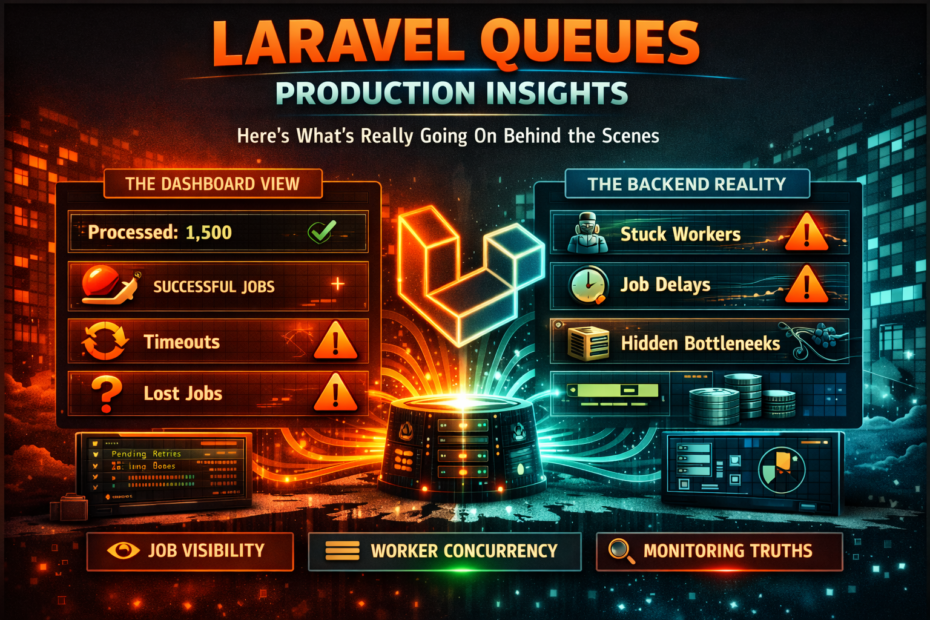
Failed jobs that silently disappear, workers that freeze under memory pressure, jobs that run twice because of a missed timeout, and the one queue configuration mistake that every new Laravel app makes — the production queue guide nobody writes until something breaks at 3am.
Laravel queues work perfectly in development. You dispatch a job, it processes, you move on. Nobody configures retry attempts. Nobody thinks about timeout values. Nobody wonders what happens when a job runs for longer than the queue visibility timeout.
Then production happens. A job silently fails because the failed_jobs table wasn’t created. A worker crashes because a job loaded 50,000 Eloquent models into memory. A payment job runs twice because the Redis visibility timeout is shorter than the job execution time. The database driver processes jobs one at a time on a single server and your queue depth climbs to 3,000.
None of these are rare edge cases. They’re the default behaviour of a Laravel queue configuration that nobody touched after php artisan make:job.
This is everything you need to know before they happen to you.
The One Mistake Every New Laravel App Makes
Open a fresh Laravel application’s .env file:
QUEUE_CONNECTION=sync
sync processes jobs synchronously, in the same request cycle, blocking the response. There is no queue. There are no workers. Every dispatch() call runs the job immediately before the HTTP response is returned.
This is fine for local development. It is never acceptable in production.
The first thing to do with any new Laravel application before it handles real traffic:
# .env.production
QUEUE_CONNECTION=redis
And make sure your Redis queue is actually running:
# Verify the queue worker is processing jobs
php artisan queue:work redis --queue=default,emails,notifications
If no worker is running when QUEUE_CONNECTION=redis, dispatched jobs sit in Redis indefinitely. They don’t fail. They don’t error. They just wait — silently — until a worker starts.
Understanding the Queue Lifecycle
Before fixing problems, understand what actually happens when you dispatch a job:
dispatch(new ProcessOrder($order))
         │
         ▼
1. Job serialised to JSON and pushed to Redis
   Key: laravel_database_queues:default
   Payload: { "job": "ProcessOrder", "data": {...}, "uuid": "..." }
         │
         ▼
2. Queue worker picks it up
   - Moves job to reserved list (removes from available queue)
   - Sets a visibility timeout (reserved_at + timeout)
         │
         ▼
3a. Job completes successfully
    - Worker deletes job from reserved list
    - Done

3b. Job throws an exception
    - Worker catches exception
    - Decrements attempts counter
    - If attempts remain: re-queued with delay (backoff)
    - If no attempts remain: moved to failed_jobs table

3c. Job exceeds visibility timeout
    - Worker is still running, but Redis considers the job abandoned
    - Another worker picks up the same job from the reserved list
    - JOB RUNS TWICE
Step 3c is the source of the most confusing production bugs. Understanding it is critical.
The Visibility Timeout Trap: Why Jobs Run Twice
Every queue driver has a “visibility timeout” — the maximum time a job can be reserved before the queue assumes the worker crashed and makes the job available again.
For Redis queues in Laravel, this is the retry_after configuration:
// config/queue.php
'redis' => [
    'driver'     => 'redis',
    'connection' => 'default',
    'queue'      => env('REDIS_QUEUE', 'default'),
    'retry_after' => 90,  // seconds — THIS IS THE TRAP
    'block_for'   => null,
],
The default is 90 seconds. This means: if a job has been running for more than 90 seconds, Redis assumes the worker died and makes the job available for another worker to pick up.
If your job takes longer than 90 seconds — a large PDF generation, a complex data import, a slow external API — it will be picked up by a second worker while the first is still running. You now have two instances of the same job executing simultaneously.
The Fix
// config/queue.php
'redis' => [
    'driver'      => 'redis',
    'connection'  => 'default',
    'queue'       => env('REDIS_QUEUE', 'default'),
    'retry_after' => 300,  // 5 minutes — generous headroom
    'block_for'   => null,
],
And configure your worker’s timeout shorter than retry_after:
# Worker timeout MUST be less than retry_after
# If the job hasn't finished in 240 seconds, the worker kills it
# The 60-second gap prevents the visibility timeout firing first
php artisan queue:work --timeout=240 --tries=3
retry_after (300s) > worker --timeout (240s)
↑                    ↑
Redis considers     Worker kills
job abandoned       the job

The worker always kills the job before Redis reassigns it.
No double execution.
Per-Job Timeout
class GenerateLargeReport implements ShouldQueue
{
    // This job's timeout overrides the worker's --timeout flag
    public int $timeout = 600;  // 10 minutes

    // retry_after in config must be > 600 for this to be safe
    public int $tries = 1;  // don't retry — report generation is idempotent

    public function handle(): void
    {
        // Takes up to 10 minutes
    }
}
The Failed Jobs Table Nobody Creates
By default, when a job exhausts its retry attempts, Laravel tries to write it to the failed_jobs table. If that table doesn’t exist:
SQLSTATE[42S02]: Base table or view not found: 1146 Table 'app.failed_jobs' doesn't exist
The exception is swallowed. The job silently disappears. You don’t know it failed.
# Create the failed jobs table
php artisan queue:failed-table
php artisan migrate
With the table in place, failed jobs are stored with:
- The job class name
- The queue and connection it ran on
- The full exception message and stack trace
- The serialised job payload (so you can inspect what data it had)
- The timestamp it failed
# List all failed jobs
php artisan queue:failed

# Retry a specific failed job
php artisan queue:retry {id}

# Retry all failed jobs
php artisan queue:retry all

# Delete a failed job
php artisan queue:forget {id}

# Delete all failed jobs
php artisan queue:flush
Memory Leaks and the Worker Memory Limit
PHP processes accumulate memory. Worker processes that run for hours without restarting will eventually exhaust memory and crash. Two mechanisms protect against this:
The –memory Flag
# Kill the worker if it uses more than 128MB
php artisan queue:work --memory=128
When the memory limit is reached, the worker stops gracefully after finishing the current job. Supervisor (or whatever process manager you use) restarts it.
The –max-jobs Flag
# Restart the worker after processing 500 jobs
php artisan queue:work --max-jobs=500
Fresh worker every 500 jobs — no memory accumulation possible.
The Common Memory Leak Pattern
// ✗ Loading an entire table into memory inside a job
class SyncProductCatalogue implements ShouldQueue
{
    public function handle(): void
    {
        // 50,000 products loaded into memory at once
        $products = Product::all();

        foreach ($products as $product) {
            $this->syncProduct($product);
        }
    }
}
// ✓ Chunked processing — memory stays flat
class SyncProductCatalogue implements ShouldQueue
{
    public function handle(): void
    {
        // Processes 200 at a time — peak memory: 200 products
        Product::chunk(200, function ($products) {
            foreach ($products as $product) {
                $this->syncProduct($product);
            }
        });
    }
}
// ✓ LazyCollection — even better, streams from DB
class SyncProductCatalogue implements ShouldQueue
{
    public function handle(): void
    {
        Product::lazy()->each(function ($product) {
            $this->syncProduct($product);
        });
    }
}
Job Batching and the Silent Partial Failure
Laravel’s job batching (Bus::batch()) lets you dispatch multiple jobs and track them as a unit. The common mistake: not handling partial failures.
// ✗ Batch with no failure handling — some jobs can fail silently
$batch = Bus::batch([
    new ProcessOrder($order1),
    new ProcessOrder($order2),
    new ProcessOrder($order3),
])->dispatch();

// If ProcessOrder($order2) fails:
// batch continues
// batch eventually reports as "finished"
// order2 was never processed
// nobody knows
// ✓ Batch with explicit failure handling
$batch = Bus::batch([
    new ProcessOrder($order1),
    new ProcessOrder($order2),
    new ProcessOrder($order3),
])
->then(function (Batch $batch) {
    // All jobs completed successfully
    Log::info("Batch {$batch->id} completed. Processed {$batch->totalJobs} orders.");
})
->catch(function (Batch $batch, Throwable $e) {
    // At least one job has failed
    Log::error("Batch {$batch->id} has failures", [
        'failed'    => $batch->failedJobs,
        'exception' => $e->getMessage(),
    ]);

    // Optionally cancel remaining jobs
    // $batch->cancel();
})
->finally(function (Batch $batch) {
    // Runs after batch finishes (success or failure)
    // Update database, send notification, etc.
    BatchReport::create(['batch_id' => $batch->id, 'status' => $batch->status()]);
})
->allowFailures()  // don't cancel the batch if one job fails
->dispatch();
Monitoring Batch Progress
// Check batch status anywhere
$batch = Bus::findBatch($batchId);

$batch->totalJobs;           // total jobs in the batch
$batch->processedJobs();     // completed + failed
$batch->pendingJobs;         // not yet processed
$batch->failedJobs;          // number of failed jobs
$batch->progress();          // 0-100 percentage
$batch->finished();          // bool — all jobs done?
$batch->cancelled();         // bool — was it cancelled?
$batch->hasFailures();       // bool — any failures?
Queue Prioritisation: Not All Jobs Are Equal
By default, workers process jobs from a single queue in FIFO order. A low-priority analytics job dispatched just before a high-priority payment confirmation will delay the payment.
// Dispatch to specific queues by importance
// High priority — user is waiting, payment must process fast
SendPaymentConfirmation::dispatch()->onQueue('critical');

// Medium priority — user will see this soon
SendOrderConfirmation::dispatch()->onQueue('default');

// Low priority — runs in background, user doesn't wait
GenerateMonthlyReport::dispatch()->onQueue('low');

// Very low priority — batch processing, can wait hours
SyncAnalyticsData::dispatch()->onQueue('batch');
# Worker that respects priority order
# Drains 'critical' completely before touching 'default'
# Drains 'default' completely before touching 'low'
php artisan queue:work redis \
    --queue=critical,default,low,batch \
    --sleep=1 \
    --timeout=60 \
    --tries=3
Important: This means batch jobs only run when critical, default, and low are all empty. For heavy batch workloads, run a separate worker dedicated to batch:
# Separate worker just for batch queue
php artisan queue:work redis --queue=batch --timeout=300 --tries=1
The Supervisor Configuration That Actually Works
Most Supervisor configurations in tutorials are missing critical options:
; /etc/supervisor/conf.d/laravel-worker.conf
[program:laravel-worker-critical]
process_name=%(program_name)s_%(process_num)02d command=php /var/www/app/artisan queue:work redis \ –queue=critical \ –sleep=1 \ –timeout=30 \ –tries=3 \ –max-jobs=500 \ –memory=256 \ –no-interaction autostart=true autorestart=true user=www-data numprocs=4 ; 4 workers for critical queue redirect_stderr=true stdout_logfile=/var/www/app/storage/logs/worker-critical.log stdout_logfile_maxbytes=10MB stdout_logfile_backups=5 stopwaitsecs=60 ; give worker time to finish current job before killing stopsignal=SIGTERM ; graceful shutdown signal
[program:laravel-worker-default]
process_name=%(program_name)s_%(process_num)02d command=php /var/www/app/artisan queue:work redis \ –queue=default,emails,notifications \ –sleep=3 \ –timeout=60 \ –tries=3 \ –max-jobs=500 \ –memory=256 \ –no-interaction autostart=true autorestart=true user=www-data numprocs=2 redirect_stderr=true stdout_logfile=/var/www/app/storage/logs/worker-default.log stopwaitsecs=60
[program:laravel-worker-batch]
process_name=%(program_name)s_%(process_num)02d command=php /var/www/app/artisan queue:work redis \ –queue=batch \ –sleep=5 \ –timeout=300 \ –tries=1 \ –max-jobs=100 \ –memory=512 \ –no-interaction autostart=true autorestart=true user=www-data numprocs=2 redirect_stderr=true stdout_logfile=/var/www/app/storage/logs/worker-batch.log stopwaitsecs=300 ; batch jobs can run longer — give them time to finish
# Reload Supervisor after config changes
sudo supervisorctl reread
sudo supervisorctl update
sudo supervisorctl status

# Gracefully restart workers after a deploy
php artisan queue:restart
# This signals workers to finish current job then exit
# Supervisor restarts them with the new code
The Retry Strategy: Backoff and Idempotency
Backoff Configuration
Don’t retry immediately on failure. Implement exponential backoff so transient failures (rate limits, network hiccups) have time to resolve:
class CallExternalApi implements ShouldQueue
{
    public int $tries = 5;

    // Exponential backoff: wait 1min, 5min, 10min, 20min, 30min between retries
    public function backoff(): array
    {
        return [60, 300, 600, 1200, 1800];
    }

    // Or: exponential calculated
    public function backoff(): int
    {
        return $this->attempts() * 60;  // 60s, 120s, 180s, 240s, 300s
    }

    public function handle(): void
    {
        // External API call that might fail transiently
    }
}
Idempotent Jobs: Safe to Retry
A job that can run multiple times and produce the same result is idempotent. All jobs that might be retried should be idempotent.
// ✗ Non-idempotent — running twice charges the user twice
class ChargeCustomer implements ShouldQueue
{
    public function handle(): void
    {
        $this->stripe->charge($this->customer, $this->amount);
        // If this job retries, the customer is charged again
    }
}

// ✓ Idempotent — using Stripe's idempotency key
class ChargeCustomer implements ShouldQueue
{
    public function handle(): void
    {
        $this->stripe->charge($this->customer, $this->amount, [
            'idempotency_key' => $this->order->uuid,
            // Stripe deduplicates based on this key
            // Running twice produces one charge
        ]);
    }
}
// ✓ Database-level idempotency — check before acting
class SendWelcomeEmail implements ShouldQueue
{
    public function handle(): void
    {
        // Check if email was already sent
        if ($this->user->welcome_email_sent_at) {
            return;  // already done — exit safely
        }

        Mail::to($this->user)->send(new WelcomeEmail($this->user));

        $this->user->update(['welcome_email_sent_at' => now()]);
    }
}
Horizon: Queue Monitoring Done Right
Laravel Horizon provides a real-time dashboard for Redis queues. If you’re using Redis queues in production and not using Horizon, you’re flying blind.
composer require laravel/horizon
php artisan horizon:install
php artisan migrate
# Start Horizon (replaces queue:work in production with Redis)
php artisan horizon

# Horizon via Supervisor
[program:horizon]
process_name=%(program_name)s command=php /var/www/app/artisan horizon autostart=true autorestart=true user=www-data redirect_stderr=true stdout_logfile=/var/www/app/storage/logs/horizon.log stopwaitsecs=3600 ; horizon processes jobs gracefully — give it time
Horizon Configuration
// config/horizon.php — key configuration
'environments' => [
    'production' => [
        'supervisor-1' => [
            'connection' => 'redis',
            'queue'      => ['critical', 'default', 'emails', 'notifications'],
            'balance'    => 'auto',     // Horizon auto-balances workers
            'minProcesses' => 2,        // minimum workers always running
            'maxProcesses' => 10,       // scale up to 10 under load
            'tries'      => 3,
            'timeout'    => 60,
            'memory'     => 256,
        ],
        'supervisor-batch' => [
            'connection' => 'redis',
            'queue'      => ['batch'],
            'balance'    => 'simple',
            'processes'  => 2,          // fixed 2 workers for batch
            'tries'      => 1,
            'timeout'    => 300,
            'memory'     => 512,
        ],
    ],
],

// Alert when queue depth exceeds thresholds
'waits' => [
    'redis:critical' => 3,   // alert if a job waits > 3 seconds
    'redis:default'  => 60,  // alert if a job waits > 60 seconds
    'redis:batch'    => 300, // alert if a job waits > 5 minutes
],
What Horizon shows you that queue:work doesn’t:
- Queue depth per queue in real time
- Jobs per minute (throughput)
- Failed jobs with full stack traces and payloads
- Worker utilisation
- Recent jobs — what ran, how long it took, when it finished
- Slow jobs — identified by execution time
Handling Job Failures Gracefully
The failed() Method
class ProcessPayment implements ShouldQueue
{
    public int $tries   = 3;
    public int $timeout = 30;

    public function handle(): void
    {
        $this->payment->process();
    }

    // Called when ALL retries are exhausted
    public function failed(\Throwable $exception): void
    {
        // Notify relevant parties
        Log::error('Payment processing failed permanently', [
            'payment_id' => $this->payment->id,
            'user_id'    => $this->payment->user_id,
            'error'      => $exception->getMessage(),
        ]);

        // Update the record to reflect the failure
        $this->payment->update(['status' => 'failed']);

        // Notify the user
        $this->payment->user->notify(new PaymentFailedNotification($this->payment));

        // Alert the team for payment failures
        Slack::channel('#payments-alerts')->send(
            "Payment #{$this->payment->id} failed permanently after {$this->tries} attempts: " .
            $exception->getMessage()
        );
    }
}
Don’t Retry Some Exceptions
Some exceptions indicate permanent failures that retrying won’t fix. Use $this->fail() to skip retries:
public function handle(): void
{
    try {
        $this->stripe->charge($this->customer, $this->amount);
    } catch (CardDeclinedException $e) {
        // Card was declined — retrying won't help
        $this->fail($e);  // immediately moves to failed_jobs, no retries
        return;
    } catch (RateLimitException $e) {
        // Rate limit — retry is appropriate
        throw $e;
    }
}
The Production Queue Health Checklist
Configuration:
✓ QUEUE_CONNECTION=redis (not sync) in production
✓ retry_after in config/queue.php > worker --timeout
✓ failed_jobs table created (php artisan queue:failed-table && migrate)
✓ Queue names defined for different priority levels (critical, default, low, batch)

Worker setup:
✓ Supervisor managing workers (not just running queue:work in a shell)
✓ --memory limit set (128-512MB depending on job requirements)
✓ --max-jobs limit set (prevents memory accumulation)
✓ --timeout set and shorter than retry_after
✓ stopwaitsecs in Supervisor config > worker timeout
✓ Separate worker pools for different queue priorities
✓ Workers restarted after deployment: php artisan queue:restart

Job configuration:
✓ Every job has $tries defined explicitly
✓ Every job has $timeout defined explicitly
✓ Long-running jobs have retry_after > their timeout
✓ Retried jobs are idempotent (safe to run twice)
✓ Jobs use chunk() or lazy() instead of all() for large datasets
✓ Jobs implement failed() for post-failure actions

Monitoring:
✓ Laravel Horizon installed and running (or equivalent)
✓ Failed jobs reviewed daily
✓ Queue depth alerts configured (alert before backlog builds)
✓ Worker restart confirmed after every deployment
✓ Storage/logs directory has sufficient disk space

Batch jobs:
✓ catch() handler defined for every batch
✓ Batch failures don't silently complete with missing work
✓ Batch progress exposed to users for long-running operations
The 3am Incident Debugging Checklist
When the queue isn’t processing and you get a late-night alert:
# 1. Check if workers are running
supervisorctl status

# 2. Check Horizon status
php artisan horizon:status

# 3. Check queue depth
php artisan horizon:status   # shows queue sizes
# or
redis-cli llen laravel_database_queues:default

# 4. Check failed jobs
php artisan queue:failed

# 5. Check worker logs
tail -f /var/www/app/storage/logs/worker-default.log

# 6. Check if workers need restarting (new code deployed without restart)
php artisan queue:restart
supervisorctl restart all

# 7. Check Redis memory
redis-cli info memory | grep used_memory_human

# 8. Check for stuck jobs in reserved list
redis-cli llen laravel_database_queues:default:reserved

# 9. Force clear stuck jobs (nuclear option — use carefully)
redis-cli del laravel_database_queues:default:reserved

# 10. Retry all failed jobs
php artisan queue:retry all
Final Thoughts
Queue failures don’t announce themselves. A job that runs twice charges a customer twice. A job that silently disappears means an email was never sent. A worker that slowly consumes memory runs fine for three days and then crashes at the worst possible moment.
The configurations in this post aren’t optimisations for high-traffic applications. They’re the baseline for any application that relies on queues for important work. failed_jobs tables, explicit $tries and $timeout values, retry_after set with headroom, workers managed by Supervisor, and Horizon for visibility — these are table stakes.
The queue system is the most failure-prone part of most Laravel applications because it’s the least visible. Jobs run in the background. Failures are asynchronous. The symptoms appear far from the cause.
Install Horizon. Create the failed jobs table. Set your retry_after correctly. Configure Supervisor properly. Then check the Horizon dashboard every morning for two weeks — you’ll find things that were silently failing that you never knew about.
The bugs you find before they cost you a customer are the only kind worth finding.