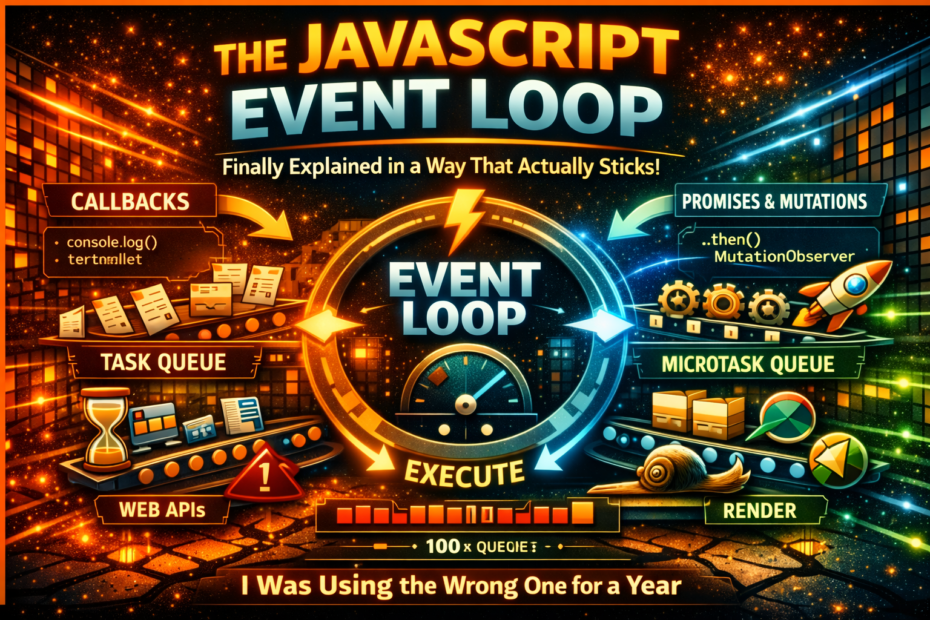
Call stack, task queue, microtask queue, Web APIs, requestAnimationFrame — every senior dev interview asks about this and half the answers are wrong. Here’s the definitive visual explanation with code you can run right now.
The event loop is one of those concepts that every JavaScript developer has heard of, most can describe loosely, and surprisingly few can explain with precision. The common explanation — “JavaScript is single-threaded but it can do async stuff because of the event loop” — is technically true and practically useless. It doesn’t tell you why setTimeout(fn, 0) doesn’t run immediately, why a Promise.resolve() fires before a setTimeout, why queueMicrotask exists, or what actually happens when you await something.
This post fills every one of those gaps. By the end, you’ll be able to predict exactly what order any piece of async JavaScript will execute — not by memorising rules, but by understanding the actual mechanism.
The Problem JavaScript Was Designed to Solve
JavaScript runs in a single thread. This is a design choice, not a limitation. It eliminates an entire class of concurrency bugs (race conditions, deadlocks, data corruption from concurrent writes) at the cost of one constraint: if the thread is busy, nothing else happens.
The challenge: if a single-threaded language blocks the thread waiting for a network response (or a timer, or user input), the entire application freezes. A browser tab that blocks the main thread cannot scroll, cannot update the UI, cannot respond to clicks.
The event loop is JavaScript’s solution to this problem. It allows a single thread to coordinate non-blocking work by delegating certain operations to external environments (the browser, the OS, the runtime), registering callbacks, and processing those callbacks when the thread is free.
The Five Actors
The event loop involves five distinct concepts. Understanding each one individually before seeing how they interact is the key to understanding the whole system.
1. The Call Stack
The call stack is where your code executes. JavaScript is synchronous within the stack — functions are pushed onto the stack when called and popped off when they return. The stack has one active frame at a time.
function greet(name) {
  return `Hello, ${name}!`
}

function main() {
  const message = greet('Taylor')
  console.log(message)
}

main()

// Call stack evolution:
// []                          → empty
// [main]                      → main() called
// [main, greet]               → greet() called inside main
// [main]                      → greet() returns
// [main, console.log]         → console.log() called
// [main]                      → console.log() returns
// []                          → main() returns, stack empty
When the stack is empty, the event loop checks the queues for work to do. When the stack is not empty, the event loop waits.
2. Web APIs (The External Environment)
Web APIs are browser-provided capabilities that operate outside the JavaScript engine. setTimeout, fetch, XMLHttpRequest, addEventListener, setInterval, requestAnimationFrame — none of these are JavaScript language features. They’re browser APIs that JavaScript can call.
When you call setTimeout(fn, 1000), JavaScript hands the timer to the browser’s timer subsystem and returns immediately. The stack frame for setTimeout completes and is popped off the stack. The timer counts down in the browser’s environment — not in your JavaScript thread.
console.log('1')
setTimeout(() => console.log('3'), 1000)  // handed to browser timer, returns immediately
console.log('2')
// Output: 1, 2, 3 (after 1 second)
3. The Task Queue (Macrotask Queue)
When a Web API completes its work, it does not immediately push a callback onto the call stack. It puts the callback into the task queue (also called the macrotask queue).
The event loop’s job is to move tasks from the queue to the stack — but only when the stack is empty. The event loop checks: “Is the stack empty? Is there a task waiting?” If yes to both, it takes the first task from the queue and pushes it onto the stack.
Operations that go through the task queue:
setTimeoutcallbackssetIntervalcallbacksMessageChannelmessagesrequestAnimationFrame(sort of — more on this later)- I/O callbacks (in Node.js)
- UI rendering events (click, keydown, etc.)
4. The Microtask Queue
The microtask queue is a second, higher-priority queue that sits between the task queue and the call stack. Crucially: all microtasks are drained before the next macrotask is processed.
The rule: after every task (and after the initial synchronous script), the engine empties the entire microtask queue before moving on to the next task or rendering.
Operations that go through the microtask queue:
Promisecallbacks (.then,.catch,.finally)awaitcontinuationsqueueMicrotask(fn)callsMutationObservercallbacks
5. The Render Step
In browsers, between macrotasks, the browser may run a render step — recalculating styles, laying out the page, and painting it. The browser tries to render at 60fps (every ~16.6ms), but only does so when the call stack is empty and when there’s something to render.
requestAnimationFrame callbacks run just before the render step — not in the task queue or microtask queue.
The Event Loop Algorithm
Here is the precise order of operations the event loop follows:
1. Execute the current synchronous script (fill and drain the call stack)

2. Drain the entire microtask queue
   (run all queued microtasks; if a microtask queues another microtask,
   that also runs before moving on)

3. If it's time to render:
   a. Run requestAnimationFrame callbacks
   b. Render (style recalculation, layout, paint)

4. Pick the oldest task from the task queue
   Push it onto the call stack and execute it

5. Drain the entire microtask queue again (step 2)

6. Go to step 3
The critical insight from this algorithm: microtasks are processed after every single task, not after every tick. This means a microtask that queues another microtask will keep running before any macrotask gets a chance to execute. It’s possible to starve the task queue entirely if microtasks keep creating more microtasks.
Seeing It In Action
Example 1: The Classic Output Order Test
console.log('A')

setTimeout(() => console.log('B'), 0)

Promise.resolve().then(() => console.log('C'))

console.log('D')

// What is the output order?
Walk through it step by step:
Stack starts empty.

1. console.log('A') pushed onto stack → 'A' logged → popped
2. setTimeout(fn, 0) pushed → hands callback to browser timer → returns → popped
   (timer fires immediately, but callback goes to TASK QUEUE)
3. Promise.resolve().then(fn) pushed → Promise is already resolved →
   callback pushed to MICROTASK QUEUE → .then() returns → popped
4. console.log('D') pushed → 'D' logged → popped

Stack is now empty. Script complete.

Event loop: Drain microtask queue.
→ 'C' callback runs → console.log('C') → 'C' logged
Microtask queue empty.

Event loop: Check for rendering (skipped — nothing to render).

Event loop: Pick next task from task queue.
→ setTimeout callback runs → console.log('B') → 'B' logged

Output: A D C B
Run this in your browser console right now. You’ll see: A D C B.
The key: setTimeout(fn, 0) does NOT mean “run immediately”. It means “add to the task queue after at least 0ms”. By the time the timer fires, the entire synchronous script and all pending microtasks have already run.
Example 2: Async/Await Under the Hood
async function fetchUser() {
  console.log('fetchUser: before await')
  const user = await getUser()  // getUser returns a resolved Promise
  console.log('fetchUser: after await')
  return user
}

console.log('1: before call')
fetchUser()
console.log('2: after call')

// Output?
async/await is syntactic sugar over Promises. The await keyword suspends the async function and pushes the continuation (everything after the await) into the microtask queue:
1. console.log('1: before call') → '1: before call' logged
2. fetchUser() called → enters function
3. console.log('fetchUser: before await') → 'fetchUser: before await' logged
4. await getUser() → getUser() runs, returns resolved Promise
   await suspends fetchUser — pushes continuation to MICROTASK QUEUE
   fetchUser() returns control (an unresolved Promise) to the caller
5. console.log('2: after call') → '2: after call' logged

Stack empty. Drain microtask queue.
6. fetchUser continuation runs → console.log('fetchUser: after await') → logged

Output:
1: before call
fetchUser: before await
2: after call
fetchUser: after await
This is why await does not block. The function suspends at the await, the call stack clears, other synchronous code runs, and then the async function resumes as a microtask.
Example 3: Microtask Queue Starvation
This is a real problem that can freeze your application:
function infiniteMicrotasks() {
  Promise.resolve().then(infiniteMicrotasks)
}

infiniteMicrotasks()
setTimeout(() => console.log('This never runs'), 0)
The microtask queue is drained completely before the next macrotask runs. Because infiniteMicrotasks keeps adding new microtasks, the task queue never gets a turn, setTimeout never fires, and the browser never renders. The tab freezes.
Contrast with setTimeout recursion — which would be slow but wouldn’t freeze:
function loopWithSetTimeout() {
  setTimeout(loopWithSetTimeout, 0)  // each call goes to TASK QUEUE
  // Render and other tasks can interleave between each iteration
}
Example 4: Multiple Promises — Execution Order
Promise.resolve()
  .then(() => {
    console.log('Promise 1')
    return Promise.resolve()  // returns a NEW Promise
  })
  .then(() => console.log('Promise 2'))

Promise.resolve()
  .then(() => console.log('Promise 3'))
  .then(() => console.log('Promise 4'))

// Output?
This is where it gets subtle. When a .then callback returns a Promise, the next .then in the chain must wait for that Promise to resolve — which requires two additional microtask turns:
Microtask queue initially:
[Promise 1 callback, Promise 3 callback]

Turn 1: Run Promise 1 callback → logs 'Promise 1'
  Returns Promise.resolve() → adds TWO extra microtask turns before 'Promise 2' runs
  (One to resolve the returned promise, one to schedule the next .then)
Turn 1: Queue now: [Promise 3 callback, ... (internal ticks for 'Promise 2')]

Turn 2: Run Promise 3 callback → logs 'Promise 3'
  Queue: [Promise 4 callback, ... (internal ticks for 'Promise 2')]

Turn 3: Promise 4 callback → logs 'Promise 4'

Turn 4-5: Internal ticks resolving the returned Promise

Turn 6: Promise 2 callback → logs 'Promise 2'

Output: Promise 1, Promise 3, Promise 4, Promise 2
Run it. You’ll see Promise 1, Promise 3, Promise 4, Promise 2. Returning a resolved Promise from a .then callback adds overhead compared to returning a plain value.
Example 5: setTimeout vs setInterval vs queueMicrotask
let counter = 0

queueMicrotask(() => console.log('microtask 1'))

setTimeout(() => {
  console.log('timeout 1')
  queueMicrotask(() => console.log('microtask inside timeout'))
}, 0)

queueMicrotask(() => console.log('microtask 2'))

setTimeout(() => console.log('timeout 2'), 0)

console.log('synchronous')

// Output?
// synchronous
// microtask 1
// microtask 2
// timeout 1
// microtask inside timeout
// timeout 2
Notice: microtask inside timeout runs before timeout 2. Even though both timeouts are in the task queue, when timeout 1 runs and queues a microtask, that microtask is processed before timeout 2 gets to run. Microtasks are drained after every single task.
requestAnimationFrame: The Render-Coupled Queue
requestAnimationFrame (rAF) is not in the task queue or the microtask queue. It has its own callback list that the browser processes just before rendering — typically 60 times per second.
console.log('1')

requestAnimationFrame(() => console.log('rAF'))

Promise.resolve().then(() => console.log('microtask'))

setTimeout(() => console.log('timeout'), 0)

console.log('2')

// Output:
// 1
// 2
// microtask     ← microtask runs after script
// timeout       ← macrotask runs next
// rAF           ← runs before the next paint, which may be after many tasks
Key behaviour of requestAnimationFrame:
- Callbacks run just before the browser paints the next frame
- They batch together — multiple rAF calls in the same frame run together before painting
- They’re paused when the tab is hidden (battery saving)
- They receive a
DOMHighResTimeStampargument for animation calculations
// Correct usage for smooth animation
function animate(timestamp) {
  // timestamp is a high-precision time in milliseconds
  const elapsed = timestamp - startTime

  element.style.transform = `translateX(${elapsed * 0.1}px)`

  if (elapsed < 1000) {
    requestAnimationFrame(animate)  // schedule next frame
  }
}

requestAnimationFrame(animate)
Using requestAnimationFrame for animations instead of setTimeout(fn, 16) is always better: it syncs with the display refresh rate, batches with other rendering work, and pauses automatically when the tab is hidden.
queueMicrotask: The Explicit API
queueMicrotask(fn) is the explicit, low-level API for adding to the microtask queue. Before it existed, developers used Promise.resolve().then(fn) as a hack to queue microtasks.
// Before queueMicrotask existed (hack)
Promise.resolve().then(() => doSomethingASAP())

// Now (clean, explicit, no Promise overhead)
queueMicrotask(() => doSomethingASAP())
Use cases:
- Deferring work until after the current synchronous operation completes, but before the next task
- Batching DOM updates within a synchronous operation
- Ensuring consistent ordering when mixing sync and async code
// Batching example — notify observers once after all synchronous changes
class ReactiveValue {
  private value: number
  private observers: Set<() => void> = new Set()
  private notifyScheduled = false

  constructor(initial: number) {
    this.value = initial
  }

  set(newValue: number) {
    this.value = newValue
    this.scheduleNotify()
  }

  private scheduleNotify() {
    if (!this.notifyScheduled) {
      this.notifyScheduled = true
      queueMicrotask(() => {
        this.notifyScheduled = false
        this.observers.forEach(fn => fn())
      })
    }
  }

  subscribe(fn: () => void) {
    this.observers.add(fn)
  }
}

const counter = new ReactiveValue(0)
counter.subscribe(() => console.log('Updated!'))

counter.set(1)
counter.set(2)
counter.set(3)
// "Updated!" is only called ONCE — after all three synchronous sets complete
The Node.js Difference
In Node.js, the event loop is implemented by libuv rather than the browser, and it has additional phases. The most important Node.js-specific microtask is process.nextTick, which runs before Promise microtasks — a source of confusion when moving between browser and Node.js code.
// Node.js specific — not available in browsers
console.log('start')

process.nextTick(() => console.log('nextTick'))

Promise.resolve().then(() => console.log('promise'))

console.log('end')

// Output in Node.js:
// start
// end
// nextTick    ← runs BEFORE promise microtasks
// promise
In Node.js, process.nextTick callbacks run before Promise .then callbacks — they have even higher priority than the microtask queue. This is a Node.js-specific quirk that doesn’t exist in browsers.
Practical Implications: Writing Better Async Code
1. Don’t block the event loop
Any synchronous operation that takes more than a few milliseconds blocks the event loop. The browser cannot render, respond to user input, or process timers while the stack is occupied.
// ✗ Blocks the event loop for potentially hundreds of milliseconds
function processLargeArray(items) {
  return items.map(item => heavyComputation(item))
}

// ✓ Yields to the event loop periodically using scheduler.yield()
async function processLargeArrayAsync(items) {
  const results = []
  for (let i = 0; i < items.length; i++) {
    results.push(heavyComputation(items[i]))

    // Yield every 100 items so the browser can render and handle input
    if (i % 100 === 0) {
      await scheduler.yield()
    }
  }
  return results
}
2. Understand why Promise chains are faster than setTimeout chains
// Slow — each step goes through the task queue (one per event loop turn)
function timeoutChain(n) {
  if (n <= 0) return
  setTimeout(() => timeoutChain(n - 1), 0)
}

// Fast — all steps run as microtasks in one event loop turn
function promiseChain(n) {
  if (n <= 0) return Promise.resolve()
  return Promise.resolve().then(() => promiseChain(n - 1))
}
// (This is also how you'd starve the task queue — be careful)
3. Predict and control execution order
async function updateUI(data) {
  // Process data synchronously
  const processed = transform(data)

  // This runs as a microtask — before any task queue items
  queueMicrotask(() => {
    // DOM update happens before the next render
    document.getElementById('result').textContent = processed
  })

  // This runs as a macrotask — after microtasks and possibly after a render
  setTimeout(() => {
    // Analytics or non-critical work
    analytics.track('data_processed', { count: processed.length })
  }, 0)
}
The Complete Mental Model
Here is the event loop in a single diagram you can refer to:
┌─────────────────────────────────────────────────────┐
│                  JavaScript Engine                   │
│                                                     │
│   ┌─────────────┐         ┌────────────────────┐   │
│   │  Call Stack  │         │   Microtask Queue  │   │
│   │             │         │                    │   │
│   │  [frame 3]  │ ──────► │  [Promise cb]      │   │
│   │  [frame 2]  │  drain  │  [queueMicrotask]  │   │
│   │  [frame 1]  │  when   │  [await continuation]  │
│   └─────────────┘  empty  └────────────────────┘   │
│          ▲                                          │
│          │ next task                                │
│          │                                          │
│   ┌─────────────┐                                   │
│   │  Task Queue  │                                   │
│   │             │                                   │
│   │  [setTimeout cb]                                │
│   │  [click handler]                                │
│   │  [fetch response]                               │
│   └─────────────┘                                   │
│                                                     │
└─────────────────────────────────────────────────────┘
           ▲                       ▲
           │                       │
┌──────────┴──────┐    ┌───────────┴────────┐
│    Web APIs     │    │  rAF Callbacks     │
│                 │    │  (before render)   │
│  setTimeout     │    └────────────────────┘
│  fetch          │
│  addEventListener│
│  setInterval    │
└─────────────────┘
The loop, one more time:
- Execute synchronous code (call stack)
- Drain the entire microtask queue
- Maybe render (run rAF callbacks, then paint)
- Take one macrotask from the task queue, push to stack
- Go to step 2
The Interview Question Cheat Sheet
When asked about the event loop in an interview, hit these points:
✓ JavaScript is single-threaded — one call stack, one execution context at a time
✓ Web APIs (setTimeout, fetch, etc.) are browser capabilities, not JavaScript features
✓ Task queue (macrotask): setTimeout, setInterval, I/O, UI events
✓ Microtask queue: Promise callbacks, await continuations, queueMicrotask
✓ Microtasks drain completely after every task and after the initial script
✓ requestAnimationFrame runs before render, not in task or microtask queue
✓ Blocking the call stack blocks rendering and user input
✓ A microtask that queues a microtask runs before any macrotask (starvation risk)
✓ setTimeout(fn, 0) ≠ immediate — it goes to task queue after current stack and all microtasks
✓ Node.js adds process.nextTick which runs before Promise microtasks
The code example that demonstrates all of this in one snippet:
console.log('1')                              // sync
setTimeout(() => console.log('2'), 0)         // task queue
Promise.resolve().then(() => console.log('3')) // microtask queue
queueMicrotask(() => console.log('4'))        // microtask queue
requestAnimationFrame(() => console.log('5')) // rAF (before next render)
console.log('6')                              // sync

// Output: 1, 6, 3, 4, 2, (5 before next paint)
Final Thoughts
The event loop is not magic. It’s a specific, well-defined algorithm: run synchronous code, drain microtasks, maybe render, take one macrotask, repeat. Every async behaviour in JavaScript follows from this algorithm — including things that look surprising on the surface.
The power of actually understanding this model is that you stop being surprised. You can look at any async JavaScript code and predict exactly what will happen, in exactly what order. You can diagnose timing bugs. You can explain why async/await doesn’t block. You can tell the difference between starving the event loop and appropriately deferring work.
The mental model fits in one sentence: the call stack runs synchronously, microtasks drain completely after every task, and macrotasks are processed one at a time with a full microtask drain between each one.
Everything else is a detail of that sentence.