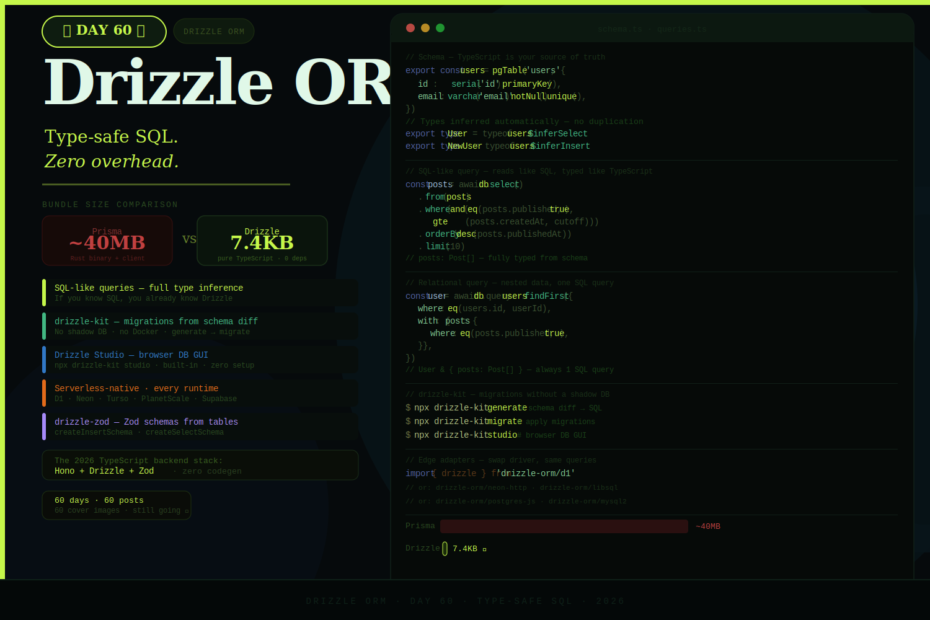
Prisma ships a 40MB Rust binary. Drizzle is 7.4KB with zero dependencies. If you know SQL, you already know Drizzle — and your TypeScript will thank you for switching.
A milestone worth marking with a tool that’s genuinely changed how I interact with databases in TypeScript: Drizzle ORM.
The JavaScript ecosystem has no shortage of ORMs. Prisma is polished and popular. TypeORM has been around forever. Sequelize still runs half the legacy Node.js world. But in 2026, Drizzle has quietly become the default for serious TypeScript backend developers — especially for serverless and edge environments where Prisma’s massive binary footprint is a dealbreaker.
Here’s what Drizzle is, why it matters, and how to use it well.
The Core Philosophy: SQL Is Good, Actually
Most ORMs abstract SQL away. You learn their custom query language instead. Prisma has findMany, where, include. TypeORM has createQueryBuilder().select(). These APIs are expressive, but you’re learning a DSL on top of SQL that you already know.
Drizzle takes the opposite approach. Its queries look like SQL:
// If you know SQL, you know what this does immediately
const posts = await db
    .select()
    .from(posts)
    .where(and(eq(posts.published, true), gte(posts.createdAt, cutoffDate)))
    .orderBy(desc(posts.createdAt))
    .limit(10)

// Compare to raw SQL:
// SELECT * FROM posts
// WHERE published = true AND created_at >= $1
// ORDER BY created_at DESC LIMIT 10
The mapping is intentional and direct. No custom vocabulary to learn. Every clause maps to its SQL equivalent.
Why Not Prisma?
Prisma is excellent for many use cases. But it has real costs:
Bundle size: Prisma ships a Rust-based query engine binary (~40MB). In a Lambda function or Cloudflare Worker, this is often impossible. Drizzle’s footprint: ~7.4KB gzipped, zero dependencies, pure TypeScript.
Cold starts: The Prisma query engine needs to initialize. In serverless environments with frequent cold starts, this adds noticeable latency. Drizzle has zero initialization overhead.
Shadow database: Prisma Migrate requires a shadow database for safe migration generation. Drizzle Kit generates migrations via schema diffing from your TypeScript files — no extra database required.
Custom SQL: When Prisma can’t express a query, you fall back to prisma.$queryRaw. With Drizzle, you’re always writing SQL-equivalent code, so complex queries are natural extensions, not escape hatches.
When to keep Prisma: For teams that love its schema language and DX, for projects where the binary size isn’t an issue, or for MongoDB support (Drizzle is SQL-only).
Installation
# PostgreSQL
npm install drizzle-orm postgres
npm install -D drizzle-kit

# MySQL
npm install drizzle-orm mysql2
npm install -D drizzle-kit

# SQLite
npm install drizzle-orm better-sqlite3
npm install -D drizzle-kit @types/better-sqlite3
Defining Your Schema
Schema definitions are TypeScript files. Your schema is your source of truth — types flow from it automatically:
// src/db/schema.ts
import { pgTable, serial, varchar, boolean, timestamp, integer, text, index } from 'drizzle-orm/pg-core'
import { relations } from 'drizzle-orm'

export const users = pgTable('users', {
    id:        serial('id').primaryKey(),
    email:     varchar('email', { length: 255 }).notNull().unique(),
    name:      varchar('name', { length: 100 }).notNull(),
    role:      varchar('role', { length: 20 }).notNull().default('user'),
    isActive:  boolean('is_active').notNull().default(true),
    createdAt: timestamp('created_at').notNull().defaultNow(),
    updatedAt: timestamp('updated_at').notNull().defaultNow(),
}, (table) => ({
    emailIdx: index('users_email_idx').on(table.email),
}))

export const posts = pgTable('posts', {
    id:          serial('id').primaryKey(),
    title:       varchar('title', { length: 200 }).notNull(),
    slug:        varchar('slug', { length: 200 }).notNull().unique(),
    body:        text('body').notNull(),
    published:   boolean('published').notNull().default(false),
    authorId:    integer('author_id').notNull().references(() => users.id),
    publishedAt: timestamp('published_at'),
    createdAt:   timestamp('created_at').notNull().defaultNow(),
}, (table) => ({
    slugIdx:      index('posts_slug_idx').on(table.slug),
    authorIdx:    index('posts_author_idx').on(table.authorId),
    publishedIdx: index('posts_published_idx').on(table.published),
}))

// Define relations for relational queries
export const usersRelations = relations(users, ({ many }) => ({
    posts: many(posts),
}))

export const postsRelations = relations(posts, ({ one }) => ({
    author: one(users, {
        fields: [posts.authorId],
        references: [users.id],
    }),
}))

// Infer TypeScript types from your schema automatically
export type User    = typeof users.$inferSelect
export type NewUser = typeof users.$inferInsert
export type Post    = typeof posts.$inferSelect
export type NewPost = typeof posts.$inferInsert
Connecting to the Database
// src/db/client.ts
import { drizzle } from 'drizzle-orm/postgres-js'
import postgres from 'postgres'
import * as schema from './schema'

const client = postgres(process.env.DATABASE_URL!, {
    max: 10,              // connection pool size
    idle_timeout: 20,     // close idle connections after 20s
    connect_timeout: 10,  // connection timeout
})

export const db = drizzle(client, { schema })

// For serverless — single connection, no pooling
const serverlessClient = postgres(process.env.DATABASE_URL!, { max: 1 })
export const serverlessDb = drizzle(serverlessClient, { schema })
Queries — SQL-Like and Fully Typed
Select
import { eq, and, or, gte, lte, like, desc, asc, count, sql } from 'drizzle-orm'
import { db } from './db/client'
import { users, posts } from './db/schema'

// Simple select
const allUsers = await db.select().from(users)
// Type: User[]

// Select specific columns
const userEmails = await db
    .select({ id: users.id, email: users.email })
    .from(users)
// Type: { id: number; email: string }[]

// Where conditions
const activeAdmins = await db
    .select()
    .from(users)
    .where(and(eq(users.isActive, true), eq(users.role, 'admin')))

// Search with LIKE
const searchResults = await db
    .select()
    .from(users)
    .where(like(users.name, '%Alice%'))

// Ordering, pagination
const recentPosts = await db
    .select()
    .from(posts)
    .where(eq(posts.published, true))
    .orderBy(desc(posts.publishedAt))
    .limit(10)
    .offset(0)
Insert
// Insert one — returning() gives back the created row with full types
const [newUser] = await db
    .insert(users)
    .values({
        email: 'alice@example.com',
        name: 'Alice Smith',
        role: 'user',
    })
    .returning()
// newUser: User — fully typed

// Insert many
const newPosts = await db
    .insert(posts)
    .values([
        { title: 'First Post', slug: 'first-post', body: '...', authorId: newUser.id },
        { title: 'Second Post', slug: 'second-post', body: '...', authorId: newUser.id },
    ])
    .returning()

// Upsert (insert or update on conflict)
await db
    .insert(users)
    .values({ email: 'alice@example.com', name: 'Alice Smith' })
    .onConflictDoUpdate({
        target: users.email,
        set: { name: 'Alice Smith Updated', updatedAt: new Date() },
    })
Update and Delete
// Update with returning
const [updated] = await db
    .update(users)
    .set({ name: 'Alice Johnson', updatedAt: new Date() })
    .where(eq(users.id, 1))
    .returning()

// Delete with returning
const [deleted] = await db
    .delete(posts)
    .where(eq(posts.id, 5))
    .returning()
Joins
// Left join with explicit column selection
const usersWithPostCount = await db
    .select({
        user: users,
        postCount: count(posts.id).as('post_count'),
    })
    .from(users)
    .leftJoin(posts, eq(users.id, posts.authorId))
    .groupBy(users.id)
    .orderBy(desc(sql`post_count`))

// Inner join
const publishedPostsWithAuthors = await db
    .select({
        postTitle: posts.title,
        authorName: users.name,
        authorEmail: users.email,
    })
    .from(posts)
    .innerJoin(users, eq(posts.authorId, users.id))
    .where(eq(posts.published, true))
Relational Queries (The Friendly API)
For complex nested data, Drizzle’s relational query API is cleaner than explicit joins:
// Fetch user with all their published posts
const userWithPosts = await db.query.users.findFirst({
    where: eq(users.id, userId),
    with: {
        posts: {
            where: eq(posts.published, true),
            orderBy: desc(posts.createdAt),
            limit: 5,
        },
    },
})
// Type: User & { posts: Post[] } — inferred automatically

// Fetch posts with author details
const postsWithAuthors = await db.query.posts.findMany({
    where: eq(posts.published, true),
    with: {
        author: {
            columns: { id: true, name: true, email: true },
        },
    },
    orderBy: desc(posts.publishedAt),
    limit: 20,
})
Transactions
// All-or-nothing execution
const result = await db.transaction(async (tx) => {
    const [user] = await tx
        .insert(users)
        .values({ email: 'bob@example.com', name: 'Bob' })
        .returning()

    const [post] = await tx
        .insert(posts)
        .values({ title: 'Bob\'s first post', slug: 'bobs-first', body: '...', authorId: user.id })
        .returning()

    // If any statement throws, the entire transaction is rolled back
    return { user, post }
})
Migrations with Drizzle Kit
// drizzle.config.ts
import type { Config } from 'drizzle-kit'

export default {
    schema: './src/db/schema.ts',
    out: './drizzle',
    dialect: 'postgresql',
    dbCredentials: {
        url: process.env.DATABASE_URL!,
    },
} satisfies Config
# Generate a migration from schema changes
npx drizzle-kit generate

# Apply pending migrations
npx drizzle-kit migrate

# Push schema directly (development only — no migration files)
npx drizzle-kit push

# Pull schema from existing database (great for migrating from another ORM)
npx drizzle-kit introspect

# Open Drizzle Studio — browser-based DB GUI
npx drizzle-kit studio
Drizzle Kit compares your TypeScript schema to the current database state and generates a timestamped SQL migration file. No shadow database, no Docker required — the diffing is pure TypeScript.
Drizzle Studio
Run npx drizzle-kit studio and open local.drizzle.studio in your browser. You get a full database GUI: browse tables, run queries, edit data, inspect schema. No configuration, no separate tool to install — it’s built into drizzle-kit.
Prepared Statements for Performance
For queries you run frequently (authentication checks, hot API endpoints), prepared statements skip re-parsing on every call:
import { placeholder } from 'drizzle-orm'

// Prepare once
const getUserByEmail = db
    .select()
    .from(users)
    .where(eq(users.email, placeholder('email')))
    .limit(1)
    .prepare('get_user_by_email')

// Execute many times — faster than re-parsing each time
const [user] = await getUserByEmail.execute({ email: 'alice@example.com' })
Integrating with Zod
Drizzle plays perfectly with Zod for request validation:
import { createInsertSchema, createSelectSchema } from 'drizzle-zod'
import { z } from 'zod'

// Generate Zod schemas from your Drizzle table definitions
const insertUserSchema = createInsertSchema(users, {
    email: z.string().email('Invalid email address'),
    name: z.string().min(2, 'Name must be at least 2 characters'),
    role: z.enum(['user', 'admin', 'moderator']),
})

const selectUserSchema = createSelectSchema(users)

// Use in API handlers
app.post('/users', zValidator('json', insertUserSchema), async (c) => {
    const data = c.req.valid('json')
    // data is typed to match what Drizzle's insert accepts
    const [user] = await db.insert(users).values(data).returning()
    return c.json(user, 201)
})
Serverless and Edge Usage
Drizzle works natively on Cloudflare Workers, Vercel Edge, AWS Lambda — everywhere. The adapter changes, the queries don’t:
// Cloudflare D1 (SQLite at the edge)
import { drizzle } from 'drizzle-orm/d1'

export default {
    async fetch(request: Request, env: Env) {
        const db = drizzle(env.DB) // D1 binding from wrangler.toml
        const users = await db.select().from(usersTable)
        return Response.json(users)
    }
}

// Neon (serverless PostgreSQL)
import { drizzle } from 'drizzle-orm/neon-http'
import { neon } from '@neondatabase/serverless'

const sql = neon(process.env.DATABASE_URL!)
const db = drizzle(sql)

// Turso (LibSQL / SQLite)
import { drizzle } from 'drizzle-orm/libsql'
import { createClient } from '@libsql/client'

const client = createClient({ url: process.env.TURSO_URL!, authToken: process.env.TURSO_TOKEN! })
const db = drizzle(client)
When Drizzle Is the Right Choice
Choose Drizzle if:
- You’re deploying to serverless or edge (Lambda, Cloudflare Workers, Vercel Edge)
- You want SQL-level control with TypeScript safety
- Bundle size matters (CLIs, edge functions, Lambda cold starts)
- You know SQL and don’t want to learn another query language
- You’re using Hono, Next.js App Router, or any TypeScript-first stack
Choose Prisma if:
- Your team strongly prefers Prisma’s schema language and its DX
- You’re using MongoDB (Drizzle is SQL-only)
- You’re on a traditional long-running Node.js server where binary size doesn’t matter
- Your team is less TypeScript-fluent and prefers Prisma’s more guided approach
The migration path: Drizzle’s introspect command generates a TypeScript schema from your existing database. You can start using Drizzle for new queries alongside existing Prisma code and migrate gradually.
Final Thoughts
Drizzle is the ORM I wish existed when I started writing TypeScript backends. It respects the fact that SQL is already a good query language. It doesn’t hide your database behind abstractions that break as soon as your query gets interesting. And it does all of this in 7.4KB.
The combination of Drizzle + Hono + Zod is quietly becoming the TypeScript backend stack of 2026: SQL-close database access, fast HTTP framework, and schema-driven validation — all wired together by TypeScript’s type system with zero code generation.
The stack keeps getting better. TypeScript ORM that finally made SQL fun again.